web
You’re offline. This is a read only version of the page.
close
Skip to main content

Notifications

Announcements

No record found.

Community site session details

Community site session details

Session Id :
Small and medium business | Business Central, N...
Suggested Answer

Qty not showing up on item tracking lines as available to select.

(3) ShareShare
ReportReport
Posted on by 107
UPDATE:
 
I believe I have found something that could be the issue. When I check this item's availability by location, I see one line with a proper location code, and another line with the qty of 40 I want placed into a blank location. I only have one location set up which is SLC.
 
 
When I try to create a transfer order, I cannot select the blank location as it is not a real location. Is there another way to transfer inventory from a 'blank' location to a proper one?


__________________________________________________________________________________________________________________________________________________________________________________________________
 
I am creating a production order for a certain item. This item has many components. The line highlighted is the one giving me problems.
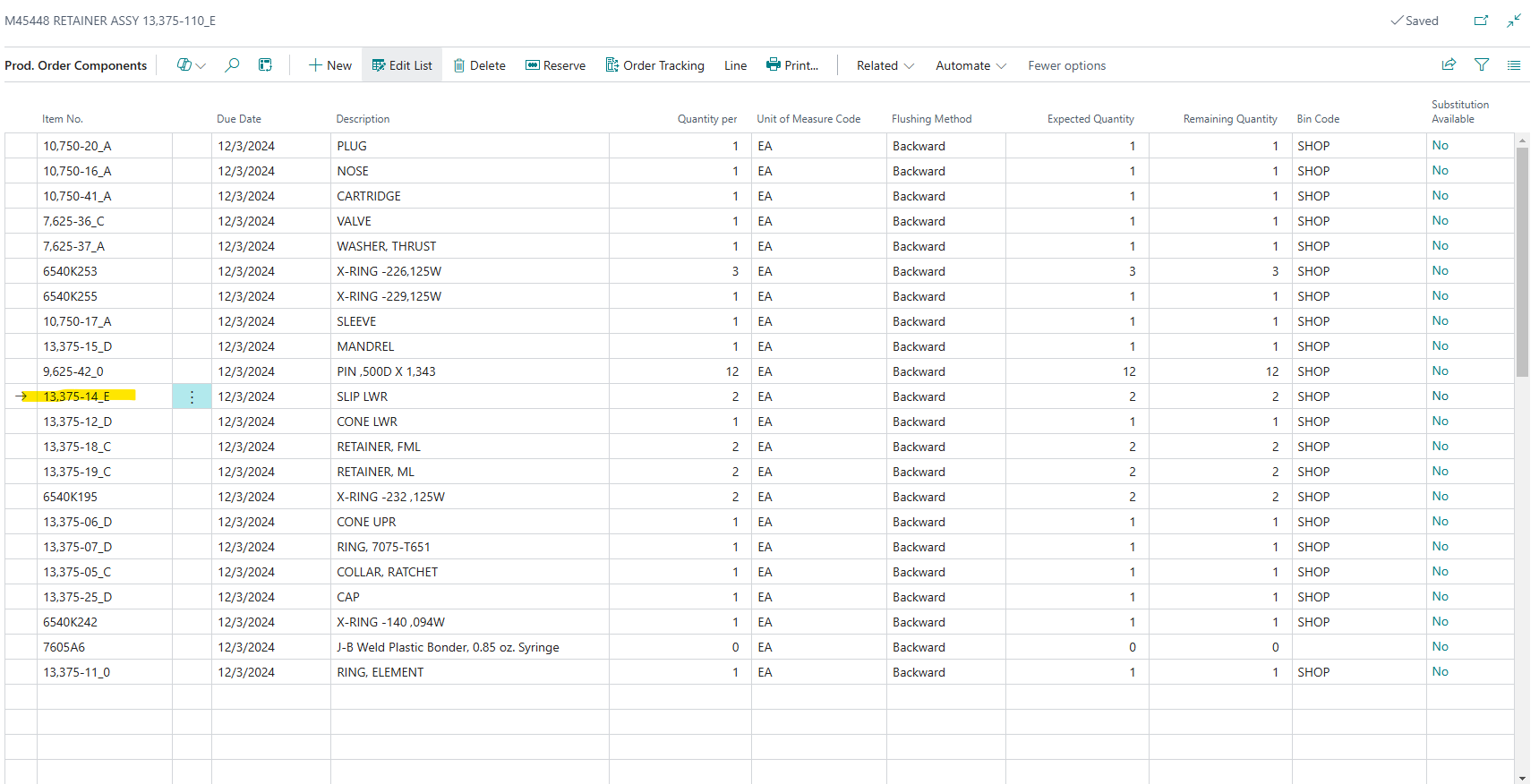
 
Below is the item ledger entries for the above item, totaling to an on hand quantity of 41:
 
 
I go to Related -> Other ->Item Tracking Lines to select lot numbers to allocate to this order. I then go to Select Entries and here I have a list of the available lot #s to choose from. Here I only see two lot #s with a total quantity of 1, but the item has an on hand quantity of 41. I am missing the available 40.
 
 
If I go to the item ledger entry for the line referring to the output of the 40, I see that it was a production order and I have an untracked quantity of 40.
 
 
Also, that quantity of 40, was from the below finished production order.
 
 
And when I go to the item tracking lines in this finished order, I see that it does have an assigned lot?
 
 
How can I make this qty of 40 be available to me to select in the above production order? Is the problem that I just don't have a lot assigned to those 40 quantities? If so, what is the proper way to assign a lot and if I cannot, what else should one do in this situation? The item is lot tracked, but it does not have a Lot No. Series attached. Will creating one and adding it to the item also help prevent this in the future?
 
Let me know if you need any more information and I can add it in an edit.
 
Thank you very much.
 
 
I have the same question (0)
  • Suggested answer
    Ramesh Kumar Profile Picture
    7,529 Super User 2025 Season 2 on at
    Interesting issue
     
    Have you checked if there are any sales orders for that particular item and whether the available quantity is already allocated to another order? I also recommend verifying if there are any open purchase orders pending receipt.
     
  • Suggested answer
    Jun Wang Profile Picture
    8,202 Super User 2025 Season 2 on at
    You could go to the production order, assuming it hasn't been finished, then use the below function to assign a lot number to the output. Depending on the location setup, you might need to do an internal movement to make the output available for use. If you have simple location, the movement is not needed. 
  • Suggested answer
    Valentin Castravet Profile Picture
    31,517 Super User 2025 Season 2 on at
    When I try to create a transfer order, I cannot select the blank location as it is not a real location. Is there another way to transfer inventory from a 'blank' location to a proper one?
     
    You can use the item journal to do a negative/positive adjustment. If the items are in a different location that would explain why you don't see them in the item tracking lines. 
     
  • Suggested answer
    YUN ZHU Profile Picture
    95,754 Super User 2025 Season 2 on at
    If you just want to adjust the location, Item Reclassification Journals would be better.
     
    Thanks.
    ZHU

Under review

Thank you for your reply! To ensure a great experience for everyone, your content is awaiting approval by our Community Managers. Please check back later.

Helpful resources

Quick Links

Responsible AI policies

As AI tools become more common, we’re introducing a Responsible AI Use…

Neeraj Kumar – Community Spotlight

We are honored to recognize Neeraj Kumar as our Community Spotlight honoree for…

Leaderboard > Small and medium business | Business Central, NAV, RMS

#1
OussamaSabbouh Profile Picture

OussamaSabbouh 2,132

#2
Khushbu Rajvi. Profile Picture

Khushbu Rajvi. 675 Super User 2025 Season 2

#3
YUN ZHU Profile Picture

YUN ZHU 665 Super User 2025 Season 2

Last 30 days Overall leaderboard

Featured topics

Product updates

Dynamics 365 release plans
