web
You’re offline. This is a read only version of the page.
close
Skip to main content

Announcements

No record found.

News and Announcements icon
Community site session details

Community site session details

Session Id :
Small and medium business | Business Central, N...
Answered

TimeSheet in business central based on job Planning Lines Start Date and End Date

(1) ShareShare
ReportReport
Posted on by 990

Hi All,

We started exploring the timesheet functionality recently, is there a way where the timesheets could be created based on the start date and end date of a job planning line. So that the timesheet creator does not have to do it for each week or month.

I would also like to know whether this could be achieved by the no. of periods field.

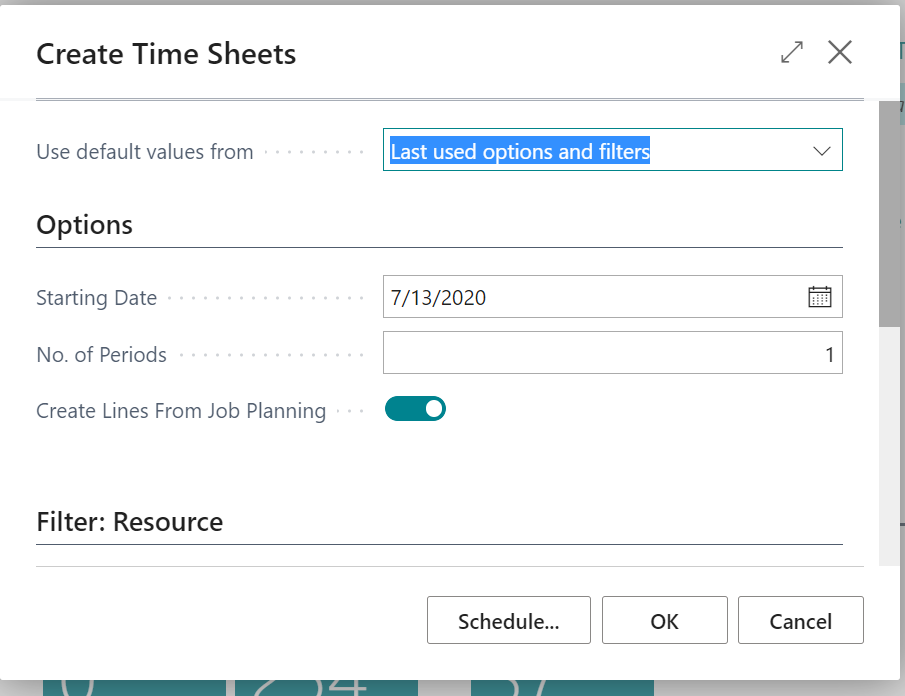
What should be the Starting Date?
pastedimage1621363839485v1.png

Thanks & Regards,

Indira

I have the same question (0)
  • Verified answer
    Community Member Profile Picture
    on at

    Indira,

    In the Create Timesheet option page, enter the Starting Date. I will use this 2/1/21 and do this for 10 weeks. I checked the From Job Planning and click OK. Now I have 10 weeks of Timesheets with the Planning Lines within. The weeks become your End Date.

    pastedimage1621364279716v1.png  pastedimage1621364306617v2.png

    Hope this helps.

    Thanks,

    Steve

  • Indira88 Profile Picture
    990 on at

    Thank you for a quick reply,so if I want the timesheets to generate from the start date of the JobPlanning line and the consecutive number of periods till the end date of the job Planning line.

    The timesheets would be created for that duration?

  • Suggested answer
    Community Member Profile Picture
    on at

    Indira,

    Yes.

    Thanks,

    Steve

Under review

Thank you for your reply! To ensure a great experience for everyone, your content is awaiting approval by our Community Managers. Please check back later.

Helpful resources

Quick Links

Introducing the 2026 Season 1 community Super Users

Congratulations to our 2026 Super Stars!

Meet the Microsoft Dynamics 365 Contact Center Champions

We are thrilled to have these Champions in our Community!

Congratulations to the March Top 10 Community Leaders

These are the community rock stars!

Leaderboard > Small and medium business | Business Central, NAV, RMS

#1
OussamaSabbouh Profile Picture

OussamaSabbouh 1,853 Super User 2026 Season 1

#2
YUN ZHU Profile Picture

YUN ZHU 915 Super User 2026 Season 1

#3
Teagen Boll Profile Picture

Teagen Boll 643 Super User 2026 Season 1

Last 30 days Overall leaderboard

Featured topics

Product updates

Dynamics 365 release plans
