web
You’re offline. This is a read only version of the page.
close
Skip to main content

Announcements

No record found.

News and Announcements icon
Community site session details

Community site session details

Session Id :
Microsoft Dynamics CRM (Archived)

Dynamis 365 Online Error

(0) ShareShare
ReportReport
Posted on by 222

Hi Guys,

I was making some changed to one of my custome entities, i was adding a new subgrid and as soon as I've saved and published it wouldn't let me open the entity or open a form to edit.

I am getting an error...5582.errorr.jpg
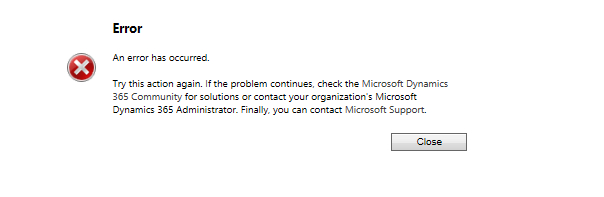
could you please advice how i could start troubleshooting this issue? Retrieving a backup is not ideal as I made a lot of changes since last backup.

thanks

*This post is locked for comments

I have the same question (0)
  • Suggested answer
    gdas Profile Picture
    50,091 Moderator on at

    Hi ,

    Seems something went wrong  at that moment . Did you tried to close the browser and re login CRM system ? Hopefully your issue will be resolve .

  • Rasi Profile Picture
    222 on at

    Hi, Yes i tried everything, still the same issue.

  • Suggested answer
    Pawar Pravin Profile Picture
    5,237 on at

    Hi ,

    Please try to create new form for that entity. It was happen with me as well in one project. While creating new form don't copy existing form.

  • Rasi Profile Picture
    222 on at

    Just tried and It wouldnt let me, as soon as I press New the error pops up....

  • Suggested answer
    Pawar Pravin Profile Picture
    5,237 on at

    Hi Rasi,

    In that case please make sure that if any field is deleted directly from 3rd Party tool without removing from entity form.

  • Verified answer
    gdas Profile Picture
    50,091 Moderator on at

    Not sure what to say , sometimes its happen when something is going wrong internally.

    As you mentioned its happening for only single entity , so I am suspecting that your forms contains some irrelevant component , might be that is causes the issue . You have to remove   some recently added component from the forms and , try to do publish again.  

  • Suggested answer
    RaviKashyap Profile Picture
    55,410 Moderator on at

    Hi rasi,

    If you have already tried different browser & user then please contact Microsoft Support as they can check the platform traces to find out the whats happening.

    https://admin.dynamics.com

    Hope this helps.

Under review

Thank you for your reply! To ensure a great experience for everyone, your content is awaiting approval by our Community Managers. Please check back later.

Helpful resources

Quick Links

Introducing the 2026 Season 1 community Super Users

Congratulations to our 2026 Super Stars!

Meet the Microsoft Dynamics 365 Contact Center Champions

We are thrilled to have these Champions in our Community!

Congratulations to the April Top 10 Community Leaders

These are the community rock stars!

Leaderboard > 🔒一 Microsoft Dynamics CRM (Archived)

#1
ScottDurow Profile Picture

ScottDurow 2

#2
GJones Profile Picture

GJones 1

Last 30 days Overall leaderboard

Featured topics

Product updates

Dynamics 365 release plans
