web
You’re offline. This is a read only version of the page.
close
Skip to main content

Announcements

No record found.

News and Announcements icon
Community site session details

Community site session details

Session Id :
Supply chain | Supply Chain Management, Commerce
Answered

Freight bills details empty

(0) ShareShare
ReportReport
Posted on by 5

Hello,

I have a load in "Shipped" status, with a Route configured. I did the packing slip and the bill of lading. I am trying to generate a vendor invoice. But when I go to Freight bill details, the page is empty and I can do nothing.
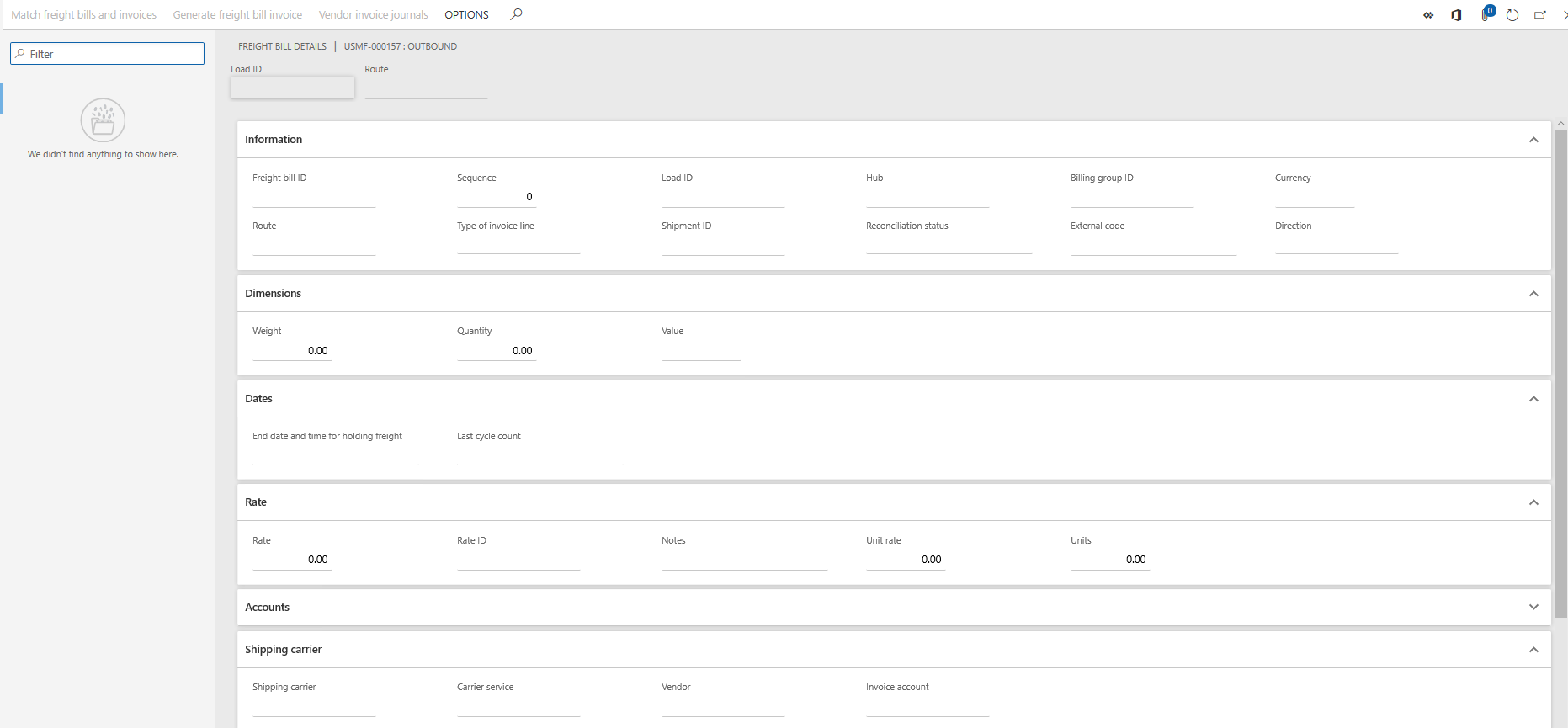
pastedimage1582543791047v1.png

(I have checked the parameters in terms of delivery, in transportation management and everything seems ok)

Am I doing something wrong? I cannot create invoices...

Thanks in advance,

Laura

I have the same question (0)
  • Elena Brys Profile Picture
    Microsoft Employee on at

    Hi Laura,

    You may want to check if you have <Write vendor invoice journal>= Yes  and <Enable Freight Reconciliation>= Yes in  Transportation management parameters.

    Best Regards,
    Elena

  • Laura Florido Profile Picture
    5 on at

    Hi Elena,

    Thanks for your answer.

    Yes, I have this configuration in Transportation management parameters...

  • Elena Brys Profile Picture
    Microsoft Employee on at

     If you have the shipping carrier and service correctly assigned to the load, the freight bill details should be automatically created after Outbound Shipment  for load is confirmed.

    Can you please provide a print screen from Transportation management parameters with Vendor Invoice fast tab?

    Thanks,
    Elena

  • Laura Florido Profile Picture
    5 on at

    Hi Elena,

    pastedimage1582555655787v1.png

    And the load:

    pastedimage1582555732284v2.png

    Thank you so much.

    Laura

  • Verified answer
    Elena Brys Profile Picture
    Microsoft Employee on at

    Hi Laura,

    Please try to check the Terms of delivery setup for the value you having on your sales order header. This should be defaulted from customer, Invoice and Delivery tab.

    Make sure parameter Add transportation charges to orders is set to Yes.

    2020_2D00_02_2D00_26_5F00_14_2D00_10_2D00_57.png

    Regards,
    Elena

  • Elena Brys Profile Picture
    Microsoft Employee on at

    Hi Laura,

    Did you manage to resolve this?

    Thanks,

    Elena

  • Laura Florido Profile Picture
    5 on at

    Hi Elena,

    Yes, thanks for your help.

    Laura

Under review

Thank you for your reply! To ensure a great experience for everyone, your content is awaiting approval by our Community Managers. Please check back later.

Helpful resources

Quick Links

Introducing the 2026 Season 1 community Super Users

Congratulations to our 2026 Super Stars!

Meet the Microsoft Dynamics 365 Contact Center Champions

We are thrilled to have these Champions in our Community!

Congratulations to the March Top 10 Community Leaders

These are the community rock stars!

Leaderboard > Supply chain | Supply Chain Management, Commerce

#1
Mallesh Deshapaga Profile Picture

Mallesh Deshapaga 287

#2
Laurens vd Tang Profile Picture

Laurens vd Tang 212 Super User 2026 Season 1

#3
Syed Haris Shah Profile Picture

Syed Haris Shah 145 Super User 2026 Season 1

Last 30 days Overall leaderboard

Product updates

Dynamics 365 release plans
