web
You’re offline. This is a read only version of the page.
close
Skip to main content

Notifications

Announcements

No record found.

Community site session details

Community site session details

Session Id :
Supply chain | Supply Chain Management, Commerce
Suggested Answer

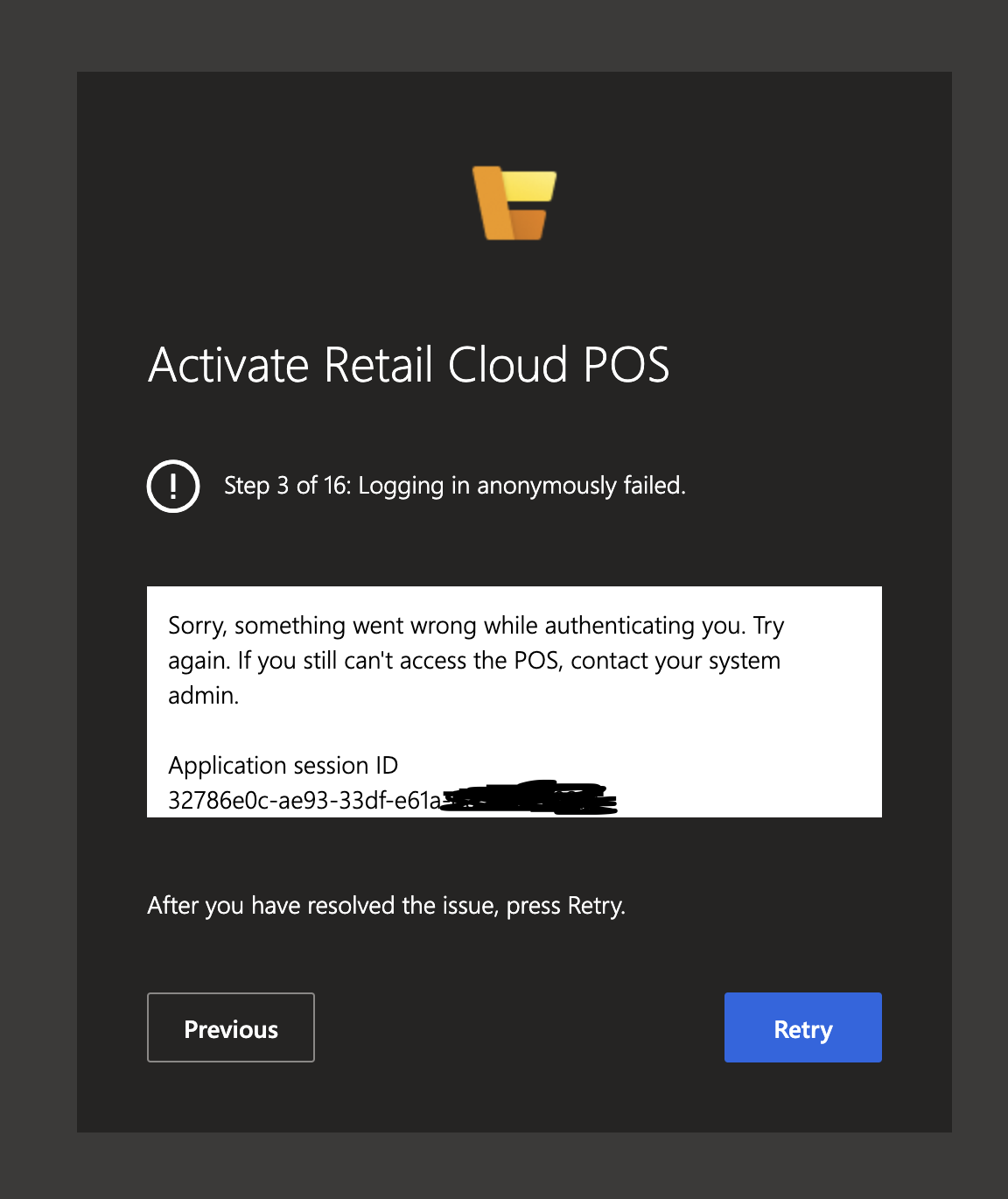
POS Activation issue: Step 3 of 16: Logging in anonymously failed.

(0) ShareShare
ReportReport
Posted on by 45

Hi experts,

I am currently experiencing issues when trying to active the POS device with my account. The activation fails at step 3 (authenticating) with the error message: Step 3 of 16: Logging in anonymously failed.

I have linked my worker with my user in D365, have setup my POS permissions to manage devices and have also linked the external identity with my worker. After that I ran a full DB sync (9999 job).

I have also tried different browsers and incognito mode without any success.

In my previous company we used a domain account for the user e.g. Provider: https://sts.windows.net/ABC.com

We do not have that with our current company. Could that be the issue? If so what do we have to do to fix this or is there another way to enable my user to activate devices?

Thank you very much!Screenshot-2021_2D00_07_2D00_26-at-16.56.27.png
I have the same question (0)
  • Suggested answer
    Ramune Profile Picture
    on at

    Hi Michael,

    please create a support case for us if you will not get any solution suggestion there.

  • JeffreyPW Profile Picture
    228 on at

    I've seen issues sometimes with the list of Authentication Providers cause this...

  • AriaConsulting Profile Picture
    2 on at

    I haven't tried being able to activate with a non-domain account, but I would be surprised if it is possible. MS really likes customers to be using AD/AAD.

  • SergeyP Profile Picture
    2,928 on at

    The error shown in your screenshot is not originated on Retail Server side. Something went wrong when POS tried to acquire token from AAD, to investigate please open the browser's Developer Console (usually you can do that by pressing F12 on the keyboard), navigate to Console tab, reproduce the problem and watch for warnings/errors there - often they will be actionable enough to figure out what the issue is.

Under review

Thank you for your reply! To ensure a great experience for everyone, your content is awaiting approval by our Community Managers. Please check back later.

Helpful resources

Quick Links

Responsible AI policies

As AI tools become more common, we’re introducing a Responsible AI Use…

Neeraj Kumar – Community Spotlight

We are honored to recognize Neeraj Kumar as our Community Spotlight honoree for…

Leaderboard > Supply chain | Supply Chain Management, Commerce

#1
Laurens vd Tang Profile Picture

Laurens vd Tang 301 Super User 2025 Season 2

#2
André Arnaud de Calavon Profile Picture

André Arnaud de Cal... 120 Super User 2025 Season 2

#3
Siv Sagar Profile Picture

Siv Sagar 105 Super User 2025 Season 2

Last 30 days Overall leaderboard

Product updates

Dynamics 365 release plans
