web
You’re offline. This is a read only version of the page.
close
Skip to main content

Announcements

No record found.

News and Announcements icon
Community site session details

Community site session details

Session Id :
Microsoft Dynamics CRM (Archived)

Remove status field

(0) ShareShare
ReportReport
Posted on by 12,119 Moderator

Hi all

I want to remove status field from header as shown below

StatusField.png

When I try to remove it is giving me error: 
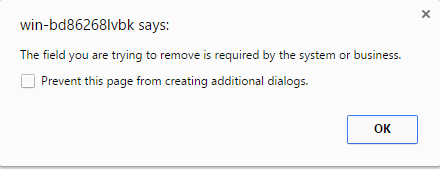
StatusField1.png

I want to remove it because it is already in the form on footer as shown below:
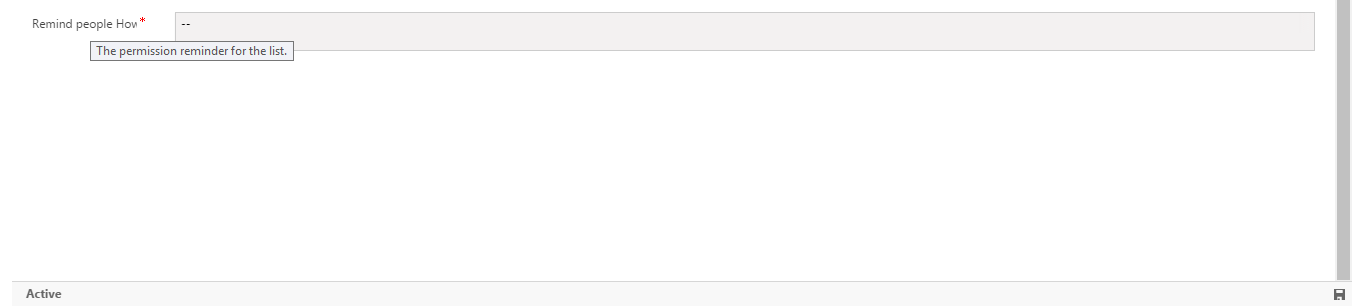
StatusField2.png

How should I remove this field?

Thank You 

*This post is locked for comments

I have the same question (0)
  • Suggested answer
    Shidin Haridas Profile Picture
    3,499 on at

    Hi Abdul Wahab,

    Fields, which are 'Business Required'/'System Required' cannot be removed from the form. You would need to change the 'System Requirement' property on the Field to 'Optional / Business Recommended'. But System fields such as Status, Owner etc are always 'System Required' and cannot be made Optional.

    Instead, what you can choose to do is hide the field and hide the label on the form Header. This would ensure that the field is on the form, but is not shown to the user.

    To do so, go to the form -> form header -> double click on the Status field -> uncheck the below two check-boxes.

    836728.Capture.PNG

  • Abdul Wahab Profile Picture
    12,119 Moderator on at

    Hi Shidin Haridas

    But this field is available on footer my friend. So Why I add it on header also? Why I need to hide it, instead of remove?

    Thank You

  • Suggested answer
    Community Member Profile Picture
    on at

    Add the Status field to the body of the form (Unticking 'Only show unused fields' to see the Status field), and then remove it from the header of the form.

    To remove it from body form put make the field invisible or put it in a hidden tab.

    or you can try to hide it using javascript:

    Xrm.Page.getControl("header_statecode").setVisible(false);
  • Suggested answer
    Rajkumar Rajaraman Profile Picture
    on at

    Place the field that you are trying to remove from the header/footer in the body of the form then try to remove it from the header/footer that should work.

  • Suggested answer
    Shidin Haridas Profile Picture
    3,499 on at

    Yes, I understand.

    This field is "System Required", which means it needs to be present on the Form.

    Hence you cannot remove the field, but you can hide it. Which, to the end user, is the same effect.

    Refer to the screenshot in my previous reply to see how to uncheck the 'visible by default' option.

  • Suggested answer
    RamKumarb Profile Picture
    828 on at

    hi  Abdul ,

        i too had same problem , i just deleted the form and created a new main form in which i didn't use status.

    And the other option is to hide the field as suggested by Shidin

  • Abdul Wahab Profile Picture
    12,119 Moderator on at

    Hi Shidin Haridas

    I do the same as you told me

    StatusField3.png

    but my field is visible.

  • Abdul Wahab Profile Picture
    12,119 Moderator on at

    Hi Shidin Haridas

    It worked.

    Thank You

  • Abdul Wahab Profile Picture
    12,119 Moderator on at

    Hi Ram kumar

    CRM not allowed you to delete main form without creating new main form first. When You create new main form then it automatically make the new form as previous main form. How should I remove status field ? As per your suggestion. May you please explain more?

    Thank You

  • Suggested answer
    Nithya Gopinath Profile Picture
    17,078 on at

    Hi Abdul Wahab,
    Create a new tab in the form, set the visibility of the tab to be collapsed and not visible on the form, then move the status field to that tab.
    See: https://community.dynamics.com/crm/b/pabloperalta/archive/2011/08/20/tip-the-field-you-are-trying-to-remove-is-required-by-the-system-or-business

    Hope this helps.

Under review

Thank you for your reply! To ensure a great experience for everyone, your content is awaiting approval by our Community Managers. Please check back later.

Helpful resources

Quick Links

Introducing the 2026 Season 1 community Super Users

Congratulations to our 2026 Super Stars!

Congratulations to our 2025 Community Spotlights

Thanks to all of our 2025 Community Spotlight stars!

Leaderboard > 🔒一 Microsoft Dynamics CRM (Archived)

#1
JS-09031509-0 Profile Picture

JS-09031509-0 3

#2
AS-17030037-0 Profile Picture

AS-17030037-0 2

#2
Mark Eckert Profile Picture

Mark Eckert 2

Last 30 days Overall leaderboard

Featured topics

Product updates

Dynamics 365 release plans
