web
You’re offline. This is a read only version of the page.
close
Skip to main content

Announcements

No record found.

News and Announcements icon
Community site session details

Community site session details

Session Id :
Microsoft Dynamics CRM (Archived)

Unable to connect to organisation with plug in registration tool

(0) ShareShare
ReportReport
Posted on by

Hi All, 

I am trying to register a plug in onto my new v9 instance but after putting my credentials in I get my list of 2 instances, I choose my test one but then in returns to this screen.
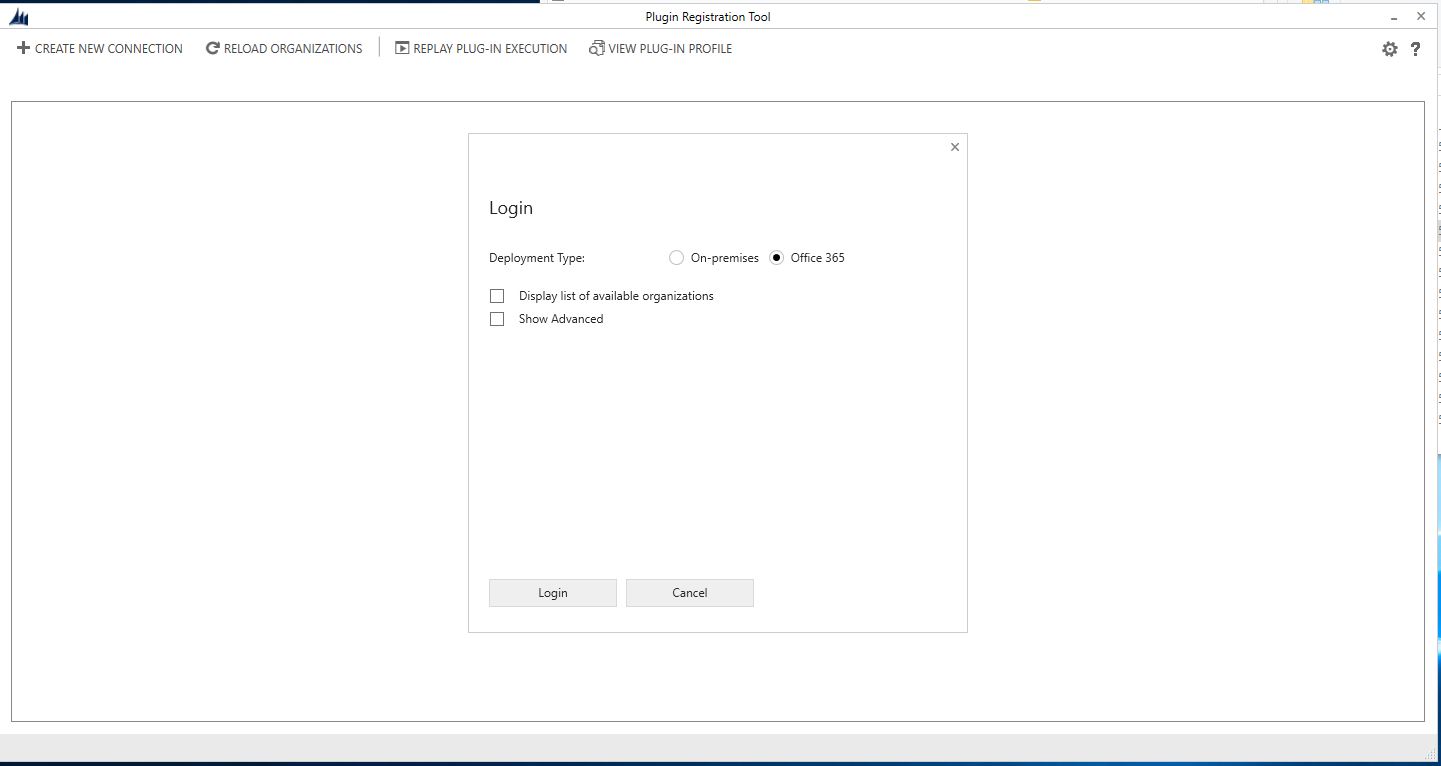
7181.Capture.JPG

 I am both a system admin and system customizer and I am unsure as to what is happening? any ideas? 

Thanks 

Niamh  

*This post is locked for comments

I have the same question (0)
  • Community Member Profile Picture
    on at

    Please verify if your user is global system admin

  • Niamh Stanley Profile Picture
    on at

    Hi,

    I am not a global admin (if you mean an office 365 admin) but  have previously been able to register plug ins on my other instance of which I am also not a global admin.

  • Suggested answer
    Preeti Sharma Profile Picture
    2,678 on at

    Hi,

    Please check if you are using latest version of plugin registration tool as earlier versions does not support v9.

    You can download latest version from nuget:

    docs.microsoft.com/.../download-tools-nuget

    Please check below community thread as well:

    community.dynamics.com/.../749367

    Hope this helps:)

  • Niamh Stanley Profile Picture
    on at

    I am using the latest version.

    I just downloaded this thinking it would solve the problem but it didn't. The product version is 9.0.0.9

  • Community Member Profile Picture
    on at

    Refer this:

    mscrm365.blogspot.sg/.../dynamics-crm-v9-connection-error-in.html

  • Suggested answer
    Preeti Sharma Profile Picture
    2,678 on at

    Hi,

    Please check below link as well:

    community.dynamics.com/.../418083

    Thanks:)

  • Niamh Stanley Profile Picture
    on at

    Hi,

    I have tried the steps using Fiddler but when I follow these steps when I try to log into my organisation in the tool it doesn't let me enter my credentials it just does it automatically and then fails. Any idea why?

  • Niamh Stanley Profile Picture
    on at

    I appreciate all the help guys I'm having no luck at the minute.

Under review

Thank you for your reply! To ensure a great experience for everyone, your content is awaiting approval by our Community Managers. Please check back later.

Helpful resources

Quick Links

Introducing the 2026 Season 1 community Super Users

Congratulations to our 2026 Super Stars!

Meet the Microsoft Dynamics 365 Contact Center Champions

We are thrilled to have these Champions in our Community!

Congratulations to the March Top 10 Community Leaders

These are the community rock stars!

Leaderboard > 🔒一 Microsoft Dynamics CRM (Archived)

#1
JS-09031509-0 Profile Picture

JS-09031509-0 3

#2
AS-17030037-0 Profile Picture

AS-17030037-0 2

#2
Mark Eckert Profile Picture

Mark Eckert 2

Last 30 days Overall leaderboard

Featured topics

Product updates

Dynamics 365 release plans
