web
You’re offline. This is a read only version of the page.
close
Skip to main content

Announcements

No record found.

News and Announcements icon
Community site session details

Community site session details

Session Id :
Microsoft Dynamics CRM (Archived)

SSRS Report Preview not Working for V9

(0) ShareShare
ReportReport
Posted on by 6,257

Hi Folks,

Any one experiencing the SSRS preview issue for the V9 in trial instance while preview the report from VS?

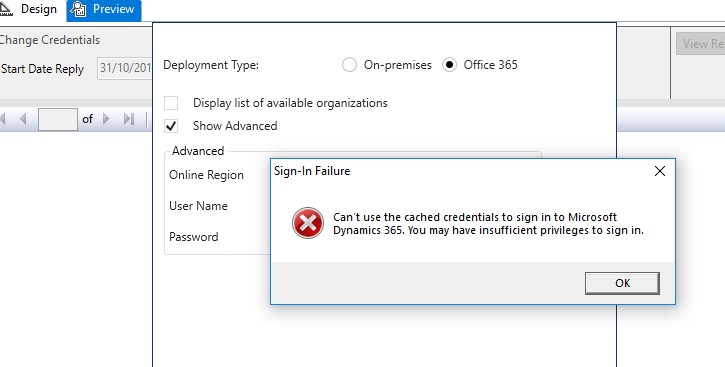
the following error is popping out. 
3225.ssrs.PNG

7848.ssrs1.png

I have Tried Below but no Luck:

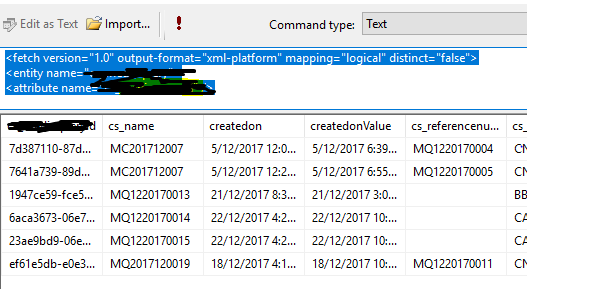
Able to retrieve data in DataSet but issue is only when we try to preview the report.

It was working perfectly till last Thursday

No change in credentials

Report preview is working for 8.X version

Issue is happening only for trial instances

Tried with VS 2012 &15

reinstalled Reporting extensions(Using Latest Version)

Deleted Temp & All saved passwords

*This post is locked for comments

I have the same question (0)
  • EmployeeOcta Profile Picture
    6 on at

    Hello Hanifa,

    Change the catched credentials from datasource and try to reconnect.

  • Syed Ibrahim Profile Picture
    6,257 on at

    Yes Did. But no use

  • EmployeeOcta Profile Picture
    6 on at

    Try to change online region to don't know and then try ones.

  • Syed Ibrahim Profile Picture
    6,257 on at

    i tried that as well because am not even storing the credential inside the data Source

  • Syed Ibrahim Profile Picture
    6,257 on at

    Does any one tried? still the issue persists

  • Verified answer
    Syed Ibrahim Profile Picture
    6,257 on at

    I have managed to fix the issue and posted an article for the same.

    mscrm365.blogspot.sg/.../dynamics-crm-v9-connection-error-in.html

  • Community Member Profile Picture
    on at

    Solution provided by u  is for Third party portal.Can you explain how to resolve this issue in SSRS reporting.

    My some report was build using fetch xml and now it show some authentication issues with VER 9.0

  • Suggested answer
    Syed Ibrahim Profile Picture
    6,257 on at

    Update you SDK and install latest report authoring extension. and you can check using fiddler as it is an TSL issue.

  • Community Member Profile Picture
    on at

    Can anyone provide link to download latest Dynamics 365 report Authoring Extension ? from Microsoft download center , it is downloading only V8.2 extension having xrm.sdk.dll with V8.2.

  • Rob Nightingale Profile Picture
    40 on at

    I too have downloaded the latest v9.0 SDK using Nuget. when I download the latest Report authoring tools it only has the v8.2 sdk dll. Can you provide more detail on the links you used Syed?

Under review

Thank you for your reply! To ensure a great experience for everyone, your content is awaiting approval by our Community Managers. Please check back later.

Helpful resources

Quick Links

Introducing the 2026 Season 1 community Super Users

Congratulations to our 2026 Super Stars!

Congratulations to our 2025 Community Spotlights

Thanks to all of our 2025 Community Spotlight stars!

Leaderboard > 🔒一 Microsoft Dynamics CRM (Archived)

#1
Varsha deshpande Profile Picture

Varsha deshpande 5

#2
NeerajPawar Profile Picture

NeerajPawar 2

#2
jlattimer Profile Picture

jlattimer 2

Last 30 days Overall leaderboard

Featured topics

Product updates

Dynamics 365 release plans