web
You’re offline. This is a read only version of the page.
close
Skip to main content

Notifications

Announcements

No record found.

Community site session details

Community site session details

Session Id :
Supply chain | Supply Chain Management, Commerce
Unanswered

Retail designer not working on Windows 11

(0) ShareShare
ReportReport
Posted on by 5

Hello fellow Commerce friends

Ever since having updated my work PC to Windows 11 i have not been able to get the Designer to work.

And when I say Designer i mean the application/tool for customizing button grids, screen layouts and receipts.

Microsoft.Dynamics.Retail.RetailDesignerHost.application


I have a colleague on Windows 10, for him it still works.


We are on FO v. 10.0.32 and Commerce 9.40.22328.4 (10.0.30)


Have any of you experienced this? Maybe you can test it out and let me know? :-)
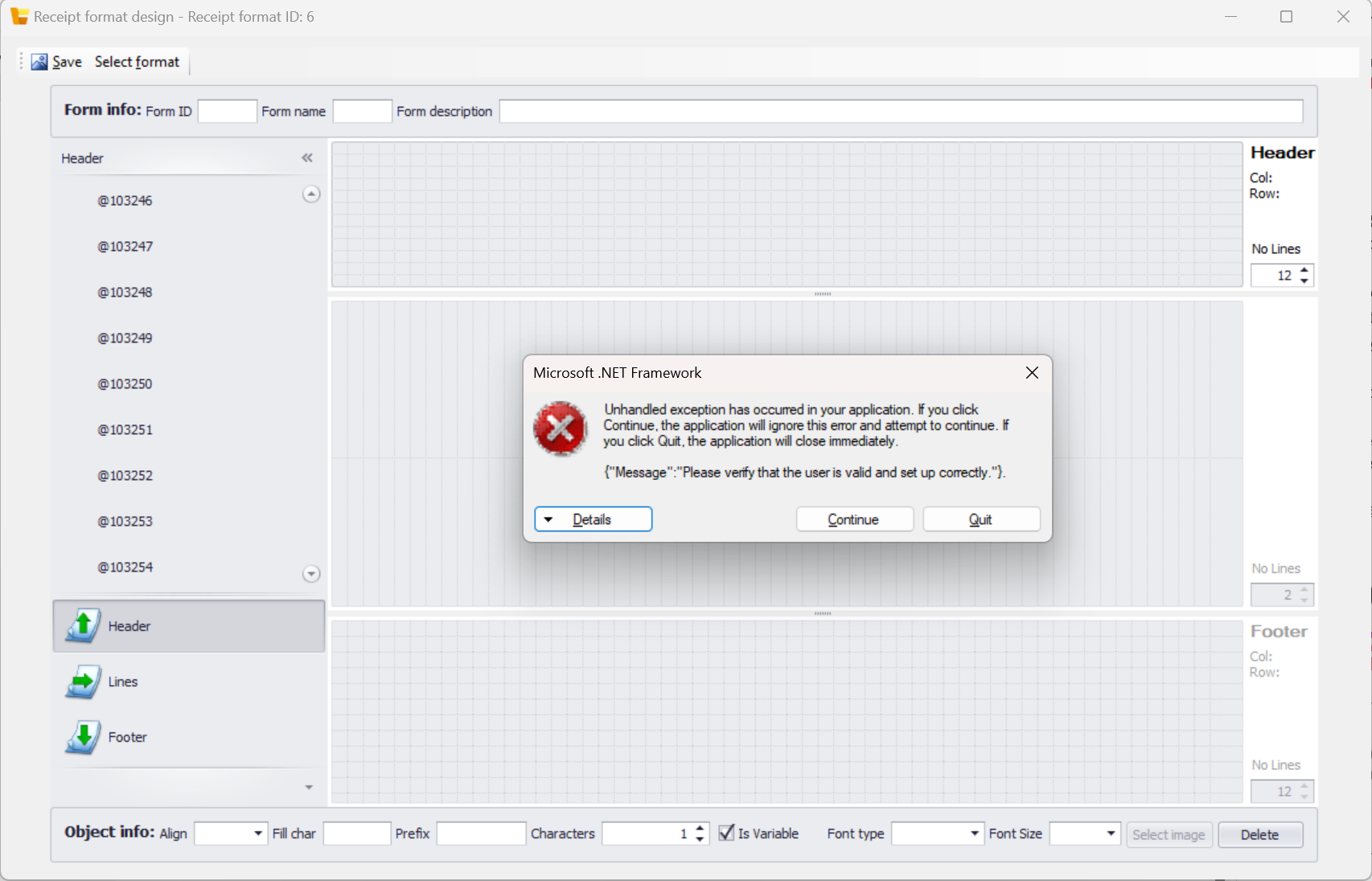
pastedimage1680078231570v2.pngpastedimage1680078231517v1.png

I have the same question (0)
  • Shafeeque P. Profile Picture
    6,533 Moderator on at

    In the past, I faced issues when the default Legal entity and language were not properly set for the user. Please give it a try. 

    pastedimage1680079012107v1.png

  • NFO2231 Profile Picture
    5 on at

    Hi Shafeeque Mohammed,

    Thanks for the input however this data is already set so it does not make a difference for me

  • Shafeeque P. Profile Picture
    6,533 Moderator on at

    I can confirm there is no compatibility issue for the app with Win 11. I am using Windows 11 Enterprise with Edge browser, it works fine. Uninstalling and Re-installing this app requires some manual activity as it is a Click Once Installation App.

    To diagnose if the issue is not related to the windows user settings/data, you can try logging in with a different windows user into the PC and try accessing the designer or use "Run As Different User" to open edge and test this from a different windows account.

  • NFO2231 Profile Picture
    5 on at

    For me its not possible to install or reinstall the app - it runs directly after you click "open" in the Pop up in edge and is not downloaded locally. So i cant run it in special ways.

    Sure i can try to login with another colleagues account in my windows, but what would be the purpose of that?

    Im still open to other replies from other users sharing their experiences :-)

  • Shafeeque P. Profile Picture
    6,533 Moderator on at

    I just recommended above the solution to find if the issue is related to you user account.

    The other workaround you can try is to force the browser to download ClickOnce app again. To delete/uninstall the current one,

    Go to %UserProfile%\AppData\Local\Apps\2.0 location on your PC. This is where the clickOnce installer apps are stored. You will see multiple folders if you have other ClickOnce applications installed. 

    Delete the folder highlighted in yellow (Foldername might be different in your case). Re-open Edge and try to use the designer. 

    pastedimage1680256387375v1.png

  • NFO2231 Profile Picture
    5 on at

    i dont see the point regarding the user account test :-) unless you have a good argument as to why? from a technical point of view :)

    I tried to delete in the appdata directory and use the designer again but I am getting the same error :-(

Under review

Thank you for your reply! To ensure a great experience for everyone, your content is awaiting approval by our Community Managers. Please check back later.

Helpful resources

Quick Links

Responsible AI policies

As AI tools become more common, we’re introducing a Responsible AI Use…

Neeraj Kumar – Community Spotlight

We are honored to recognize Neeraj Kumar as our Community Spotlight honoree for…

Leaderboard > Supply chain | Supply Chain Management, Commerce

#1
Laurens vd Tang Profile Picture

Laurens vd Tang 298 Super User 2025 Season 2

#2
Siv Sagar Profile Picture

Siv Sagar 183 Super User 2025 Season 2

#3
André Arnaud de Calavon Profile Picture

André Arnaud de Cal... 118 Super User 2025 Season 2

Last 30 days Overall leaderboard

Featured topics

Product updates

Dynamics 365 release plans
