web
You’re offline. This is a read only version of the page.
close
Skip to main content

Notifications

Announcements

No record found.

Community site session details

Community site session details

Session Id :
Small and medium business | Business Central, N...
Suggested Answer

BUG | Report template 10512 Missing from Business Central Version 20

(0) ShareShare
ReportReport
Posted on by 470

On one of the recent updates to version 20 in the past month or so, there were some updates to the templates for reports.

The update has excluded report ID 10511 and it is missing from the default installation which prevents you from being able to run a VAT Audit Report.

Does anyone have a copy of this? As I have no way to install an older version, or look at previous versions to be able to obtain a copy of the RDLC layout.

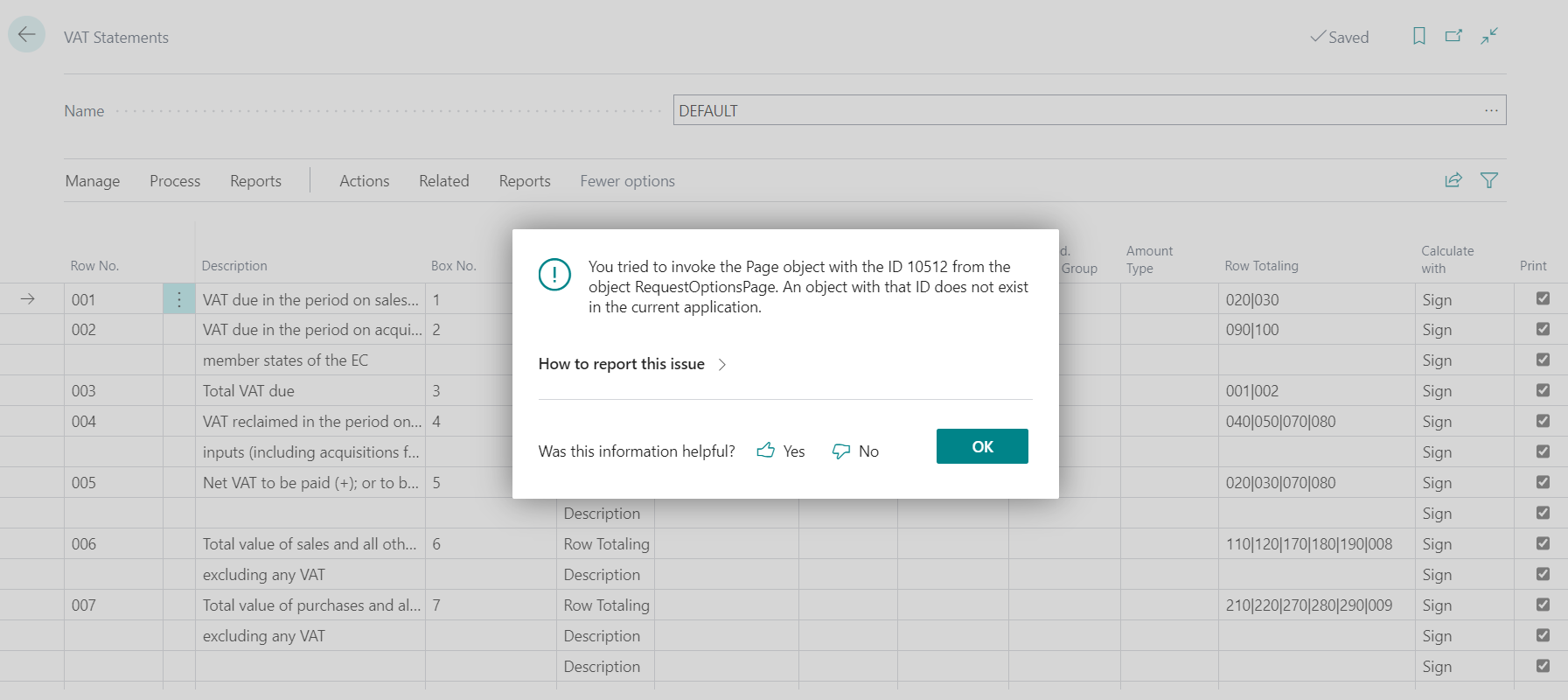
pastedimage1660850513192v1.png

pastedimage1660850606050v2.png

I have the same question (0)
  • Suggested answer
    Inge M. Bruvik Profile Picture
    1,111 Moderator on at

    That report is a part of your countries localization so you need to define what country version you are using.

    Because that report number can be used differently in different countries.

  • BCgs Profile Picture
    470 on at

    Thank you for helping me out.

    Where is that defined? Under user settings I have UK set? and this was working previously?

    pastedimage1660896100534v1.png

  • Suggested answer
    Inge M. Bruvik Profile Picture
    1,111 Moderator on at

    You are basically showing a user setting the true country version you can find in your admin center if you run BC Online.

    But i assume you are in the UK then and run the UK version.

    pastedimage1660896641853v1.png

  • BCgs Profile Picture
    470 on at

    So in there I am specified as GB too and this shows under the company settings too within BC itself?

    pastedimage1660896873746v2.png

  • Suggested answer
    Inge M. Bruvik Profile Picture
    1,111 Moderator on at

    If you use the ? help in the upper right corner and go to help and support you can also read that information from there.

    pastedimage1660897157722v1.png

    I am NO for Norway. 

  • BCgs Profile Picture
    470 on at

    So my one says this that it is GB, but how to fix the missing file?

    pastedimage1660897479617v1.png

    I set up a brand new GB environment with a fresh sample company and still get that same missing file? Worked fine for 2-3 years for us and since this update it has broken. Likely more of a BC issue as our setup has been running with no problem for years

  • Suggested answer
    Inge M. Bruvik Profile Picture
    1,111 Moderator on at

    If no one here can provide you with the report from their installation then you have some options.

    If you are an end user you can contact your partner and see if they can pick it from and older version or tell you if the report is moved to another report number. If you have the competency you can install an older version of BC in a Docker container and pick it from there.

    You know what version it lasted worked in? Version  19.xx ?

  • BCgs Profile Picture
    470 on at

    Last call for anyone who has a copy of the report 10512 they can send me? Possibly an on premise version or something?

    This has left me completely stuck as there is no workaround on this bug so very frustrated that recent updates have caused this

  • Suggested answer
    YUN ZHU Profile Picture
    95,729 Super User 2025 Season 2 on at

    Hi, I downloaded the BC19 CU 10 GB version, which contains this object, I hope it can help you.

    https://support.microsoft.com/en-us/topic/update-19-10-for-microsoft-dynamics-365-business-central-on-premises-2021-release-wave-2-application-build-19-10-44353-platform-build-19-0-44332-098001ca-24a5-4873-8e32-ee4951ebc3cf

    pastedimage1661129408484v1.png

    Source Code:

    [View:/cfs-file/__key/communityserver-discussions-components-files/758/VATAudit.Report.al:320:240]

    Thanks.

    ZHU

  • BCgs Profile Picture
    470 on at

    Many thanks ZHU that is a huge help!

    How do I go about uploading that file as the extension as it is neither an app (as extension) or rdlc (under report layouts) to import? Just been trying it in my Sandbox environment

Under review

Thank you for your reply! To ensure a great experience for everyone, your content is awaiting approval by our Community Managers. Please check back later.

Helpful resources

Quick Links

Responsible AI policies

As AI tools become more common, we’re introducing a Responsible AI Use…

Neeraj Kumar – Community Spotlight

We are honored to recognize Neeraj Kumar as our Community Spotlight honoree for…

Leaderboard > Small and medium business | Business Central, NAV, RMS

#1
OussamaSabbouh Profile Picture

OussamaSabbouh 2,135

#2
YUN ZHU Profile Picture

YUN ZHU 733 Super User 2025 Season 2

#3
Sumit Singh Profile Picture

Sumit Singh 612

Last 30 days Overall leaderboard

Featured topics

Product updates

Dynamics 365 release plans
