web
You’re offline. This is a read only version of the page.
close
Skip to main content

Announcements

No record found.

News and Announcements icon
Community site session details

Community site session details

Session Id :
Microsoft Dynamics 365 | Integration, Dataverse...
Answered

Sales insights option in dynamics 365 for sales

(0) ShareShare
ReportReport
Posted on by 1,085

Hello Community Experts,

We use dynamics 365 custom App presently to work related to sales

We do not have sales app

As one of the expert suggested, i created model driven app

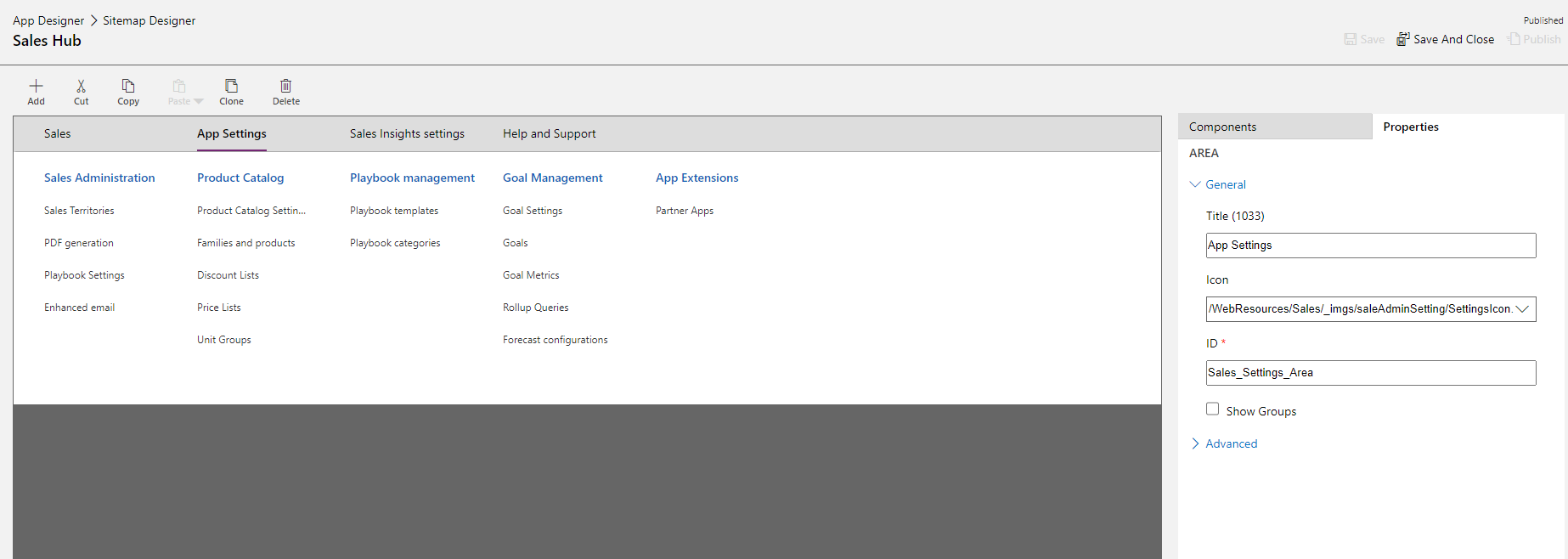
My question is, when i use free 30 days trial i get many options such as sales insights and some options in app settings area too, like in below screenshots

Ext2.PNG

Ext1.PNG

How do i add these options to my model driven app or the custom app that we are presently using?

Kindly Guide Experts

Best Regards,

Sumaira Noor

I have the same question (0)
  • Verified answer
    LuHao Profile Picture
    40,892 on at

    Hi Sumaira,

    1. First of all, I don't recommend adding these Sales-specific settings to other apps.

    2. Does "dynamics 365 custom App" refer to OOTB "dynamics 365-custom"?
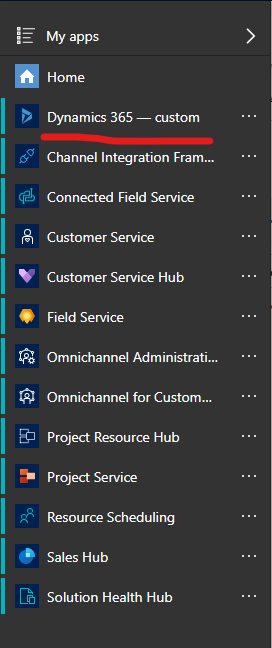
    pastedimage1583314551723v1.png

    3. Since you don't have the Sales app, not all Sales options and settings are valid in your environment. There may be only some Sales settings that are valid, and the links of other settings are invalid or you do not have permission to access them.

    You can try adding these Sales settings in your sitemap.

    First open the sitemap of the Sales app in the trail instance, you could open it through App Designer.

    pastedimage1583314995081v3.png    pastedimage1583315010306v4.png    pastedimage1583315028448v5.png

    Then open the site map of the model driven app.

    Create exactly the same sub area in the site map of the model driven app according to the properties of the sub area of the Sales app.

    You need to pay attention to two properties Entity and URL, these two properties determine the object of this area.
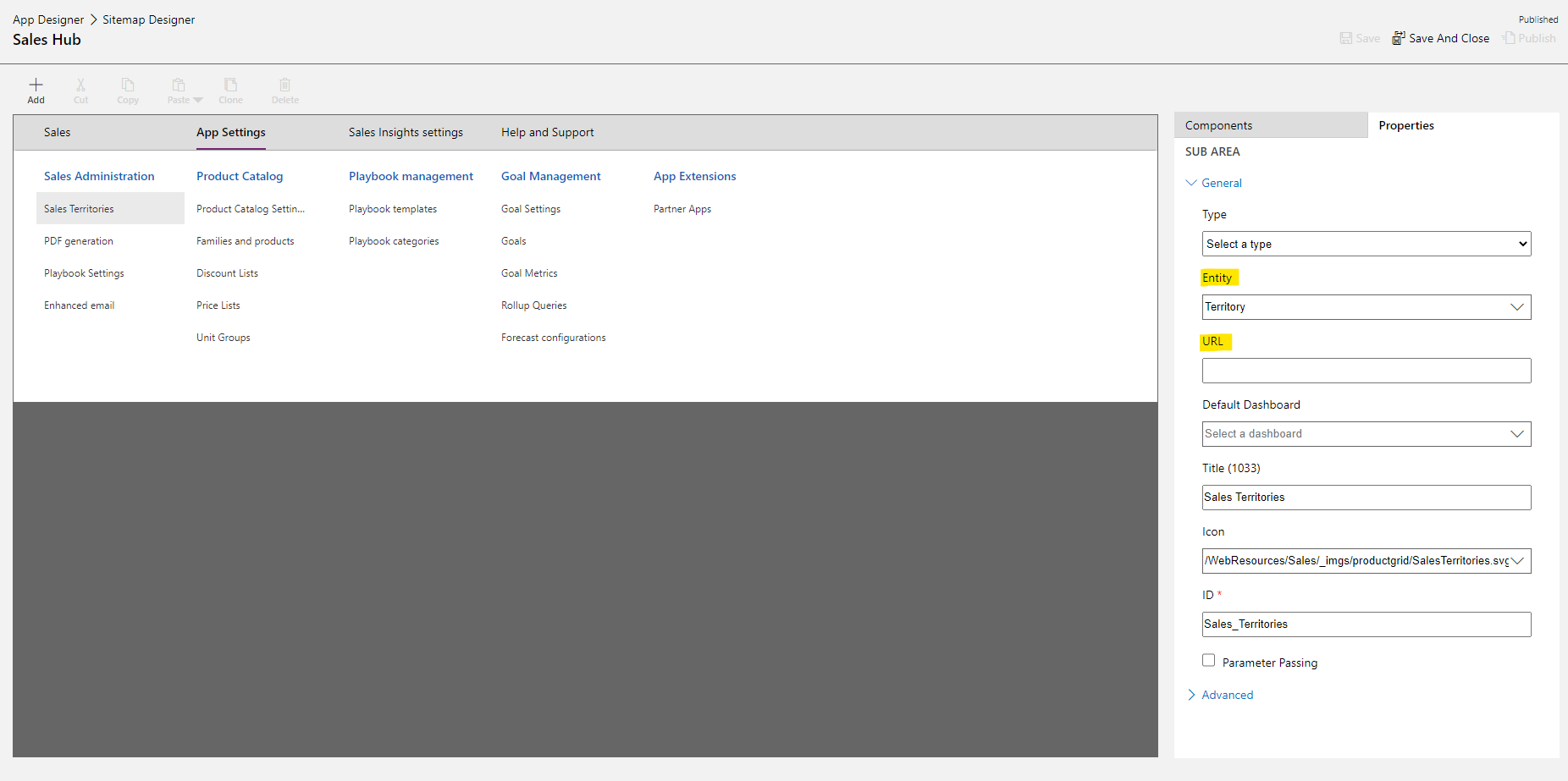
    pastedimage1583315271648v6.png

  • Verified answer
    Paul_Owen Profile Picture
    2,027 on at

    Just install the Sales app and customise that to suit your requirements.

    Regards

    Paul

  • Sumaira Noor Profile Picture
    1,085 on at

    Thanks for the response Lu and Paul

    They don't have sales app for now paul.

    How should i add sales insights to my custom app?

    Please advice

    Best Regards,

    Sumaira Noor

  • Verified answer
    LuHao Profile Picture
    40,892 on at

    Hi Sumaira,

    Since you don't have sales app, I'm afraid you might could not use the features of sales insights on a custom app.

    I don't have such an environment, so I can't test it for you.

    You could try copying the sitemap elements from the trial environment into the sitemap of your custom app. That is, create custom app's sitemap areas according to the trial sitemap areas, as in my last answer.

    See if you could access sales insights settings with the new sitemap area.

Under review

Thank you for your reply! To ensure a great experience for everyone, your content is awaiting approval by our Community Managers. Please check back later.

Helpful resources

Quick Links

Introducing the 2026 Season 1 community Super Users

Congratulations to our 2026 Super Stars!

Meet the Microsoft Dynamics 365 Contact Center Champions

We are thrilled to have these Champions in our Community!

Congratulations to the March Top 10 Community Leaders

These are the community rock stars!

Leaderboard > Microsoft Dynamics 365 | Integration, Dataverse, and general topics

#1
11manish Profile Picture

11manish 171

#2
ManoVerse Profile Picture

ManoVerse 54 Super User 2026 Season 1

#3
Niki Patel Profile Picture

Niki Patel 46

Last 30 days Overall leaderboard

Product updates

Dynamics 365 release plans