web
You’re offline. This is a read only version of the page.
close
Skip to main content

Notifications

Announcements

Community site session details

Community site session details

Session Id :
Small and medium business | Business Central, N...
Answered

How to restore an archive Purchase Order in the Purchase Order Archive List in Navision 2018?

(0) ShareShare
ReportReport
Posted on by 4,989

Hi Community,

May I ask how do you restore an archive Purchase Order in the Purchase Order Archive List?

Thank you!

I have the same question (0)
  • Verified answer
    Community Member Profile Picture
    on at

    Josh,

    In NAV, the ability to restore a Purchase Archived Order is unavailable. I have taught my customers to print the Archive version to paper and manually reenter it and deleting the old Purchase Order that is incorrect (as long as no posted entries exist).

    Hope this helps.

    Thanks,

    Steve

  • Verified answer
    YUN ZHU Profile Picture
    96,524 Super User 2025 Season 2 on at

    Hi, I personally do not recommend using the same number, problems may occur if the last order had split shipments, or split invoicing.

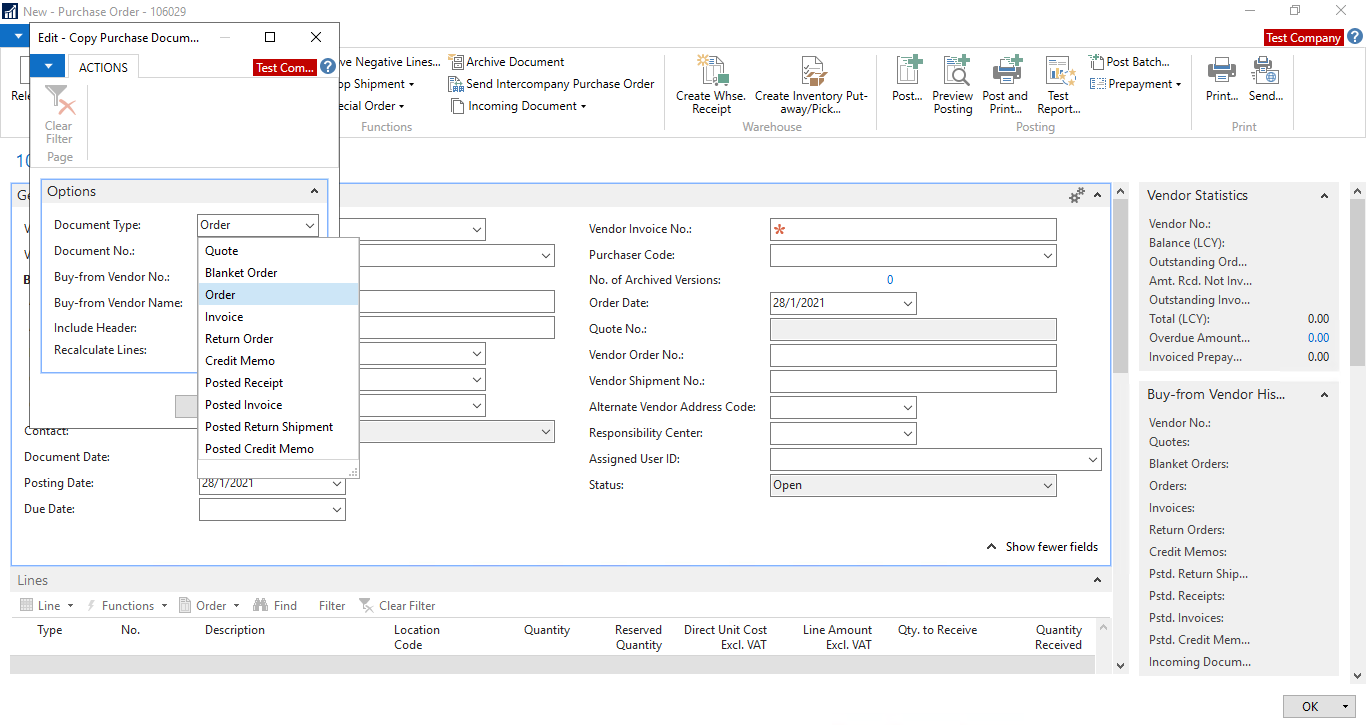
    According to my tests, the urchase Archive Order cannot be copied in Copy Document feature, so this may require a bit of customization. So maybe it's better to use Configuration Package.
    pastedimage1649117008663v2.png

    Hope this will help.

    Thanks.

    ZHU

  • joshtechsolutions Profile Picture
    4,989 on at

    Hi Josh,

    If we do a Copy Document and create a similar document, won't the ledger entries create a double entry of the same transactions.

  • Suggested answer
    Nitin Verma Profile Picture
    21,710 Moderator on at

    Hi Josh,

    Unfortunately we don;t have such option, you have to create the same document manually as per the last document.

    Thanks

  • Suggested answer
    JAngle Profile Picture
    137 on at

    If you’re looking for a restore button - like you have with archived sales orders - you won’t locate one. NAV misses that feature. You will need a modification to have that. Try out another method like copy document. If you want the same PO number allow manual numbers and type it in.

Under review

Thank you for your reply! To ensure a great experience for everyone, your content is awaiting approval by our Community Managers. Please check back later.

Helpful resources

Quick Links

Responsible AI policies

As AI tools become more common, we’re introducing a Responsible AI Use…

Congratulations to our 2025 Community Spotlights

Thanks to all of our 2025 Community Spotlight stars!

Leaderboard > Small and medium business | Business Central, NAV, RMS

#1
OussamaSabbouh Profile Picture

OussamaSabbouh 1,589

#2
Khushbu Rajvi. Profile Picture

Khushbu Rajvi. 970 Super User 2025 Season 2

#3
YUN ZHU Profile Picture

YUN ZHU 744 Super User 2025 Season 2

Last 30 days Overall leaderboard

Featured topics

Product updates

Dynamics 365 release plans
