web
You’re offline. This is a read only version of the page.
close
Skip to main content

Announcements

No record found.

News and Announcements icon
Community site session details

Community site session details

Session Id :
Microsoft Dynamics CRM (Archived)

Why does the Activities Timeline show Posts and Notes even when I deselect them in the Form Properties?

(0) ShareShare
ReportReport
Posted on by

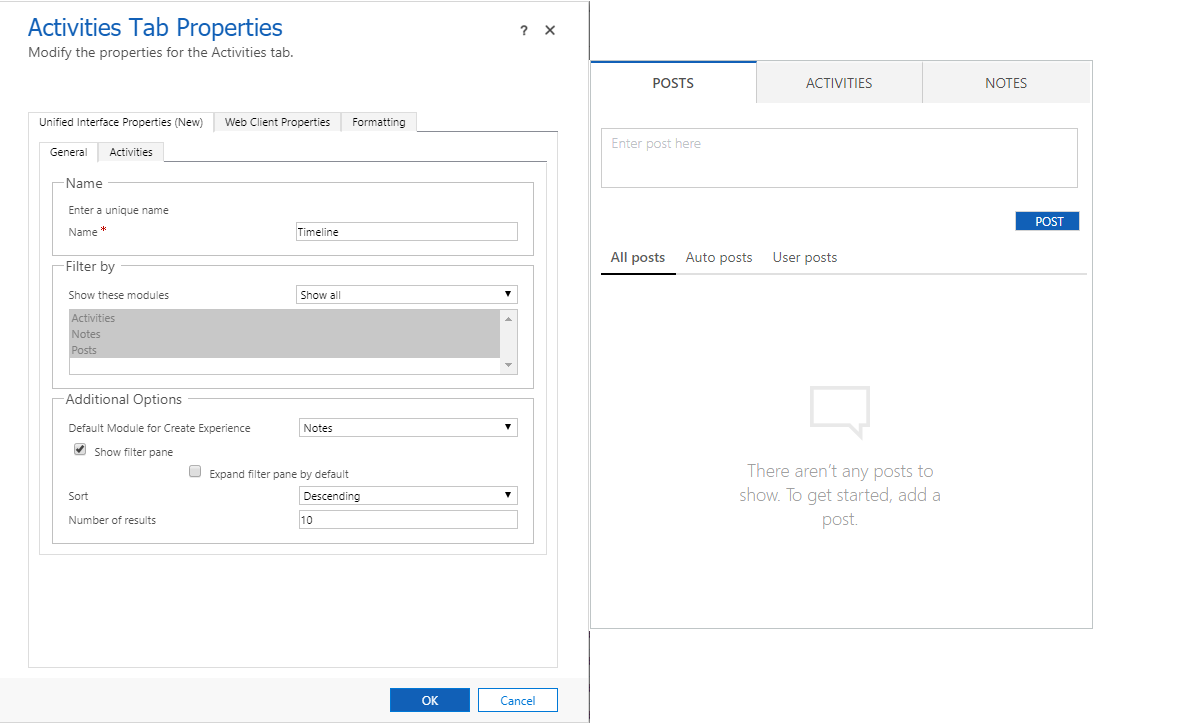
The first photo shows the default settings for the "Timeline" on a contact form and what it looks like on the form; notice that the selection under "Show these modules" is set to "Show All":
ActivitiesTimeline.png

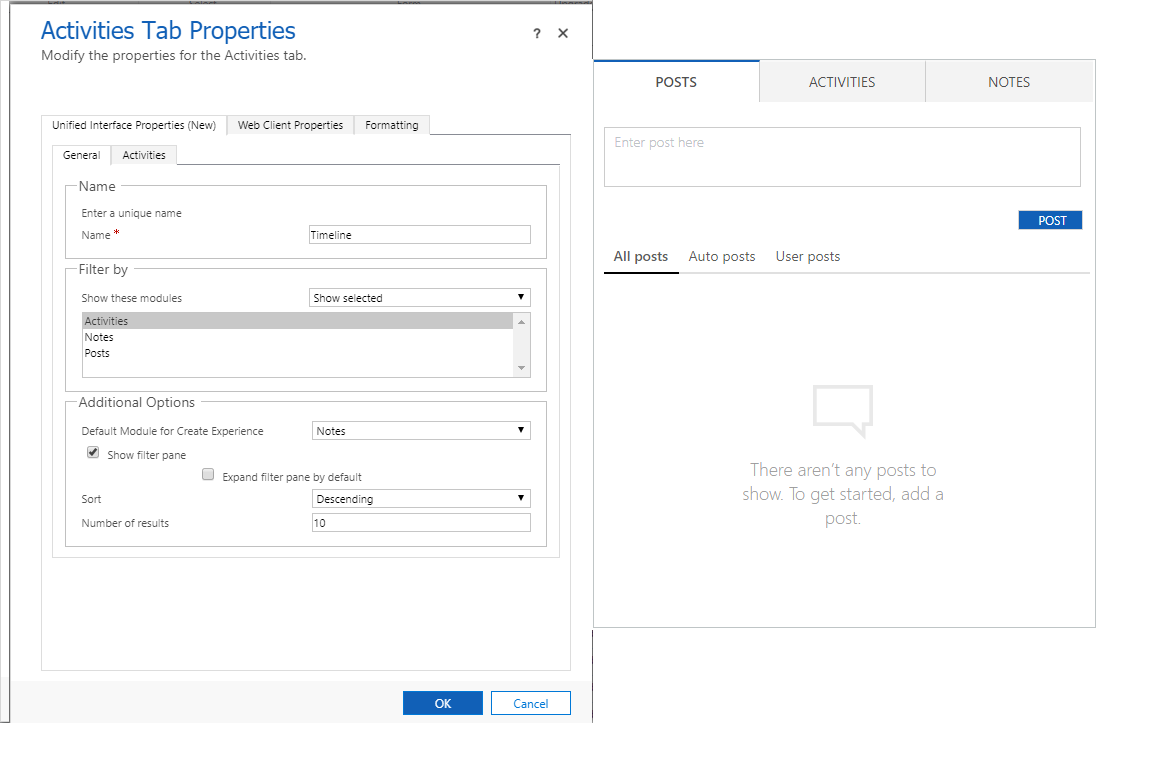
And the second shows what it looks like when I change the selection to "Show Selected" and only select "Activities":
ActivitiesTimelineActivities.png

So my question is simply this: Why do the Posts and Notes modules still appear even though I have set it to only show "Activities"?

This is CRM Online BTW

*This post is locked for comments

I have the same question (0)
  • Suggested answer
    Michel van den Brink Profile Picture
    4,697 on at

    Hello,

    You are configuring the settings for the new Unified Interface but, the screen you included on the right side is the 'Web Client' experience.


    Switch to the 'Web Client Properties' tab to configure the look and feel for the Web Client.

    Sidenote: In the Web Client you can unfortunately not turn off 'Notes', once it has been enabled, it can not be disabled.


    Deactivating posts is configured elsewhere, to deactivate the 'Posts' please refer to this post:

    https://community.dynamics.com/crm/b/joegilldynamicscrm/archive/2016/12/16/quick-tip-turn-activity-feed-posts-off-in-dynamics 

  • Financial IT Guy Profile Picture
    on at

    Ahh perfect, thank you Michel!  I managed to disable "posts" thanks to your link.  Too bad about the "Notes"; since they do not show up properly in the timeline, they are pretty much useless to my organization.  Oh well, c'est la vie.

Under review

Thank you for your reply! To ensure a great experience for everyone, your content is awaiting approval by our Community Managers. Please check back later.

Helpful resources

Quick Links

Introducing the 2026 Season 1 community Super Users

Congratulations to our 2026 Super Stars!

Meet the Microsoft Dynamics 365 Contact Center Champions

We are thrilled to have these Champions in our Community!

Congratulations to the April Top 10 Community Leaders

These are the community rock stars!

Leaderboard > 🔒一 Microsoft Dynamics CRM (Archived)

#1
ScottDurow Profile Picture

ScottDurow 2

#2
GJones Profile Picture

GJones 1

Last 30 days Overall leaderboard

Featured topics

Product updates

Dynamics 365 release plans
