web
You’re offline. This is a read only version of the page.
close
Skip to main content

Announcements

No record found.

News and Announcements icon
Community site session details

Community site session details

Session Id :
Small and medium business | Business Central, N...
Suggested Answer

MRP stuck at certain %

(0) ShareShare
ReportReport
Posted on by 5

Hi everyone

I have encountered a problem when trying to run MPS/MRP on the planning sheets 

After pressing calculate regenerative plan, the load page just got stuck at 22%, and the exact item
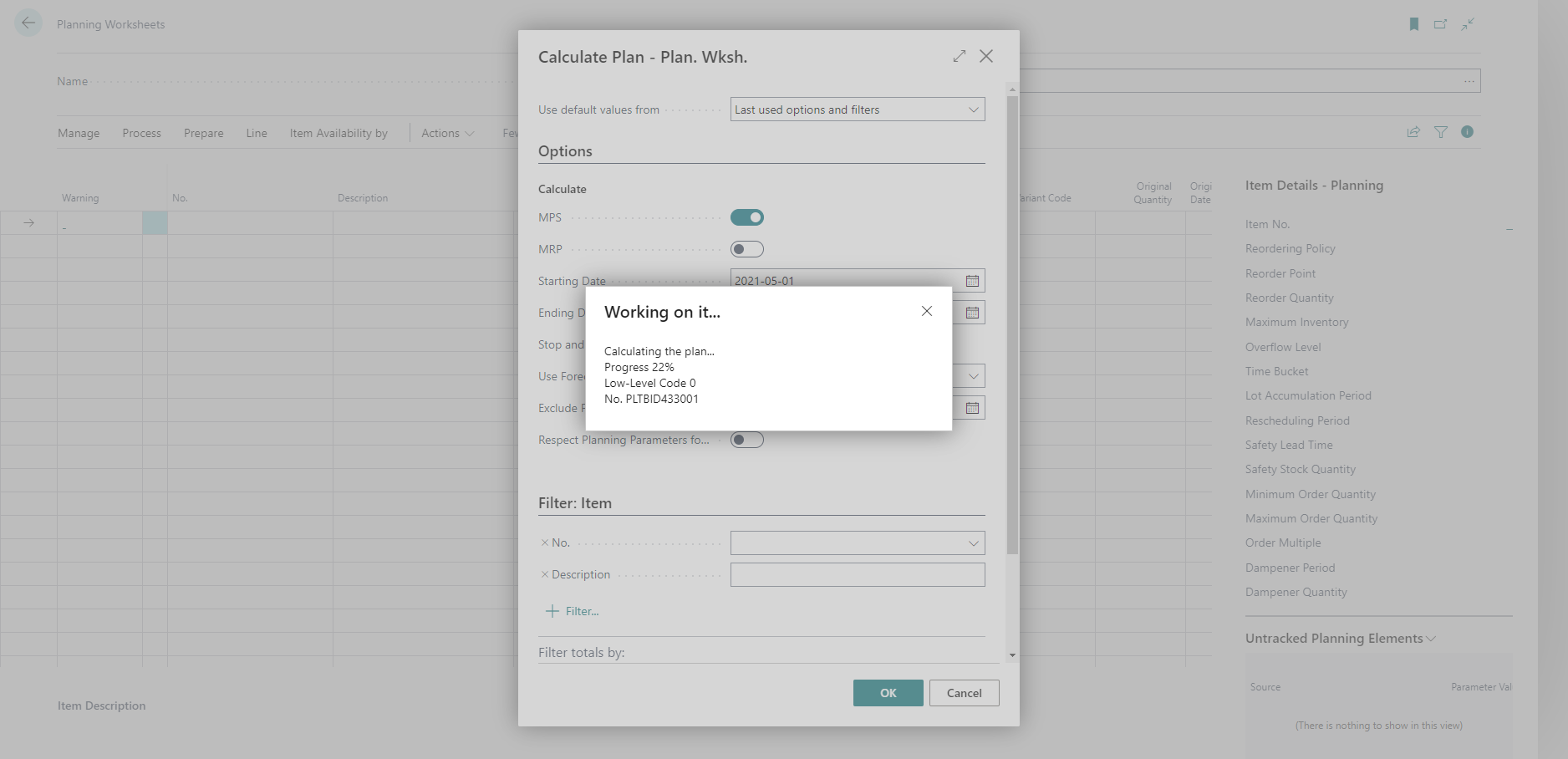
pastedimage1667256879567v2.png

we have waited for 2 or 3 hours but it didn't pass the threshold 

I even tried to run a job queue but it gives an error as the MRP could not finish within 6 hours limit

We only have around 800 lines, 

I have checked the item in the picture but its planning parameters are consistent with other items.

Any ideas or thoughts are really appreciated 

Thank you for your time

I have the same question (0)
  • Suggested answer
    IB-29041624-0 Profile Picture
    1,187 Moderator on at

    If you are running Business Central online. I would try to go to the admin center and restart my environment and then try to run the process again. This i would do in case some earlier run is causing a lock somewhere.

    If that does not work i would try to contact my partner and have them open a support case with Microsoft for this issue.

    I assure you do not have any customization in your system around this, because if you do they might also be the reason.

  • David822 Profile Picture
    5 on at

    Thank you very much Inge

    Yes we already open a support case with Microsoft,

    Indeed we were trying to install the Intercompany app from Ababkion halfway then canceled it as it was blocking some of our invoice postings., we will double-check if it is a reason too !!

    will keep everyone posted if we found anything.

    Thank you again

  • Suggested answer
    YUN ZHU Profile Picture
    100,974 Super User 2026 Season 1 on at

    Hi, sorry I'm not sure if this is useful, but I think you can try using the In-client performance profiler to see which program is running very slowly.

    https://yzhums.com/23121/

    Hope this helps.
    Thanks.

    ZHU

Under review

Thank you for your reply! To ensure a great experience for everyone, your content is awaiting approval by our Community Managers. Please check back later.

Helpful resources

Quick Links

Introducing the 2026 Season 1 community Super Users

Congratulations to our 2026 Super Stars!

Meet the Microsoft Dynamics 365 Contact Center Champions

We are thrilled to have these Champions in our Community!

Congratulations to the April Top 10 Community Leaders

These are the community rock stars!

Leaderboard > Small and medium business | Business Central, NAV, RMS

#1
OussamaSabbouh Profile Picture

OussamaSabbouh 2,086 Super User 2026 Season 1

#2
YUN ZHU Profile Picture

YUN ZHU 1,290 Super User 2026 Season 1

#3
AndrewThomas81 Profile Picture

AndrewThomas81 1,218

Last 30 days Overall leaderboard

Featured topics

Product updates

Dynamics 365 release plans
