web
You’re offline. This is a read only version of the page.
close
Skip to main content

Announcements

No record found.

News and Announcements icon
Community site session details

Community site session details

Session Id :
Small and medium business | Business Central, N...
Answered

v20 evaluation company creation from Companies

(0) ShareShare
ReportReport
Posted on by 245

Hi,

I created BC v20 environment as Sandbox. I tried to create new company from Companies page, the error below came out.
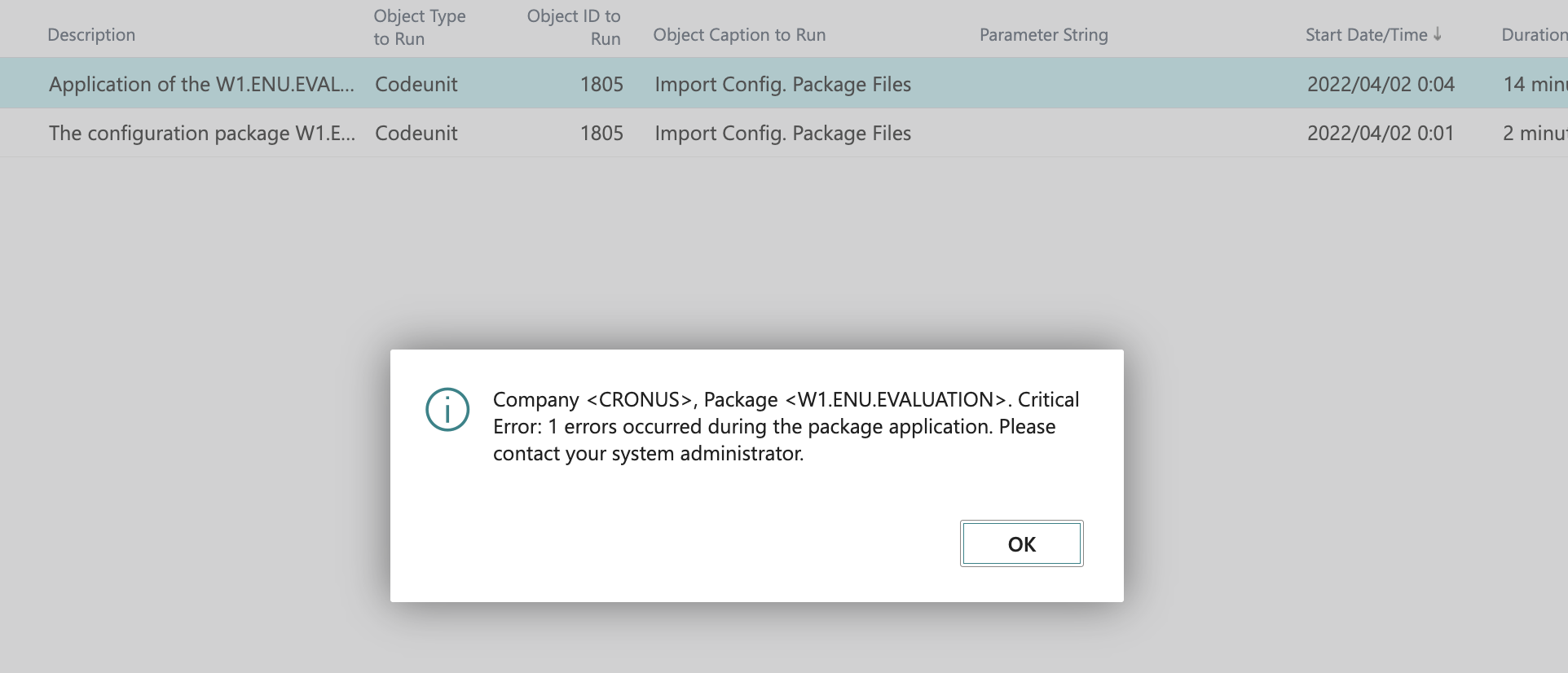
pastedimage1648858355057v1.png

From v20, has Create New Company steps been changed

Version: W1 20.0 (Platform 20.0.37114.38311 + Application 20.0.37253.38055)

Thank you

I have the same question (0)
  • yohi2020 Profile Picture
    245 on at

    When I created Blank company and imported to apply the predefined company data from Configuration Package, a new company was created with data successfully.

    pastedimage1648859447042v1.png

  • Suggested answer
    IB-29041624-0 Profile Picture
    1,177 Moderator on at

    I just tried in my sandbox and it completed without error.

    What kind of template did you chose ?

    If you do not have anything else in your sandbox you might want to try to delete it and create a new one.

  • yohi2020 Profile Picture
    245 on at

    Hi Inge,

    Thank you for your reply.

    What I did was... open "Companies" > click "New" > "Create New Company"

    pastedimage1648944991245v1.png

    pastedimage1648945078884v2.pngpastedimage1648945096870v3.pngpastedimage1648945196793v4.pngpastedimage1648945347805v5.png

    Business Central automatically create Evaluation - Sample Data company. then wait...
    pastedimage1648946215135v6.pngpastedimage1648946247490v7.pngpastedimage1648946275636v8.png

    It seems Evaluation Company data is something wrong...

  • Suggested answer
    IB-29041624-0 Profile Picture
    1,177 Moderator on at

    I think i would have raised a supported ticket with Microsoft for this issue.

  • yohi2020 Profile Picture
    245 on at

    Thank you, Inge!

    Item type in Item Template of Evaluation Configuration package is wrong. That's why the error came out.

  • Suggested answer
    YUN ZHU Profile Picture
    100,249 Super User 2026 Season 1 on at

    Hi, I have been using the following method to create evaluation data in the W1 version, and this error seems to have existed since 19.x.
    But the data can be applied with only one error.

    pastedimage1649035591360v1.png

    pastedimage1649035599171v2.png

    pastedimage1649035605214v3.png

    pastedimage1649035610132v4.png

    For example:

    Posted Sales Invoices

    pastedimage1649035716071v5.png

    General Ledger Entries:

    pastedimage1649035732493v6.png

    Hope this will help.

    Thanks.

    ZHU

Under review

Thank you for your reply! To ensure a great experience for everyone, your content is awaiting approval by our Community Managers. Please check back later.

Helpful resources

Quick Links

Introducing the 2026 Season 1 community Super Users

Congratulations to our 2026 Super Stars!

Meet the Microsoft Dynamics 365 Contact Center Champions

We are thrilled to have these Champions in our Community!

Congratulations to the April Top 10 Community Leaders

These are the community rock stars!

Leaderboard > Small and medium business | Business Central, NAV, RMS

#1
OussamaSabbouh Profile Picture

OussamaSabbouh 1,892 Super User 2026 Season 1

#2
YUN ZHU Profile Picture

YUN ZHU 927 Super User 2026 Season 1

#3
Teagen Boll Profile Picture

Teagen Boll 566 Super User 2026 Season 1

Last 30 days Overall leaderboard

Featured topics

Product updates

Dynamics 365 release plans
