web
You’re offline. This is a read only version of the page.
close
Skip to main content

Notifications

Announcements

No record found.

Community site session details

Community site session details

Session Id :
Microsoft Dynamics 365 | Integration, Dataverse...
Suggested Answer

How to copy Appointments description field data to notes

(0) ShareShare
ReportReport
Posted on by 65

Hi,

is there any way we can copy description field data to notes if possible.

I have the same question (0)
  • Oms Profile Picture
    on at

    Is the note field from the timeline? The appointment description data can be moved to a custom note field in another related table or a note field on the appointment table.  This can be done in a flow.. but what's the point of copying the description and adding it in the notes field if it's in the appointment anyway? unless you want to copy the description data to another table - then use a flow

    pastedimage1669195815203v1.png

  • GetHelp Profile Picture
    65 on at

    I am a newbie in microsoft flow so don't know how to achieve it.

    I tried using workflow but i cannot copy description data to notes on timeline.

  • Suggested answer
    Bipin D365 Profile Picture
    28,983 Moderator on at

    Hi,

    What you tried in workflow, can you please share screenshot so that I can help?

    What is the trigger in workflow, Is it on demand workflow?

  • GetHelp Profile Picture
    65 on at

    Yes it's on demand workflow.

    i cannot copy data of description to notes.

  • Suggested answer
    Bipin D365 Profile Picture
    28,983 Moderator on at

    Hi,

    Please share the workflow screenshot

  • Suggested answer
    Leah Ju Profile Picture
    Microsoft Employee on at

    Hi Partner,

    You can refer to the following steps:

    1.Create one workflow on Appointment entity:
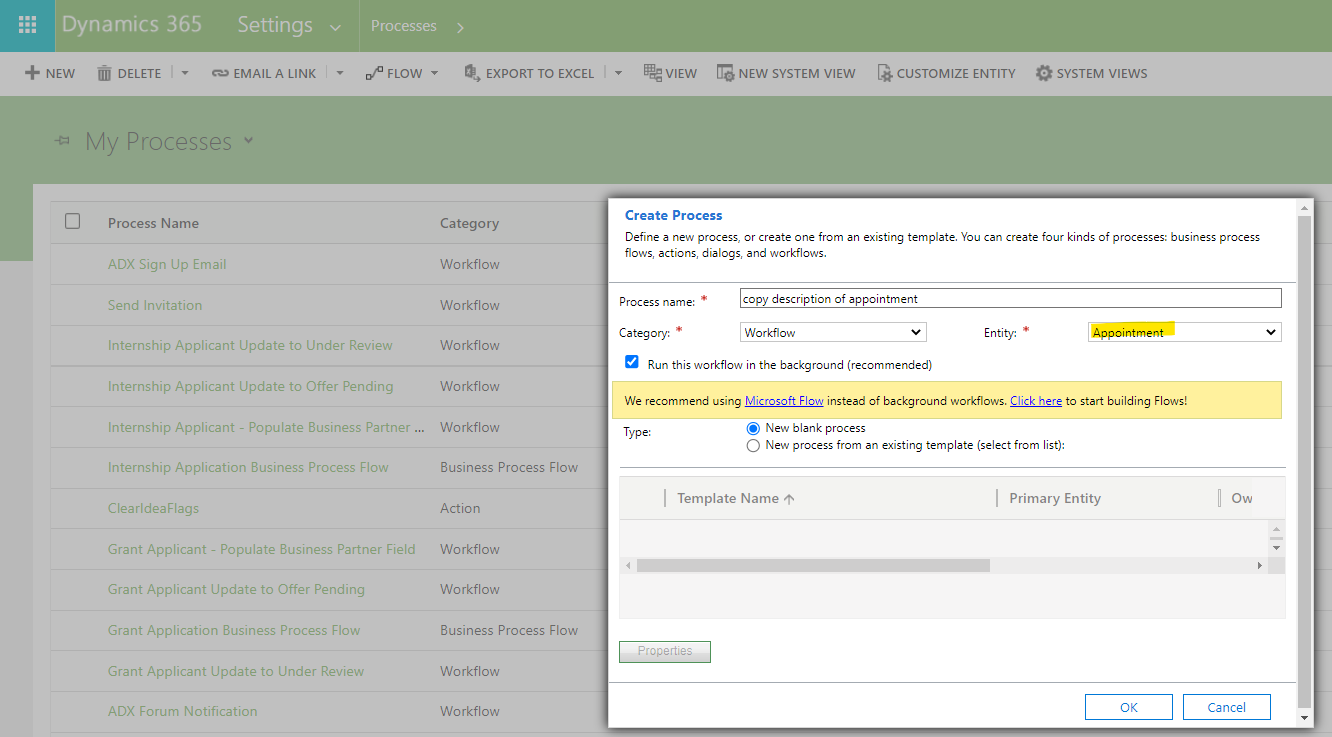
    pastedimage1669258792084v1.png

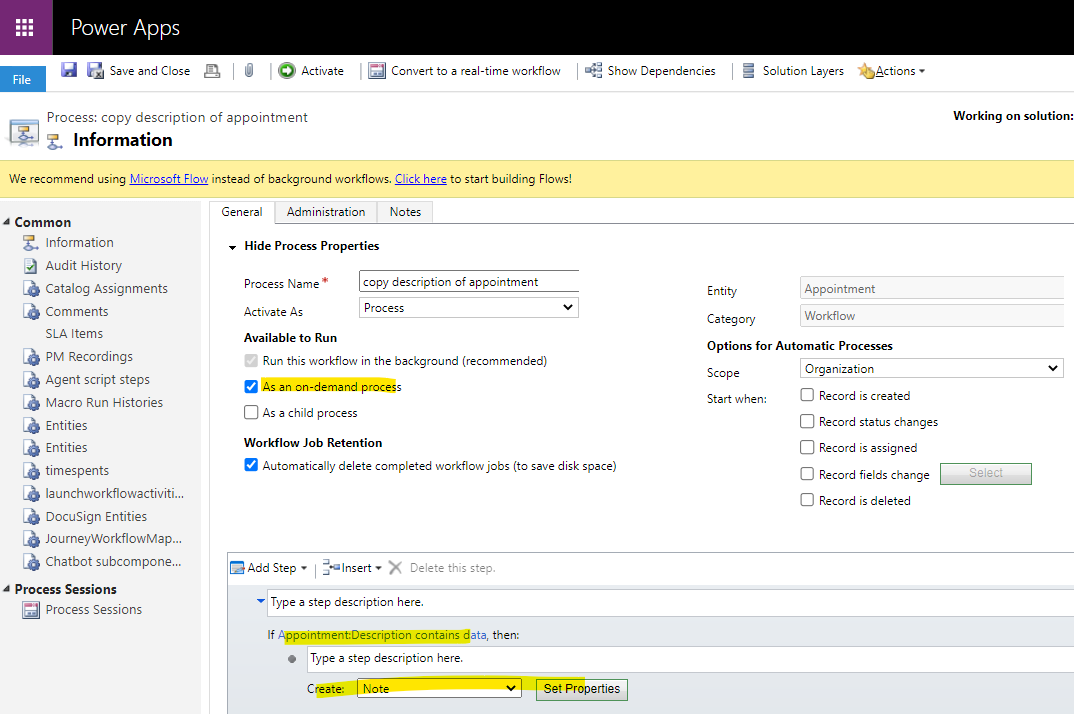
    2.Add conditions and create note:

    pastedimage1669259118786v2.png

    3.Set note Properties:

    (1)Copy description field value:
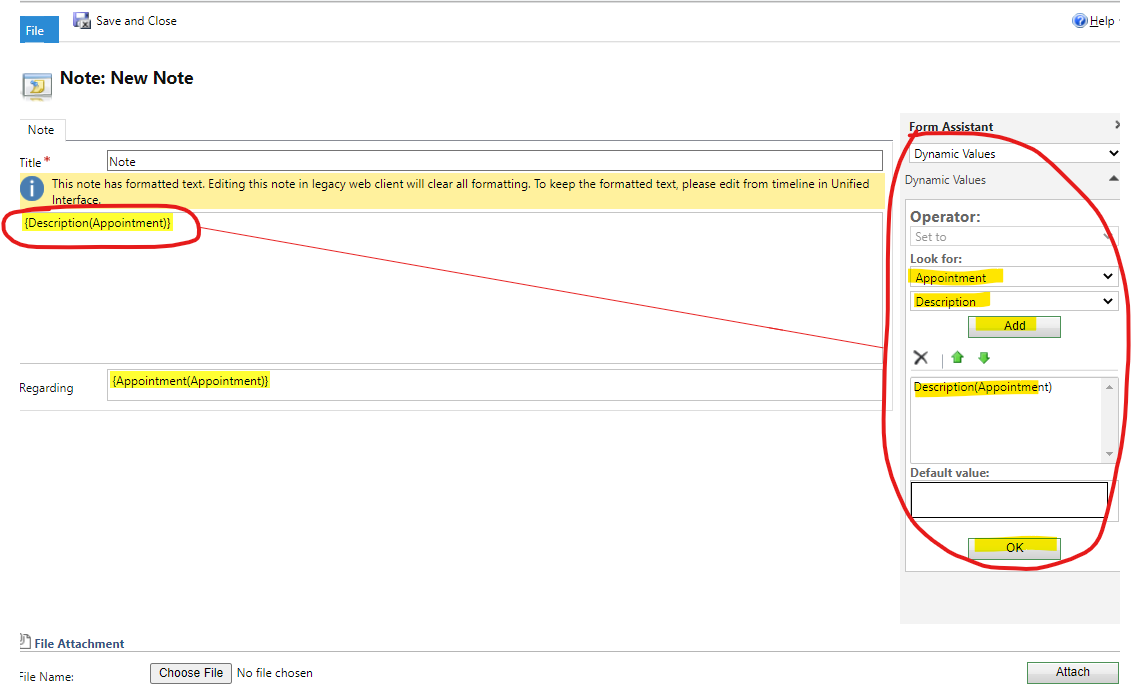
    pastedimage1669259226047v3.png

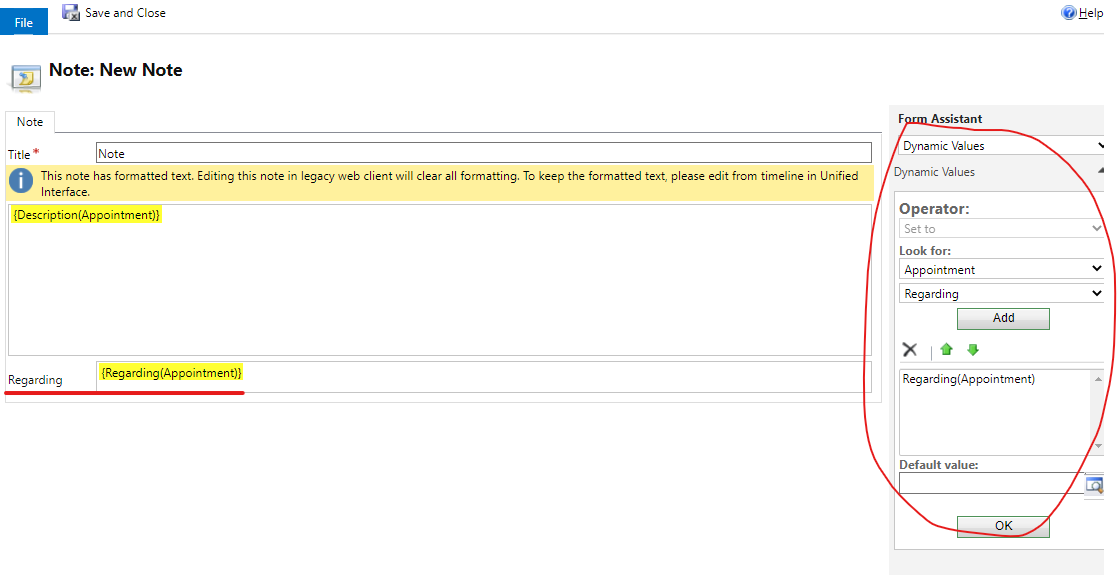
    (2)Regarding field:

    The value depends on which record you want to associate the created note with, my following screenshot associates it to the related record of the Appointment.
    pastedimage1669259278605v4.png

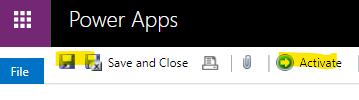
    4.Save and Active the workflow.

    pastedimage1669259541303v5.png

    5.Test:

    (1)Run the workflow in appointment:
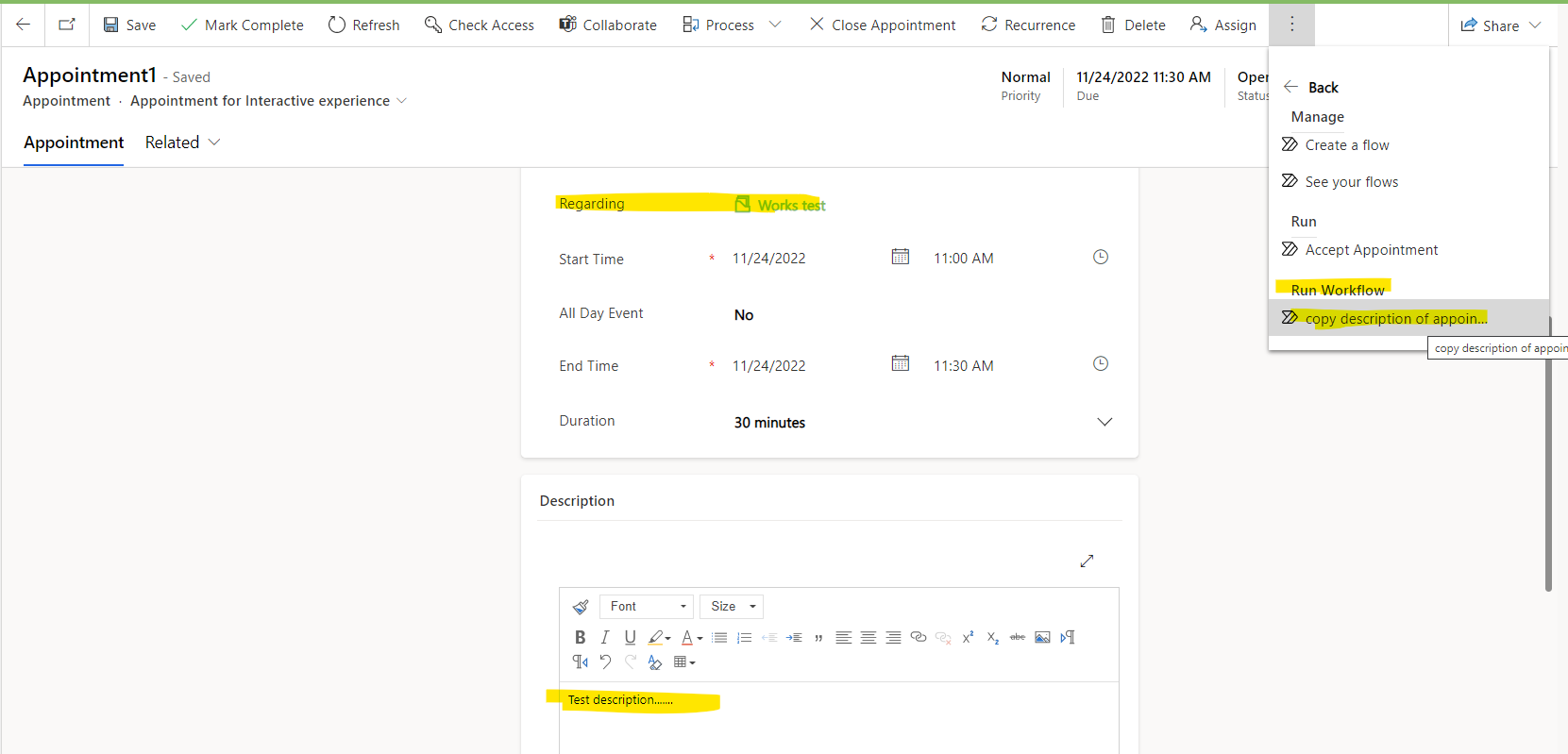
    pastedimage1669259723025v6.png

    (2)Check timeline in the related record(Works test) of the appointment:
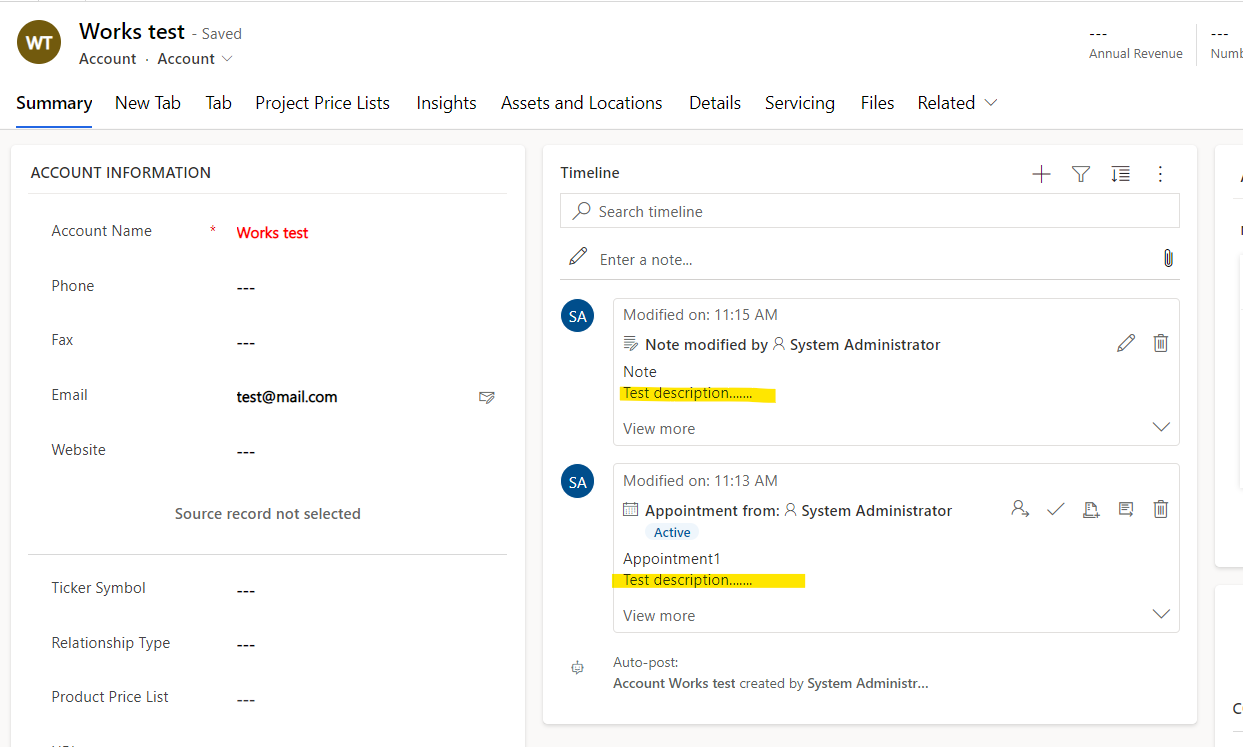
    pastedimage1669259807908v7.png

Under review

Thank you for your reply! To ensure a great experience for everyone, your content is awaiting approval by our Community Managers. Please check back later.

Helpful resources

Quick Links

Responsible AI policies

As AI tools become more common, we’re introducing a Responsible AI Use…

Neeraj Kumar – Community Spotlight

We are honored to recognize Neeraj Kumar as our Community Spotlight honoree for…

Leaderboard > Microsoft Dynamics 365 | Integration, Dataverse, and general topics

#1
Martin Dráb Profile Picture

Martin Dráb 62 Most Valuable Professional

#2
#ManoVerse Profile Picture

#ManoVerse 57

#3
Pallavi Phade Profile Picture

Pallavi Phade 49

Last 30 days Overall leaderboard

Product updates

Dynamics 365 release plans