web
You’re offline. This is a read only version of the page.
close
Skip to main content

Announcements

No record found.

News and Announcements icon
Community site session details

Community site session details

Session Id :
Supply chain | Supply Chain Management, Commerce
Suggested Answer

Picking list get doubled in processing the production order

(0) ShareShare
ReportReport
Posted on by 978

Hi Experts,

I got doubled picking lists after start the production order.

My selections when starting the production order as below:
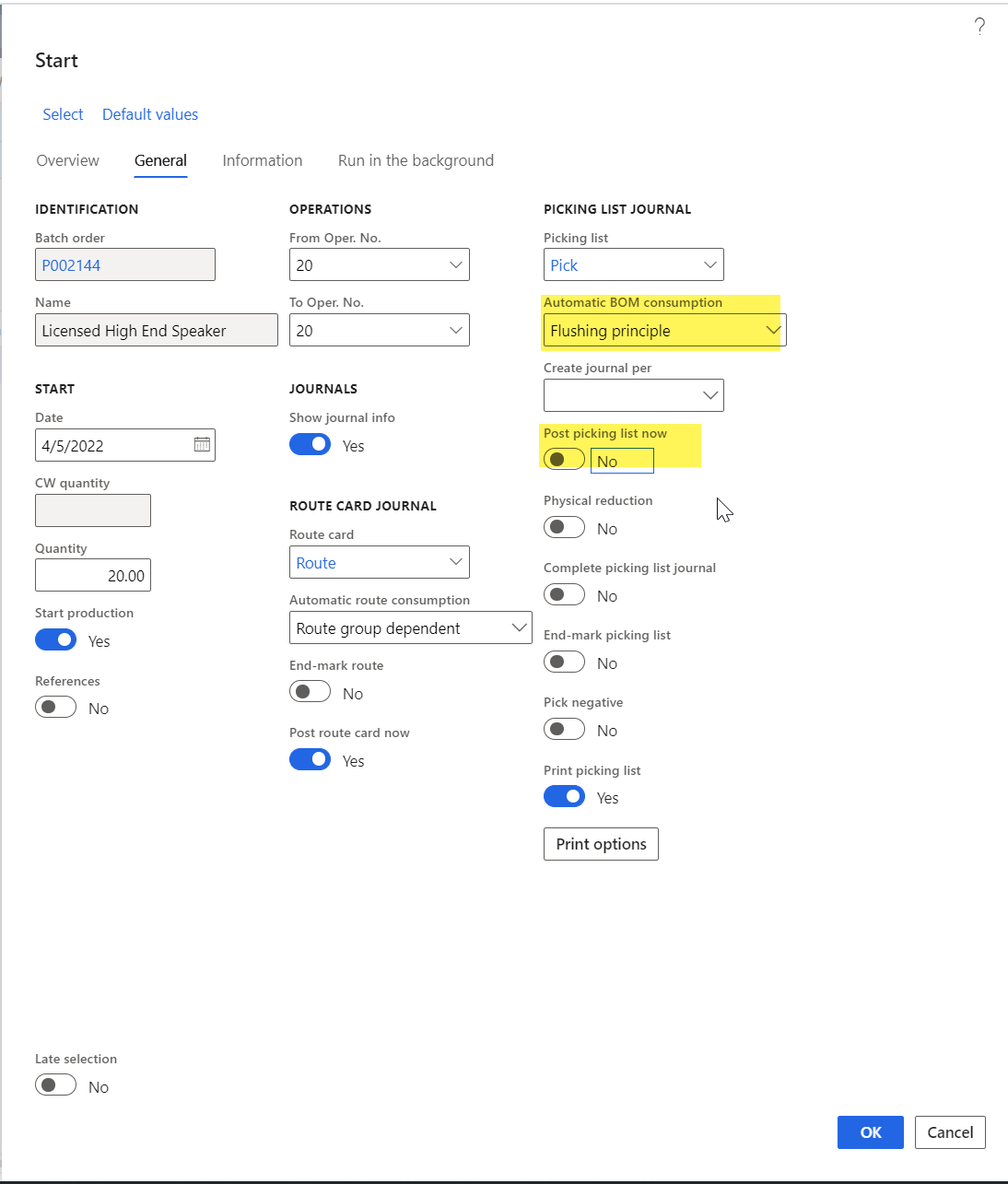
pastedimage1649140306692v1.png

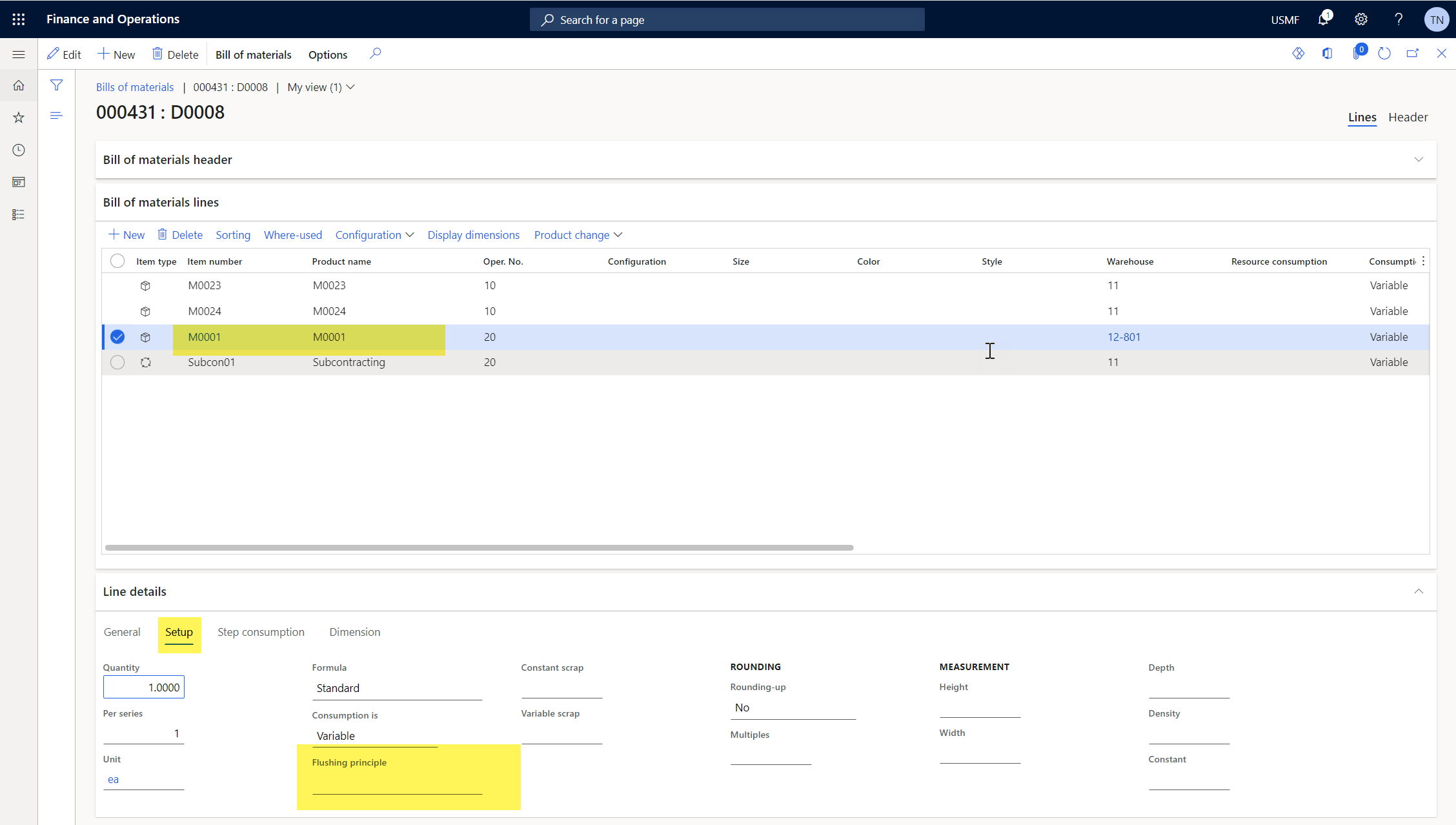
My setup on BOM Lines

pastedimage1649140395978v2.png

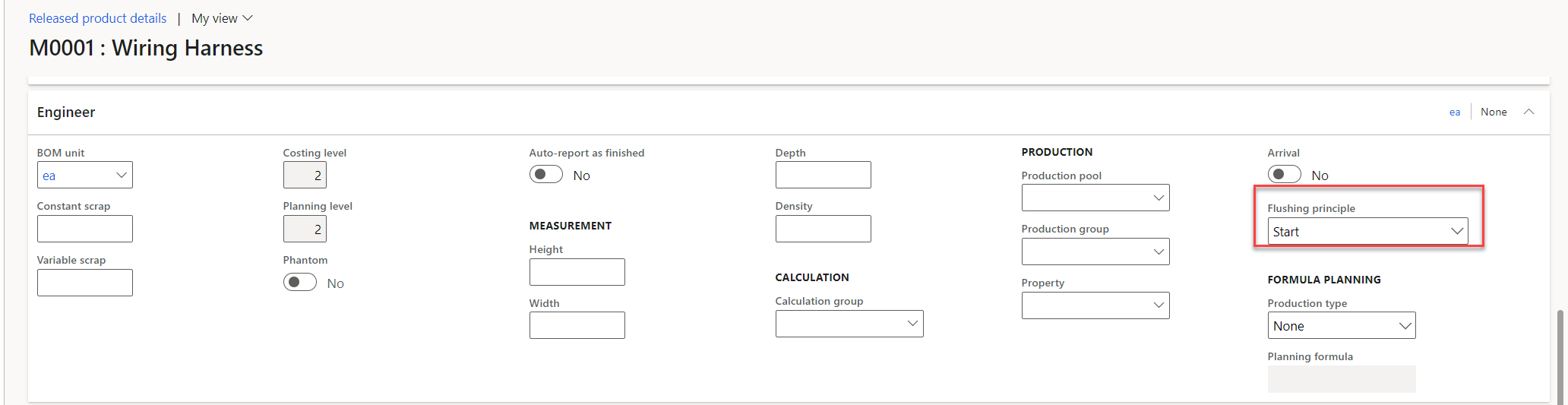
My setup on item

pastedimage1649140406342v3.png

When i changed the setting into "Always" , D365FO only create 1 picking list. Which is correct.
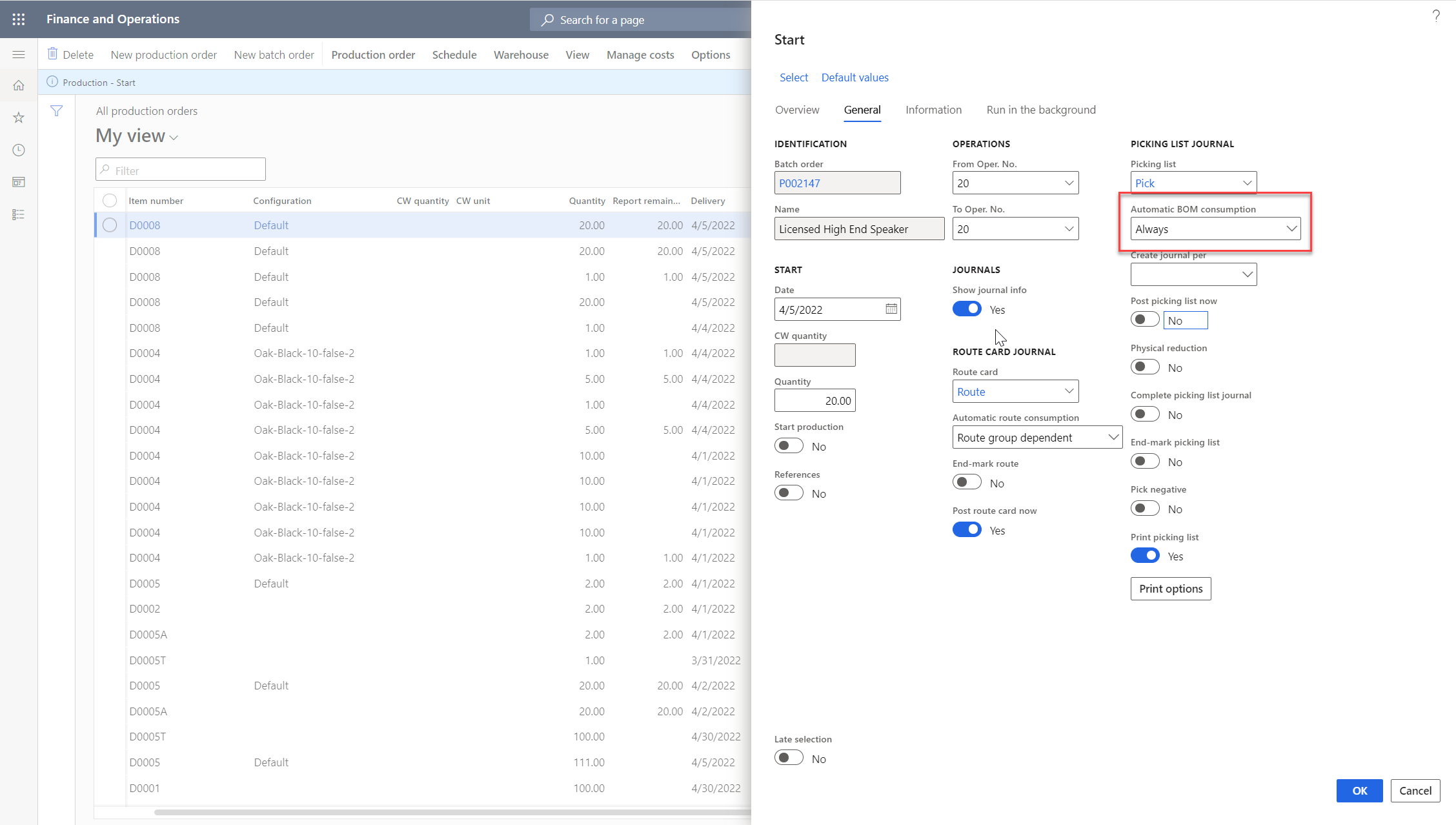
pastedimage1649140467099v4.png

Can someone help to explain? and what is the correct selection when i start and finish the production order?

Thank in advance,

Best regards,

Thu

I have the same question (0)
  • WillWU Profile Picture
    22,363 on at

    Please wait for the help from functional consultants

  • Suggested answer
    DRR Profile Picture
    253 on at

    Hi Will,

    the issue is that your setup isn't correct:

    Note

    If the Flushing principle field is selected on the Start tab in Manufacturing execution, you must also select that same principle on either the Operations tab or the Report as finished tab. This is to make sure that materials are deducted from inventory on the BOMs that use Finish as a flushing principle on the production order. It is important that either the Operations tab or the Report as finished tab – contains the Flushing principle selection. This is to prevent materials from being deducted two times from inventory.

    That's why you are getting two picking lines.

    Hope this helps!

    Cheers

Under review

Thank you for your reply! To ensure a great experience for everyone, your content is awaiting approval by our Community Managers. Please check back later.

Helpful resources

Quick Links

Introducing the 2026 Season 1 community Super Users

Congratulations to our 2026 Super Stars!

Meet the Microsoft Dynamics 365 Contact Center Champions

We are thrilled to have these Champions in our Community!

Congratulations to the April Top 10 Community Leaders

These are the community rock stars!

Leaderboard > Supply chain | Supply Chain Management, Commerce

#1
André Arnaud de Calavon Profile Picture

André Arnaud de Cal... 164 Super User 2026 Season 1

#2
Laurens vd Tang Profile Picture

Laurens vd Tang 105 Super User 2026 Season 1

#3
Zain Mehmood Profile Picture

Zain Mehmood 89 Most Valuable Professional

Last 30 days Overall leaderboard

Product updates

Dynamics 365 release plans