web
You’re offline. This is a read only version of the page.
close
Skip to main content

Notifications

Announcements

No record found.

Community site session details

Community site session details

Session Id :
Microsoft Dynamics CRM (Archived)

Dynamics 365 Online - Import Data Unexpected Error

(1) ShareShare
ReportReport
Posted on by 55

I am trying to import file into CRM using the "Import Data", i get the below error after selecting the file:
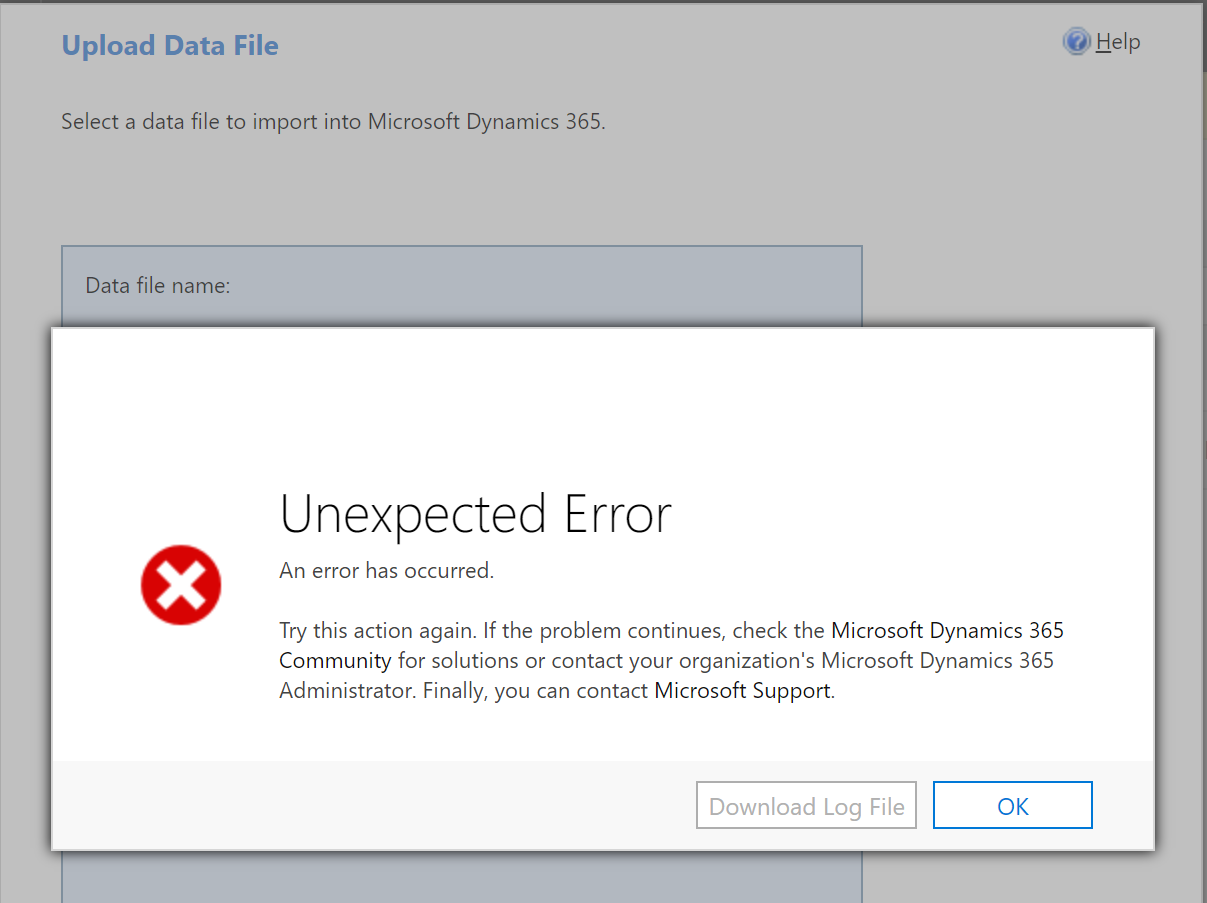
Import-Data-Error.png

Note that i tried many files(.csv, .xlsx ) and for different entities but same issue.

I even tried to use the Excel Online but it is also failed

Any help can be appreciated.

Thank you,

Rita

*This post is locked for comments

I have the same question (0)
  • Rita AZD Profile Picture
    55 on at

    [quote user="Rita AZD"]

    I am trying to import file into CRM using the "Import Data", i get the below error after selecting the file:
    Import-Data-Error.png

    Note that i tried many files(.csv, .xlsx ) and for different entities but same issue.

    I even tried to use the Excel Online but it is also failed

    Any help can be appreciated.

    Thank you,

    Rita

    [/quote]

  • Suggested answer
    Community Member Profile Picture
    on at

    Hi,

    are you sure that you have enough privileges in order to do that, i.e. are system administrator?

  • Community Member Profile Picture
    on at

    I am facing the same issue with more than one Organizations  (I am System Administrator on all of them), only thing i find in common is that they are all hosted in "EMEA" region

  • Suggested answer
    gdas Profile Picture
    50,091 Moderator on at

    Hi Rita ,

    Could you please check few things -

    1- You should download the the template from Dynamics 365 itself , and paste your data in the template.

    2- Sometimes your format may changed which may be the reason.

    3- Hope you have proper authentication roles to do this job for this entity.

    4- You should check the size of the file .

    5- Try to import one two record as test purpose.

  • Suggested answer
    Community Member Profile Picture
    on at

    Greetings,

    If you are certain you have the correct permissions, perhaps try to import using the template provided by the system. When you navigate to the Entity you wish to import to, look for the Import command and see if you have the drop down to select "Download Template for Import". Download-Template-for-Import.PNG

    For me this downloads as an .xlsx file which can be renamed, data added, and then imported. Plus it shows required fields, some drop down lists,  and has the appropriate column names, etc.

    Best of luck and please mark as verified if this works for you.

  • Community Member Profile Picture
    on at

    @Tricia G

    i tried all the following options

    1) download excel template, update record, upload files (Unexpected Error)

    2) created CSV file with new records, upload files (Unexpected Error)

    3) Open in Excel Online, update 1 record (first name of a contact), save changes to CRM dynamics: Error (Only one file allowed for update)

    4) Dynamic worksheet, did no changes, upload file (Unexpected Error)

    I wish it was a simple as using the template, if any one found a fix please update me

    Thanks.

  • Suggested answer
    gdas Profile Picture
    50,091 Moderator on at

    Hi Mohammed ,

    Are you facing this issue for only one entity or other entity as well?

    If you are facing only this entity then would suggest check the differences in this entity and the data which are you importing.

  • Suggested answer
    gdas Profile Picture
    50,091 Moderator on at

    You can also check whether any plugin, workflow is may running for this entity create event and check below link whether you registered any new CRM dll or not.

    [View:https://community.dynamics.com/crm/f/117/t/269468]

  • Community Member Profile Picture
    on at

    Even we are facing this issue since morning. Please let us know, if you find a fix.

    Am suspecting below Maintenance work is going on  :

    Service Maintenance for Microsoft Dynamics 365 Online, Version 9.0.1 (9.0.1.425)

    MC129391

    Stay Informed

    Published On : 16 February 2018

    We've scheduled your Dynamics 365 Online, Version 9.0.1 (9.0.1.425) organization for service maintenance.

    How does this affect me?

    Maintenance window: 19 February 2018 17:00 UTC - 20 February 2018 02:00 UTC

  • Isa-Lizzy Profile Picture
    75 on at

    Hi,

    I'm experiencing the exact same problem since this morning. Up until last week I had imported data with no problem. I even used today one of the files I had imported last week just to make sure the problem was not on the file I was trying to import.

    But as Rita AZD, since this morning, just after I select the file and click on Continue I get the "Unexpected error".

    Can this be a general issue for online environments?

Under review

Thank you for your reply! To ensure a great experience for everyone, your content is awaiting approval by our Community Managers. Please check back later.

Helpful resources

Quick Links

Responsible AI policies

As AI tools become more common, we’re introducing a Responsible AI Use…

Neeraj Kumar – Community Spotlight

We are honored to recognize Neeraj Kumar as our Community Spotlight honoree for…

Leaderboard > 🔒一 Microsoft Dynamics CRM (Archived)

#1
SA-08121319-0 Profile Picture

SA-08121319-0 4

#1
Calum MacFarlane Profile Picture

Calum MacFarlane 4

#3
Alex Fun Wei Jie Profile Picture

Alex Fun Wei Jie 2

Last 30 days Overall leaderboard

Featured topics

Product updates

Dynamics 365 release plans
