web
You’re offline. This is a read only version of the page.
close
Skip to main content

Announcements

No record found.

News and Announcements icon
Community site session details

Community site session details

Session Id :
Small and medium business | Business Central, N...
Suggested Answer

Restrict access to system page

(0) ShareShare
ReportReport
Posted on by 287

Is there a way to restrict access to system page using a permission set?

I have the same question (0)
  • Suggested answer
    KasparsSemjonovs Profile Picture
    4,818 Super User 2026 Season 1 on at

    Hi,

    yes - permissions sets are exactly the thing that can achieve a restriction to specific pages. 
    All You have to do - is make sure user assigned permission doesn't have the Page Execute permission - for that specific page ID. 

    To re-check - You can view "Effective permissions" page for specific user in specific company.

    It is possible also to add a permission set where specific page is Excluded - but it will not work in case user has another permisison where Page ID = 0 permission is given.

  • Jun Wang Profile Picture
    8,210 Moderator on at

    It might be possible to block user from specific pages in BC based on previous response and discussions. However, my question is that all users in in BC need the basic permission set, which already have access to all pages, this enables them to navigate the system. On top of that more permission sets are provided to enable user to perform tasks on table/data level. I'm not sure how to exclude user from certain page cause user already has basic permission set and most default permission sets do not have the page level permission in it. 

    Another option is to consider a 3rd part solution as below, which enable user to manage access to field/page. I haven't used it but seem nice from demo video. 
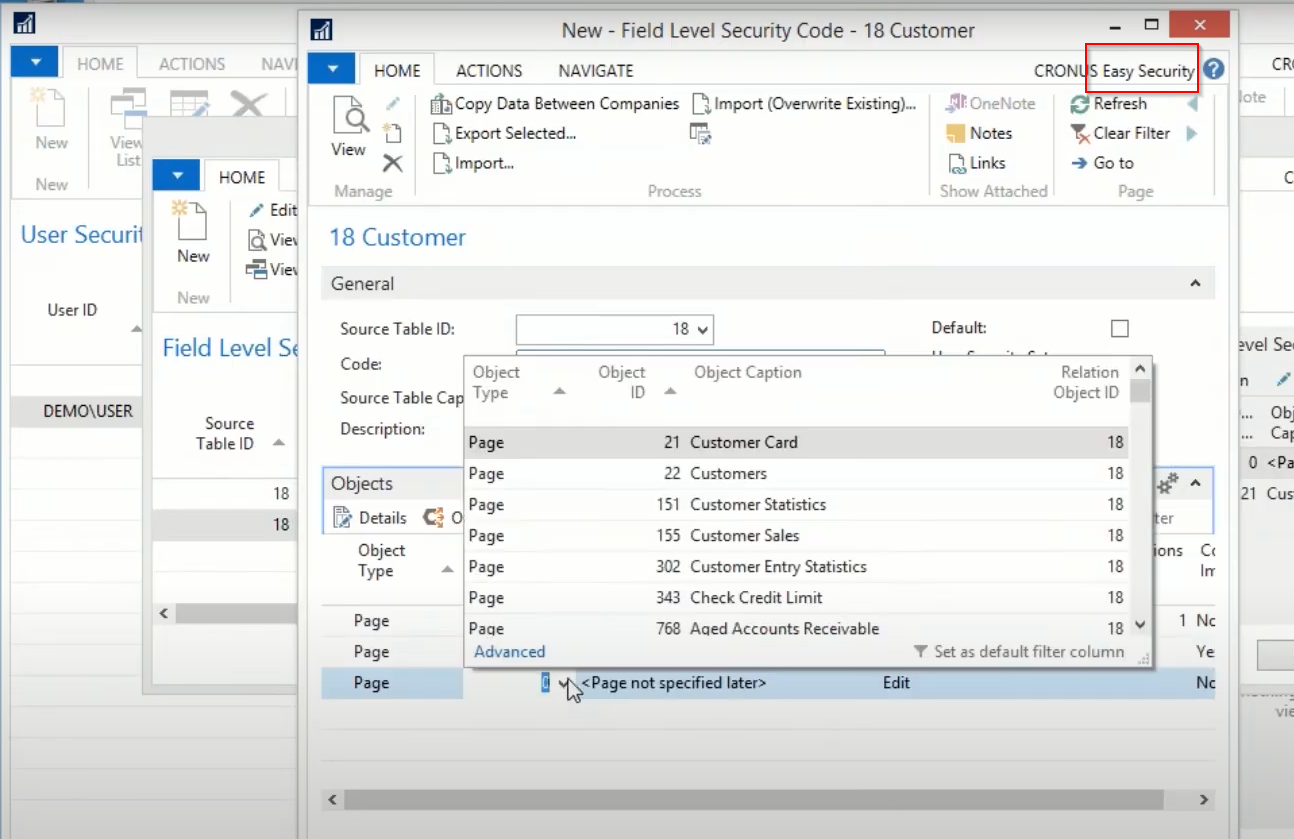
  • Suggested answer
    KasparsSemjonovs Profile Picture
    4,818 Super User 2026 Season 1 on at

    You can create a copy of the basic permission set and take out the permissions that You don't want to give user. 
    Then add new permissions on top. 

    The process is time consuming, but the needed task can be achieved.

  • Suggested answer
    YUN ZHU Profile Picture
    99,742 Super User 2026 Season 1 on at

    Hi, I recommend using Permission Exclusion feature, which is easier to set up.

    More details: https://yzhums.com/30562/

    Hope this helps.

    Thanks.

    ZHU

  • Nirmala Karunarathna Profile Picture
    287 on at

    The page that I need to block access is 'System Page'. There is no object ID for that even to set the permission in a permission set.

Under review

Thank you for your reply! To ensure a great experience for everyone, your content is awaiting approval by our Community Managers. Please check back later.

Helpful resources

Quick Links

Introducing the 2026 Season 1 community Super Users

Congratulations to our 2026 Super Stars!

Meet the Microsoft Dynamics 365 Contact Center Champions

We are thrilled to have these Champions in our Community!

Congratulations to the March Top 10 Community Leaders

These are the community rock stars!

Leaderboard > Small and medium business | Business Central, NAV, RMS

#1
OussamaSabbouh Profile Picture

OussamaSabbouh 2,021 Super User 2026 Season 1

#2
YUN ZHU Profile Picture

YUN ZHU 1,083 Super User 2026 Season 1

#3
Teagen Boll Profile Picture

Teagen Boll 731 Super User 2026 Season 1

Last 30 days Overall leaderboard

Featured topics

Product updates

Dynamics 365 release plans
