web
You’re offline. This is a read only version of the page.
close
Skip to main content

Announcements

No record found.

News and Announcements icon
Community site session details

Community site session details

Session Id :
Small and medium business | Business Central, N...
Suggested Answer

external accountant license issue

(0) ShareShare
ReportReport
Posted on by 15

I got a full license and invited an external accountant. The application says that it assigned the license to the external accountant, but when the accountant is logging in it says that they don't have a license assigned. How do i resolve this issue?

I have the same question (0)
  • JAngle Profile Picture
    157 on at

    Do you see there account in the users list?

  • MicroBlog Profile Picture
    15 on at

    Yes, but they don't show any license assigned via user list. But when the account is added it tells me license is allready assigned.

  • Suggested answer
    YUN ZHU Profile Picture
    100,787 Super User 2026 Season 1 on at

    Hi, when adding licenses to external users, a little trick is required.

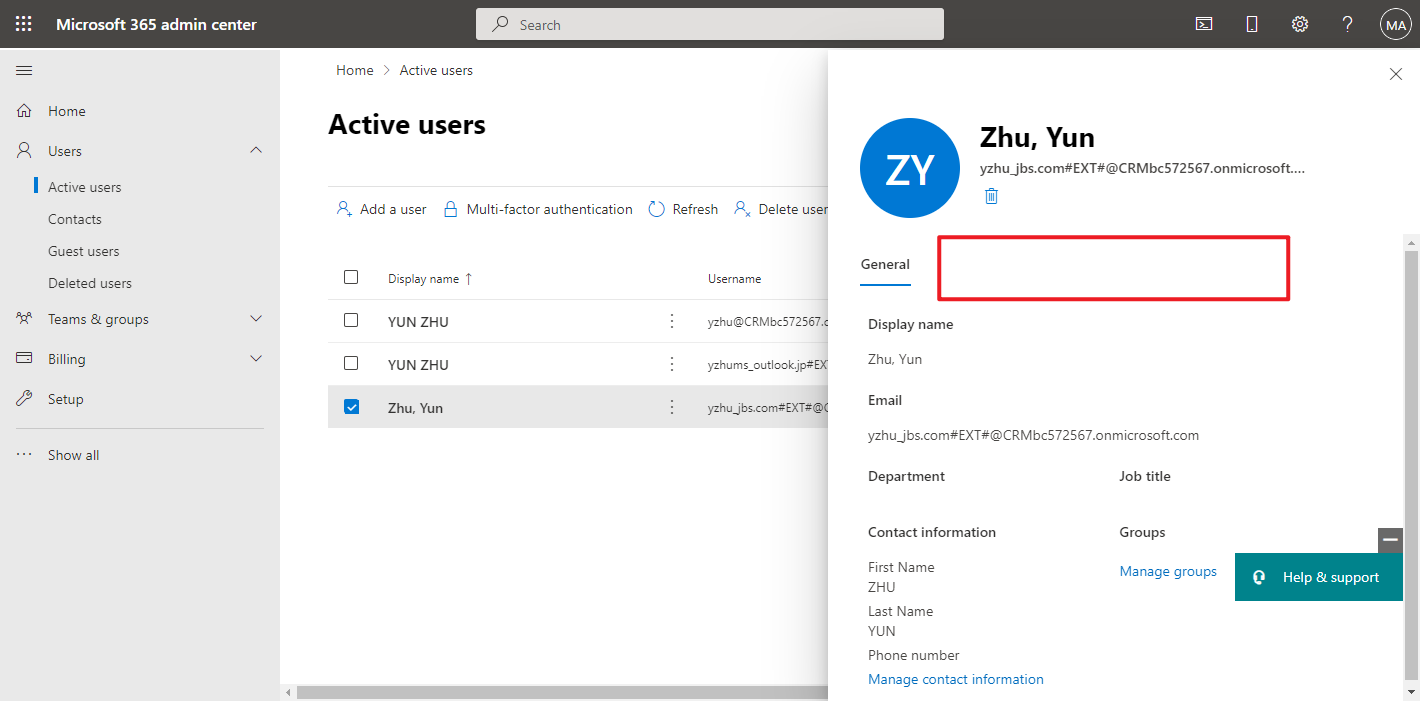
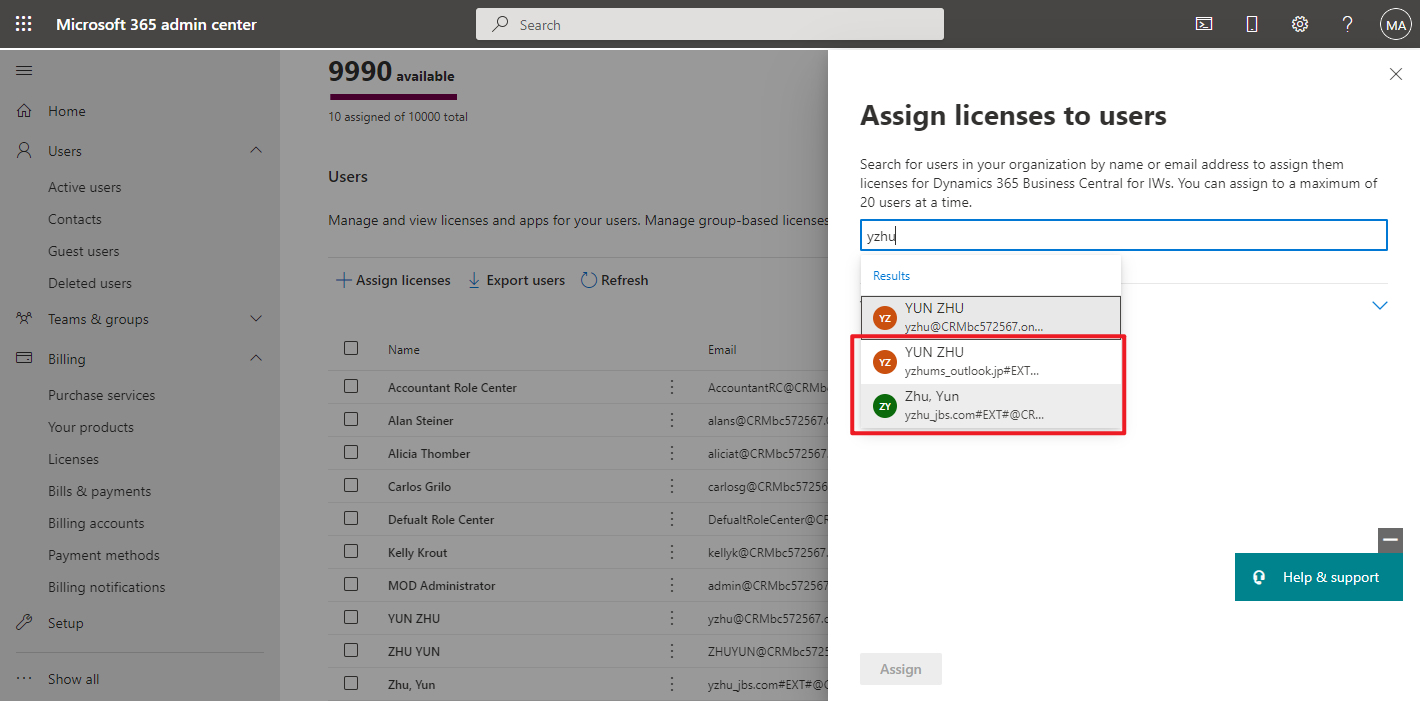
    First in the user list, we cannot assign licenses to external users. 

    For example:

    Domain User:
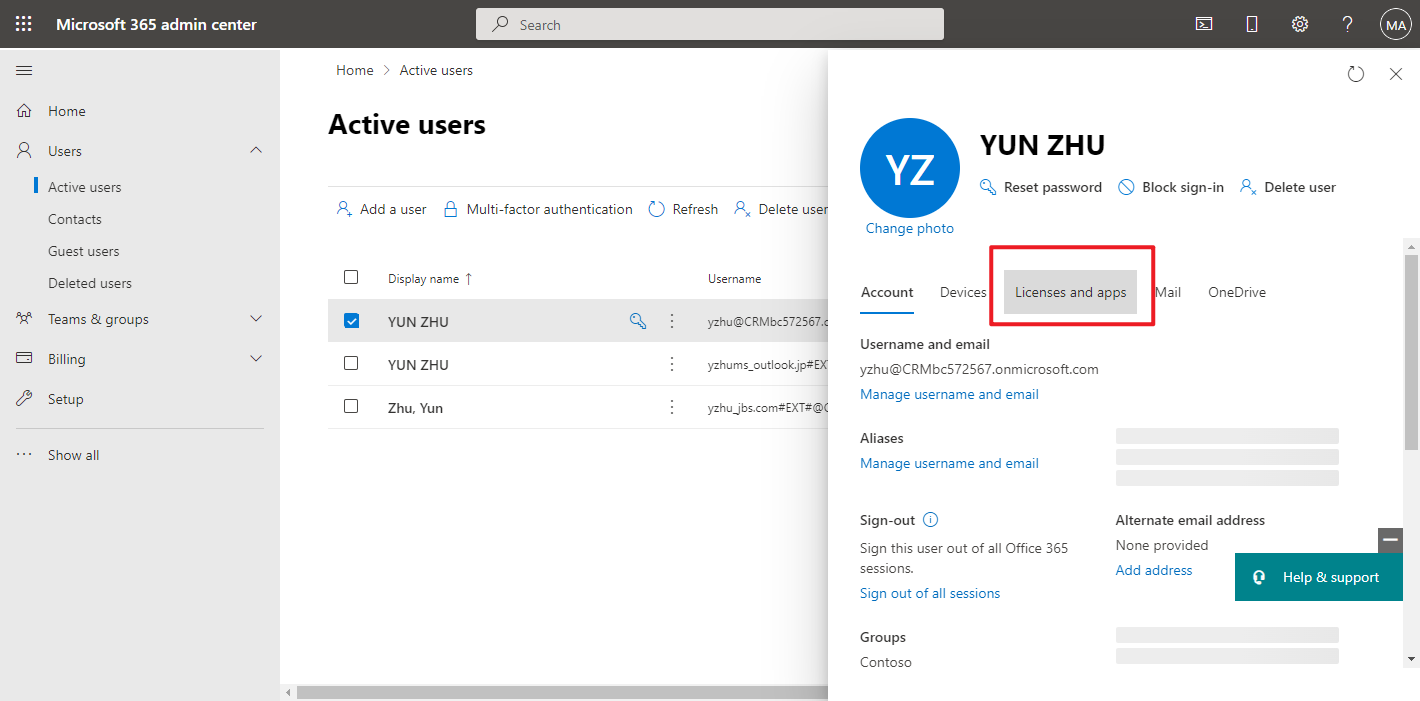
    pastedimage1650418331149v2.png

    External User

    pastedimage1650418317850v1.png

    We need to go to Licenses, click the Business Central name.
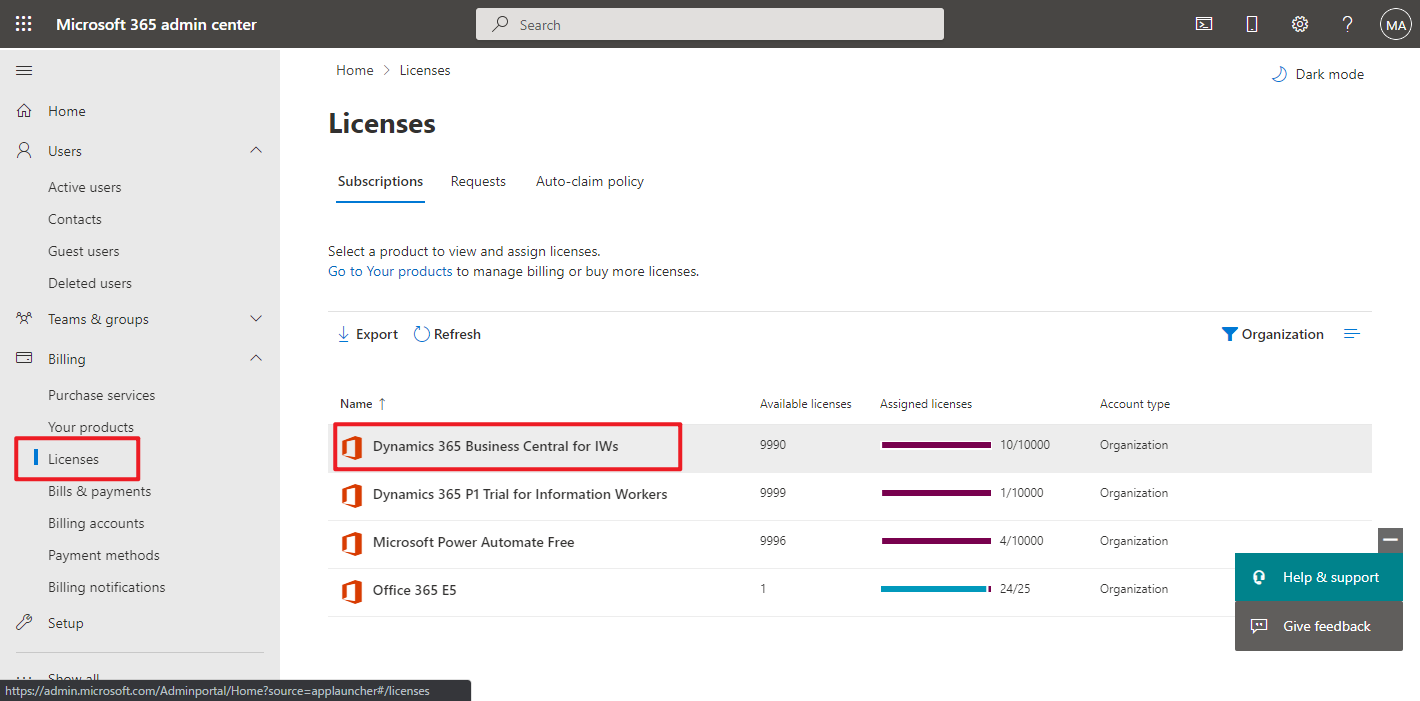
    pastedimage1650418458004v3.png

    Then you can assign licenses to external users.
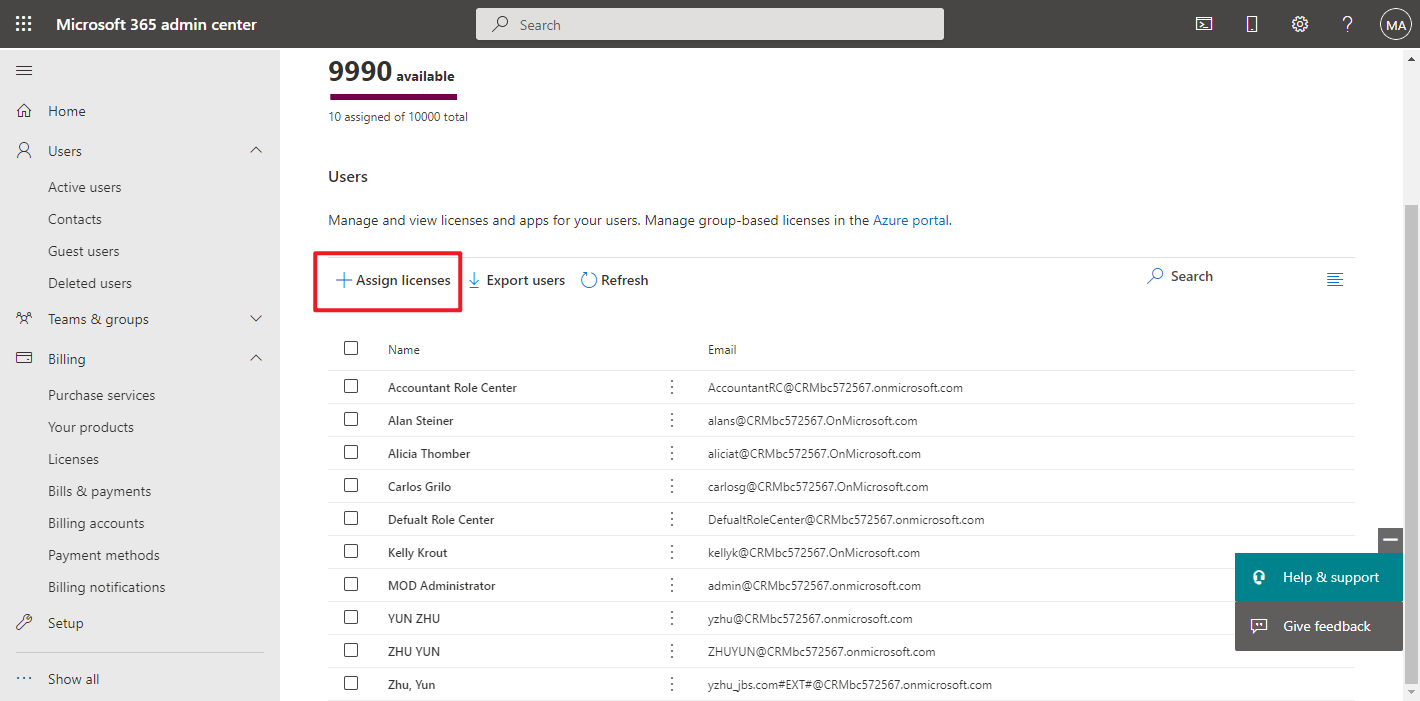
    pastedimage1650418497138v4.png

    pastedimage1650418520966v5.png

    Hope this helps.

    Thanks.

    ZHU

  • MicroBlog Profile Picture
    15 on at

    Thanks. This is helpful. What license would show up for external accountant. Right now I have the full business licenses and team licenses in my account that I bought. The licensing agreement says that full licenses come with 3 external accountant license, so which one should I assign to an external accountant so that they can review the company. I tried assigning the IW license, but it says I have to assign a paid license so I am confused.

  • Suggested answer
    YUN ZHU Profile Picture
    100,787 Super User 2026 Season 1 on at

    Hi, This is a bit strange, have you tried the following two ways?

    https://yzhums.com/9136/#toc5

    In addition, please note that the IW License is only for the trial environment, and there is no IW in the paid environment.

    For example:

    pastedimage1650496925336v1.png

    Paid Tenant

    pastedimage1650497178173v2.png

    Hope this also helps.

    Thanks.

    ZHU

Under review

Thank you for your reply! To ensure a great experience for everyone, your content is awaiting approval by our Community Managers. Please check back later.

Helpful resources

Quick Links

Introducing the 2026 Season 1 community Super Users

Congratulations to our 2026 Super Stars!

Meet the Microsoft Dynamics 365 Contact Center Champions

We are thrilled to have these Champions in our Community!

Congratulations to the April Top 10 Community Leaders

These are the community rock stars!

Leaderboard > Small and medium business | Business Central, NAV, RMS

#1
OussamaSabbouh Profile Picture

OussamaSabbouh 1,909 Super User 2026 Season 1

#2
YUN ZHU Profile Picture

YUN ZHU 1,145 Super User 2026 Season 1

#3
AndrewThomas81 Profile Picture

AndrewThomas81 974

Last 30 days Overall leaderboard

Featured topics

Product updates

Dynamics 365 release plans