Hello all,
There was a recent update from Microsoft that brought issues to the clients using 'Electronic Payment' Exports for EFT and ACH. The file exported with '$0' in Amount fields at the Detail and Trailer/Footer records.
This is what had happened: The "Data Exchange Definition" for the EFT/ACH file export went through an update on the 'Amount' Field Mapping. Earlier, we used to work-around to export the file setting the "Multiplier" field with "100" so the Decimal portion of the amount is always multiplied with 100 and shows a whole number in the export. This is now updated by Microsoft to now export the amount field WITHOUT having to set the Multiplier field with 100.
Details to be updated at Data Exchange Definition
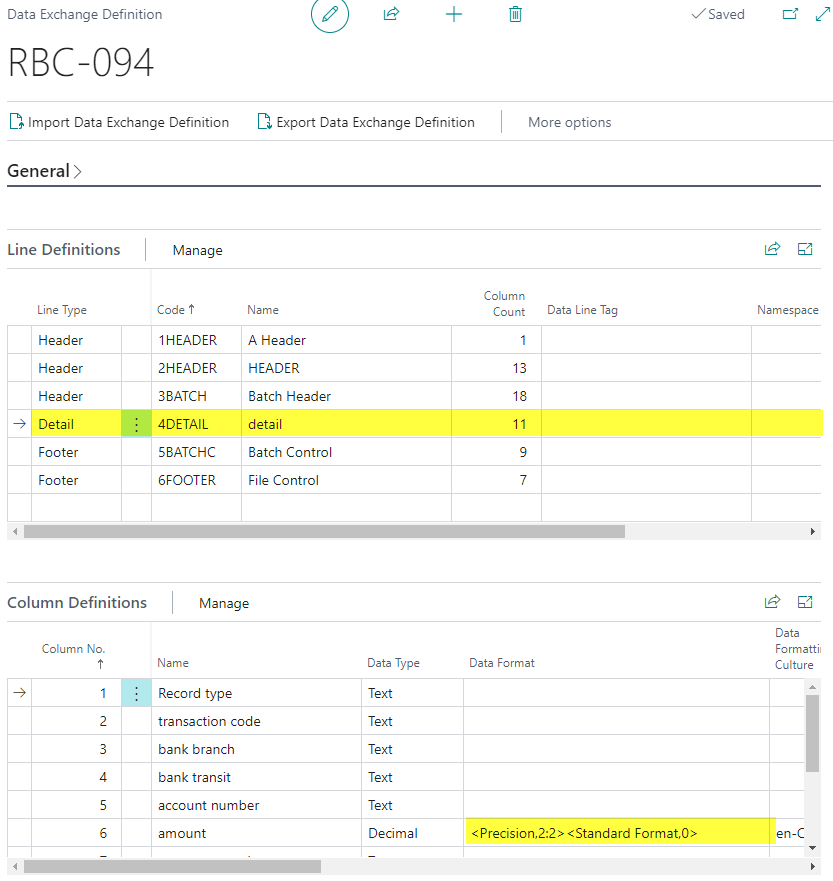
STEP 1. Click the Detail and Footer/Trailer lines (one at a time), and update the 'Amount' field at 'Column Definitions' with Data Format = <Precision,2:2><Standard Format,0>
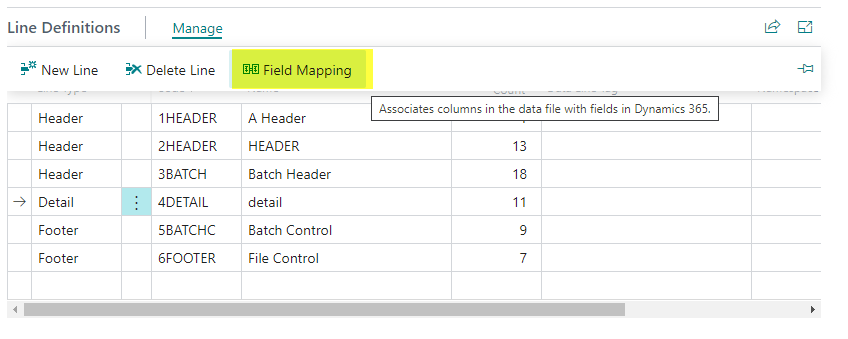
STEP 2. Now, click on 'Field Mapping' under 'Line Definitions' tab.
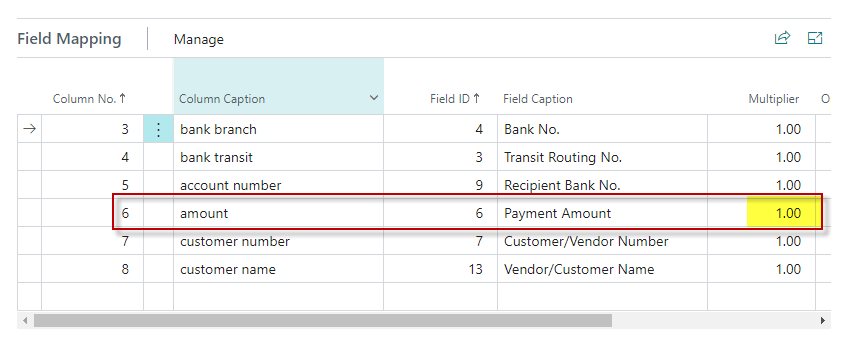
STEP 3: Update the "Multiplier" field from 100 to "1". You may need to Personalize the tab to add the 'Multiplier' column as it usually hidden:
STEP 4: Follow the same steps 1-3 for the Footer/Trailer Record as well.
This will now export the file as normal, with the amount fields showing in the export.
Additional Information:
Some of you might have been "struck" at the Payment Journal for lines that are already exported with the bad file, and not able to void them to get the new file.
Here is what you need to do to remove the struck line(s) and re-export:
1. Create a 'Configuration Package' for Table 81
2. Set only the following field Fields, at the Table Menu:
i. Check Exported
ii. Check Printed
iii. Check Transmitted
3. Export the Excel file, and for only the Payment Journal lines, update the above three columns from 'True' to 'False'
4. Import the file and Apply the package
5. You should now see the lines are reset at Payment Journal, and you can now re-export the new EFT/ACH file, and post.
Thanks
Sai Ragavan,
Sr. Consultant - Business Central
Synctive Consulting Inc.
email: sai.synctiveconulting@gmail.com


