web
You’re offline. This is a read only version of the page.
close
Skip to main content

Announcements

No record found.

News and Announcements icon
Community site session details

Community site session details

Session Id :
Microsoft Dynamics CRM (Archived)

Why business rules for entity are duplicated ?

(0) ShareShare
ReportReport
Posted on by

Hi everybody

I have created 1 business rule for entity as shown under
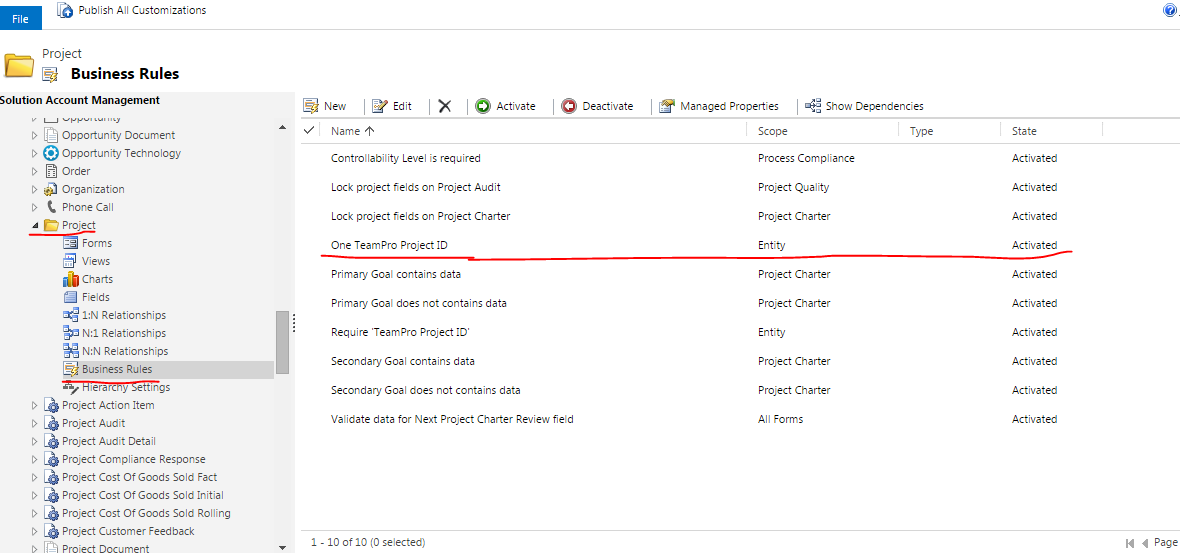
Business-Rule.PNG

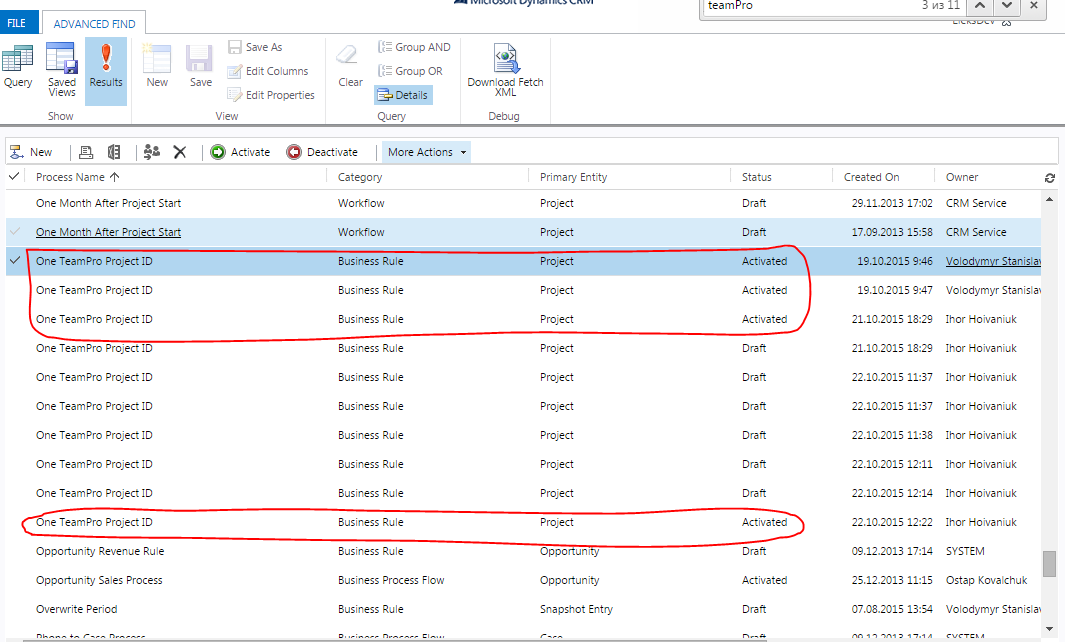
But when i use Advanced Search  feature it return 4(!) activated the same business rules. Shown under
Advances-Search-Query.PNG

Advanced-Search.PNG

My code also returns a few instances.  

Why it happens ? can i just delete these odd business rules ?

I used

XrmServiceContext.WorkflowSet.Where(w => w.StateCode == WorkflowState.Activated && w.Name =="One TeamPro Project ID")

*This post is locked for comments

I have the same question (0)
  • Alex Fun Wei Jie Profile Picture
    33,628 on at

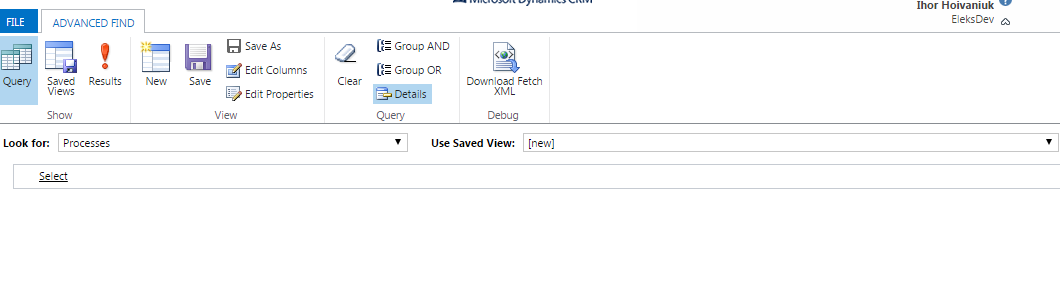
    Please share your Query in Advanced Find

  • Community Member Profile Picture
    on at

    Thanks for attention. Attached. Please look

  • Alex Fun Wei Jie Profile Picture
    33,628 on at

    Hi

    let me test in my environment first ya.

  • Alex Fun Wei Jie Profile Picture
    33,628 on at

    Hmm. MY environment doesnt have this issue.

    let do some debug, could you try to add in the filter shown as below and see the result.

    2502.1.png

  • Community Member Profile Picture
    on at

    Result is the same. 4 business rules

  • Community Member Profile Picture
    on at

    From time to time i activated\deactivated this business rule and changed Scope for it. Maybe it somehow influences ...

  • Community Member Profile Picture
    on at

    Also there is a strange situation with this business rule deactivation. When i try to deactivate it  when it is active - everything works fine. But when i try deactivate it again(it is already deactivated) unexpected error occurred.  Log under

    Unhandled Exception: System.ServiceModel.FaultException`1[[Microsoft.Xrm.Sdk.OrganizationServiceFault, Microsoft.Xrm.Sdk, Version=7.0.0.0, Culture=neutral, PublicKeyToken=31bf3856ad364e35]]: System.Web.HttpUnhandledException: Microsoft Dynamics CRM has experienced an error. Reference number for administrators or support: #4BBA25BFDetail:

    <OrganizationServiceFault xmlns:i="www.w3.org/.../XMLSchema-instance&quot; xmlns="schemas.microsoft.com/.../Contracts&quot;>

     <ErrorCode>-2147220970</ErrorCode>

     <ErrorDetails xmlns:d2p1="schemas.datacontract.org/.../System.Collections.Generic&quot; />

     <Message>System.Web.HttpUnhandledException: Microsoft Dynamics CRM has experienced an error. Reference number for administrators or support: #4BBA25BF</Message>

     <Timestamp>2015-10-22T08:36:34.0514132Z</Timestamp>

     <InnerFault>

       <ErrorCode>-2147220970</ErrorCode>

       <ErrorDetails xmlns:d3p1="schemas.datacontract.org/.../System.Collections.Generic&quot; />

       <Message>Should be exactly 1 MessageProcessingStep registered for workflow</Message>

       <Timestamp>2015-10-22T08:36:34.0514132Z</Timestamp>

       <InnerFault i:nil="true" />

       <TraceText i:nil="true" />

     </InnerFault>

     <TraceText i:nil="true" />

    </OrganizationServiceFault>

  • Suggested answer
    Community Member Profile Picture
    on at

    Hi qweigor ,

    I checked in my Environment also, found multiple BR.

    Did some work found that when we are deactivating BR and again Activating BR then old BR record Process Entity goes in draft state and new record is added which is activated.

    I am not sure what its doing on platform level. This is what my finding is till time. If i will get any more finding then will come back. Please check in your Environment to replicate same. I don't think so should delete these.

    Hope this helps !! I would appreciate if you can mark my answer  as verified. Thanks

    Regards,

    Kamran

Under review

Thank you for your reply! To ensure a great experience for everyone, your content is awaiting approval by our Community Managers. Please check back later.

Helpful resources

Quick Links

Introducing the 2026 Season 1 community Super Users

Congratulations to our 2026 Super Stars!

Meet the Microsoft Dynamics 365 Contact Center Champions

We are thrilled to have these Champions in our Community!

Congratulations to the April Top 10 Community Leaders

These are the community rock stars!

Leaderboard > 🔒一 Microsoft Dynamics CRM (Archived)

#1
ScottDurow Profile Picture

ScottDurow 2

#2
GJones Profile Picture

GJones 1

Last 30 days Overall leaderboard

Featured topics

Product updates

Dynamics 365 release plans