web
You’re offline. This is a read only version of the page.
close
Skip to main content

Announcements

No record found.

News and Announcements icon
Community site session details

Community site session details

Session Id :
Microsoft Dynamics CRM (Archived)

Throttling limit is exceeded by the operation

(0) ShareShare
ReportReport
Posted on by

In my company we have an integration between CRM Online and SharePoint Online and are us is presenting a difficulty that we exceed the 5000 items that Microsoft allows.

My question is: if I move all items to another folder that is not integrated with CRM, as you can reset the connections with these folders?

Limit-5000.JPG

Currently the folder has more than 31 k
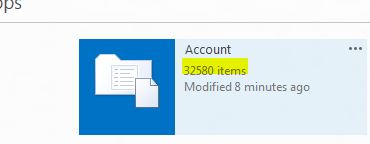
account.JPG

*This post is locked for comments

I have the same question (0)
  • Suggested answer
    Community Member Profile Picture
    on at

    If you're working with list view thresholds and you need to get around them in sharepoint online may be this article can help you www.guideushow.com/.../client-object-model-handling-lists-over-5000-sharepoint-2013-sharepoint-online

    You could try the Layer2 Cloud Connector for Office 365 and SharePoint (free trial) www.layer2solutions.com/.../sharepoint-online-large-scale-integration.aspx

  • ScottDurow Profile Picture
    21 on at

    If you have more than 5000 items in a document library (irrespective of how they are divided into folders/document locations in CRM) you can still view documents in a CRM view but if you try to sort by any column other than location like name/content type etc. you'll receive this error. It is coming from Sharepoint's CAML query limit.
    This is documented in the SDK - see the section on Resource Throttling - https://technet.microsoft.com/en-us/library/dn792527.aspx

    The only work around is to create separate document libraries to keep the number of items below 5000 but I find that sorting in CRM isn't really needed since users can use the 'Open in SharePoint' button if they want to do more advanced views of the documents.

  • Community Member Profile Picture
    on at

    It's more of a problem with CRM throttling limit as opposed to SharePoint list view threshold limit.  We have two instances, production and sandbox, synced to the same SharePoint library.  We are unable to open documents in production as it has over 200 folders containing 5k+ items.  However, test is able to open documents in SharePoint being that it has less than 10 folders with a limited number of items.  So, even though I haven't tried moving the items out of the connected folders, the above scenario proves that it will work.  CRM support recommends using multiple libraries.  We are experimenting with a solution that takes documents stored in the CRM Note entity, moving them to a SharePoint library, and then leaves a link behind.

  • Community Member Profile Picture
    on at

    From my understanding:

    The SharePoint List View Threshold applies to the view, not the list itself (list can have millions) which is pretty cool in SharePoint side "Happy", however, when working within the CRM and SharePoint integration, the CRM document grid, this is completely different story.

    If you have more than 5000 folders/Items - then you will start seeing following error

    Error_2D00_CRM-DocLib-integration.png

    Which is really DUMB I think .. as far as SharePoint limitation go, it is per view .. not the number of folders, but CRM it is not - in our implementation we encounter following:

    It started with Only SP Admins could see document in the grid (NOTE: 5000+ folder for each entity record - however less than 100 documents in library "almost all of the folders empty"), the normal users got above error, at first we thought it is permission, then drilling deeper we figured out that the normal user limitation of 5000 is causing this. Once we increase this to 20000 for normal user it was all good. I simply couldn't believe this.

    Ideally, CRM should just look at the folder for that specific Entity record - the location of the document. I know that CAML provide this. Seems like "without knowing inner guts of code - may be someone from CRM dev team can comment", it queries everything first and then tries to get the document for specific folder - may be doggy foreach loop -- Very Sad :(

    Sumesh Ghimire

Under review

Thank you for your reply! To ensure a great experience for everyone, your content is awaiting approval by our Community Managers. Please check back later.

Helpful resources

Quick Links

Introducing the 2026 Season 1 community Super Users

Congratulations to our 2026 Super Stars!

Meet the Microsoft Dynamics 365 Contact Center Champions

We are thrilled to have these Champions in our Community!

Congratulations to the March Top 10 Community Leaders

These are the community rock stars!

Leaderboard > 🔒一 Microsoft Dynamics CRM (Archived)

#1
JS-09031509-0 Profile Picture

JS-09031509-0 3

#2
AS-17030037-0 Profile Picture

AS-17030037-0 2

#2
Mark Eckert Profile Picture

Mark Eckert 2

Last 30 days Overall leaderboard

Featured topics

Product updates

Dynamics 365 release plans
