web
You’re offline. This is a read only version of the page.
close
Skip to main content

Announcements

No record found.

News and Announcements icon
Community site session details

Community site session details

Session Id :
Small and medium business | Business Central, N...
Answered

How to invite External accountant?

(0) ShareShare
ReportReport
Posted on by 175

Hi All, 

How do I invite the external accountant in business central. When ever I click on, I get the below message. 
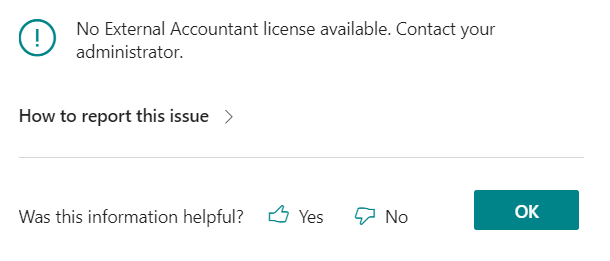
pastedimage1664199536221v1.png

I did check few blogs which instructed me to contact the Dynamics Partner to assign the external user license to the external accountant user. I am already a partner, but I do not have those 3 complimentary external accountant licenses. How do I claim it ?. Did check my admin center and I could not find them. 

Any help would be much appreciated. 

Regards, 

Manjunath Dhanapal

  • Suggested answer
    LanceYZ Profile Picture
    22 on at

    I added a user in Azure AD externalaccounting@yourdomain.onmicrosoft.com

    Then added them to the group- Dynamics 365 Business Central External Accountant

    I was then able to add them from the dashboard in Business central

  • Suggested answer
    Amit Baru Profile Picture
    3,043 on at

    hi,

    User have admin rights and then go to he guest user and create external user form there.

    Regards

    Amit Sharma

  • Suggested answer
    IB-29041624-0 Profile Picture
    1,191 Moderator on at

    Please refer to the Microsoft documentation that you will find here:

    learn.microsoft.com/.../finance-accounting

  • Suggested answer
    Teddy Herryanto (That NAV Guy) Profile Picture
    14,306 Super User 2026 Season 1 on at

    As far as I remember, you need to buy the external account license first (with zero price). Once you buy it, it will appear and you can assign it. Check with the license provider.

  • Suggested answer
    IB-29041624-0 Profile Picture
    1,191 Moderator on at
    [quote user="Teddy H"]

    As far as I remember, you need to buy the external account license first (with zero price). Once you buy it, it will appear and you can assign it. Check with the license provider.

    [/quote]

    It is not necessary to order the license for the external accountants. Every BC license for BC online allows 3 external accountants. You just have to invite them and assign them.

  • Verified answer
    YUN ZHU Profile Picture
    103,282 Super User 2026 Season 2 on at

    Hi, I just tested it and it's not a problem. If you have purchased a BC license, you can try to contact Partner or Microsoft.

    pastedimage1664240492972v2.png

    pastedimage1664240467859v1.png

    PS: How to add external users (Two ways)

    https://yzhums.com/9136/

    Hope this helps.

    Thanks.
    ZHU

Under review

Thank you for your reply! To ensure a great experience for everyone, your content is awaiting approval by our Community Managers. Please check back later.

Helpful resources

Quick Links

Season of Sharing Community Challenge Winners!

Congratulations to our community stars!

Women in Power Builds Momentum

Expanding mentorship, skilling, and AI innovation

Congratulations to the August Top 10 Community Leaders

These are the community rock stars!

Leaderboard > Small and medium business | Business Central, NAV, RMS

#1
OussamaSabbouh Profile Picture

OussamaSabbouh 715 Super User 2026 Season 2

#2
YUN ZHU Profile Picture

YUN ZHU 452 Super User 2026 Season 2

#3
AndrewThomas81 Profile Picture

AndrewThomas81 371 Super User 2026 Season 2

Last 30 days Overall leaderboard

Featured topics

Microsoft Training Manuals

Product updates

Dynamics 365 release plans
