web
You’re offline. This is a read only version of the page.
close
Skip to main content

Announcements

No record found.

News and Announcements icon
Community site session details

Community site session details

Session Id :
Microsoft Dynamics GP (Archived)

Service Call not being Invoiced - Call Number Stuck

(0) ShareShare
ReportReport
Posted on by

Hi,

One of the service call in the Service Call Billing window is not being invoiced. Every time I select it and try to press the invoice button nothing happens. It just happens to stay there, while others can be invoiced without any issues.

I do not know what the issue is. Can someone please help me fix this issue? 

Regards.
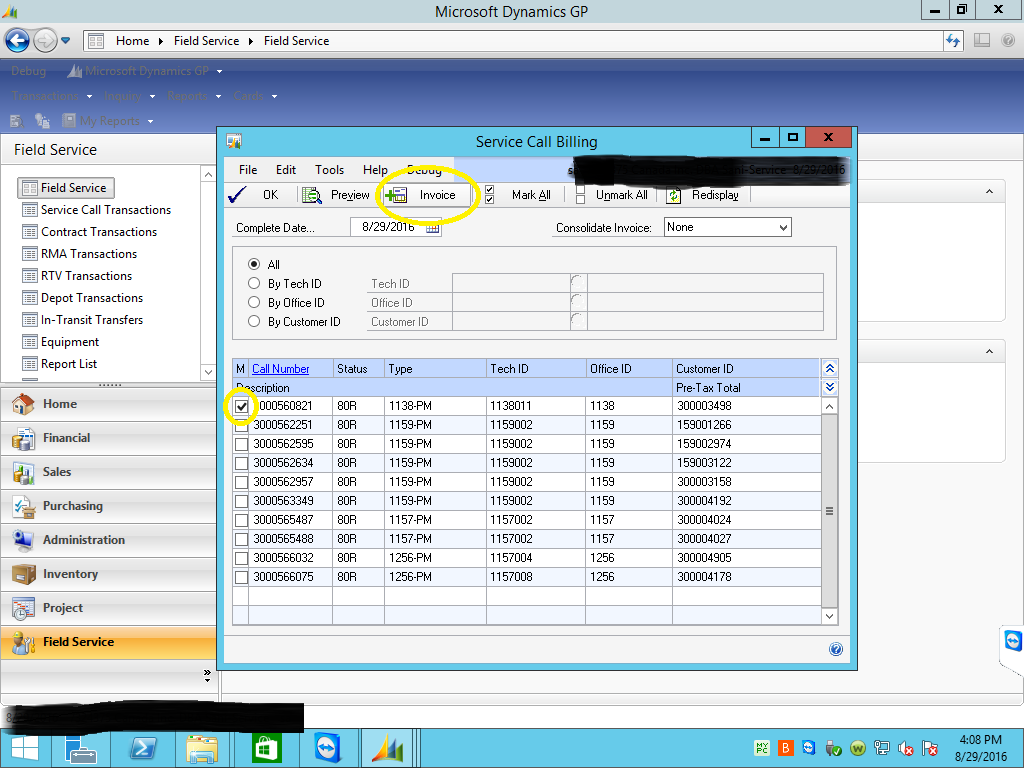
Service_5F00_Call_5F00_Billing_5F00_Stuck.png

*This post is locked for comments

I have the same question (0)
  • Community Member Profile Picture
    on at

    check if the invoice is already invoice into SOP (sop10100/sop30200).  I recall having that issue.

  • KRIUS Profile Picture
    105 on at

    I had similar issue but error indicated it was locked by a user. Here is what Microsoft told me. Might be the same, I would test first.

    ASSESSMENT

    When you receive an error that the service call is being edited by another user, we will want to look at the SVC00205 table. The SVC00205 (SVC_Service_MSTR_Line_Access) table tracks when users open the parts window. A user access record could be locked in this table. You can run a select statement on the SVC00205 table and look at the SVC_Document_Number field. If the Service Call shows up in the results, you will want to delete the row out of the table probably by the DEX_ROW_ID. This table contains records when someone is accessing the Parts or Labor Lines. The script to delete the row will be like the following:

    delete SVC00205 where DEX_ROW_ID = XXXXX

    You will need to replace the XXXXX with the DEX_ROW_ID found for the line you wish to delete.

Under review

Thank you for your reply! To ensure a great experience for everyone, your content is awaiting approval by our Community Managers. Please check back later.

Helpful resources

Quick Links

Introducing the 2026 Season 1 community Super Users

Congratulations to our 2026 Super Stars!

Congratulations to our 2025 Community Spotlights

Thanks to all of our 2025 Community Spotlight stars!

Leaderboard > 🔒一 Microsoft Dynamics GP (Archived)

Last 30 days Overall leaderboard

Featured topics

Product updates

Dynamics 365 release plans
