web
You’re offline. This is a read only version of the page.
close
Skip to main content

Notifications

Announcements

No record found.

Community site session details

Community site session details

Session Id :
Microsoft Dynamics CRM (Archived)

Workflow Editor not loading fields for Account entity.

(0) ShareShare
ReportReport
Posted on by

Hi,

I am having troubles to display the list of fields of the “Account” entity when I try to set an “IF” condition inside of a workflow.

For some reason, the list of fields for this entity is empty, so I can’t create the logic for the workflow.

(Note: I renamed the Account entity to Dealers for my project.)
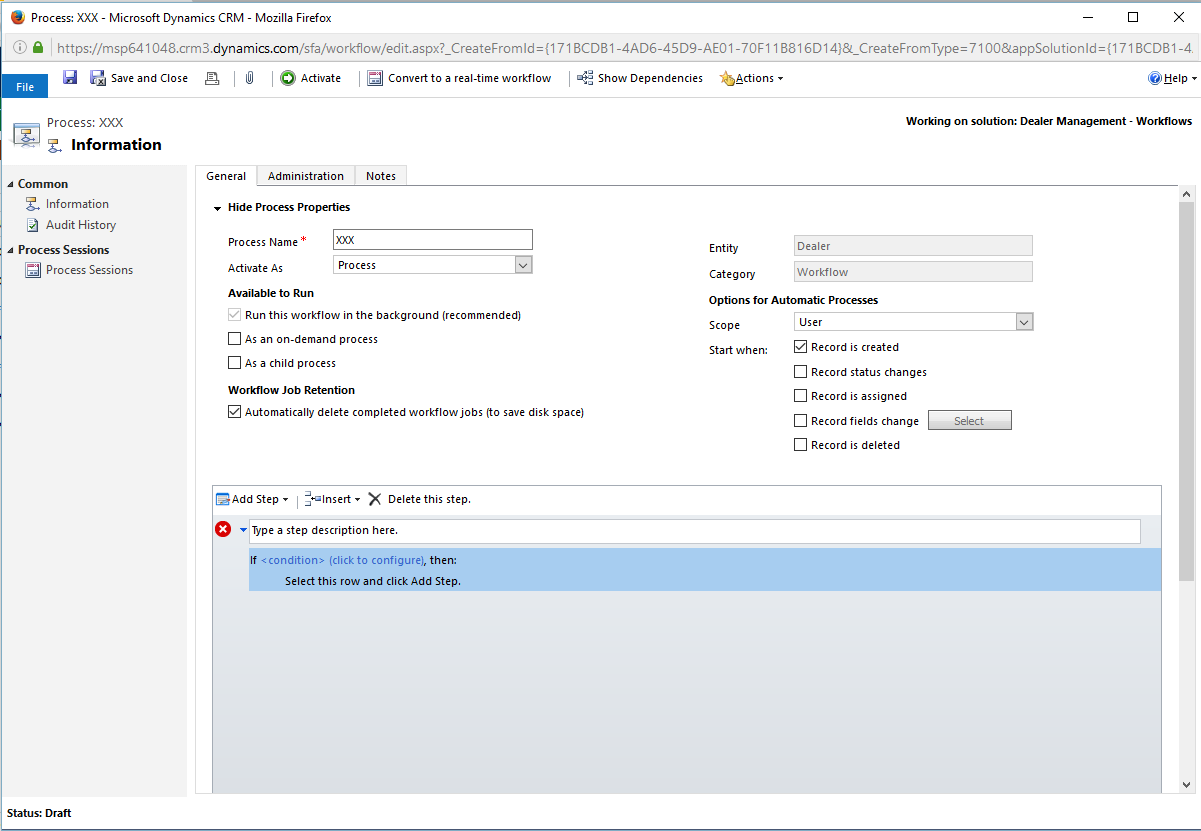
13881.1.png

When I select “Dealer/Account” to set the condition:
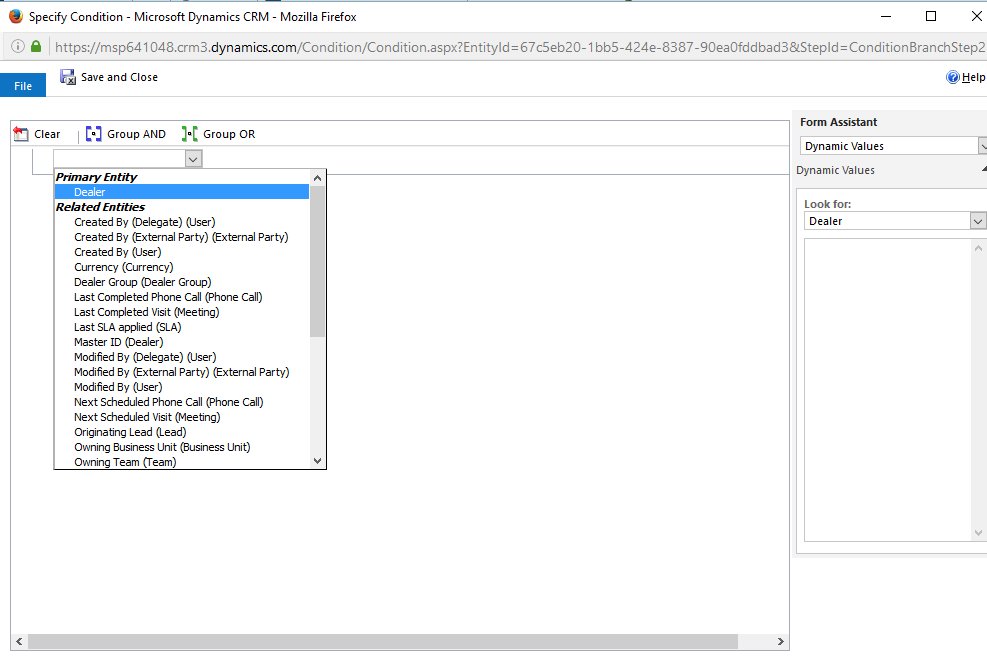
33848.2.png

The list of fields for this entity is empty as you can see here:
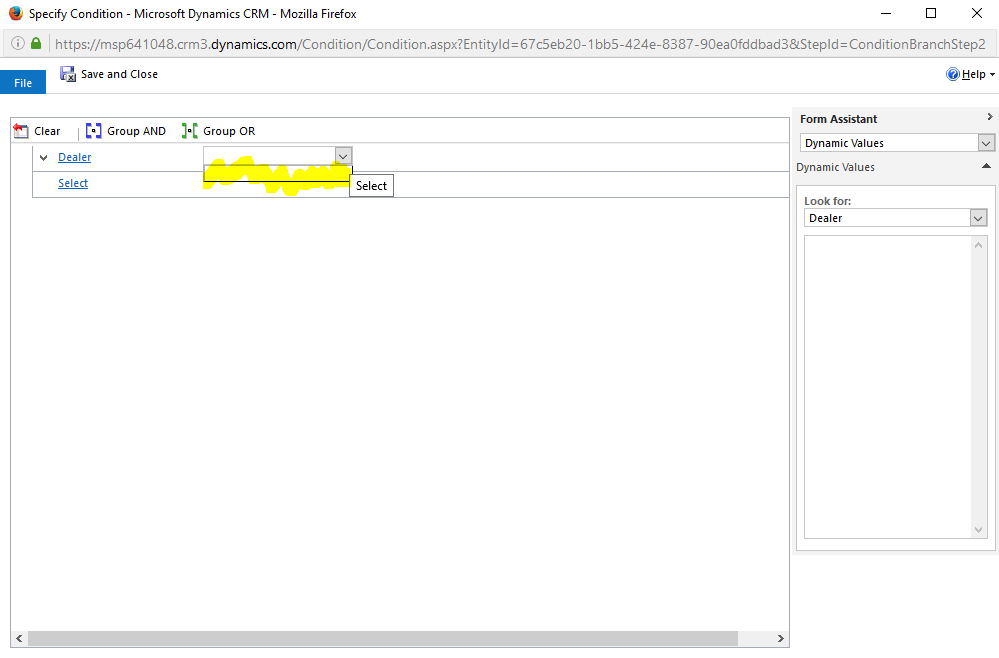
4035.3.png

I tried with many different browsers and in different computers and this behavior is the same on all of them.


It is even more weird with "IF" statements that I previously created some days ago and now when I try to open them, it looks that they are empty or not well rendered:
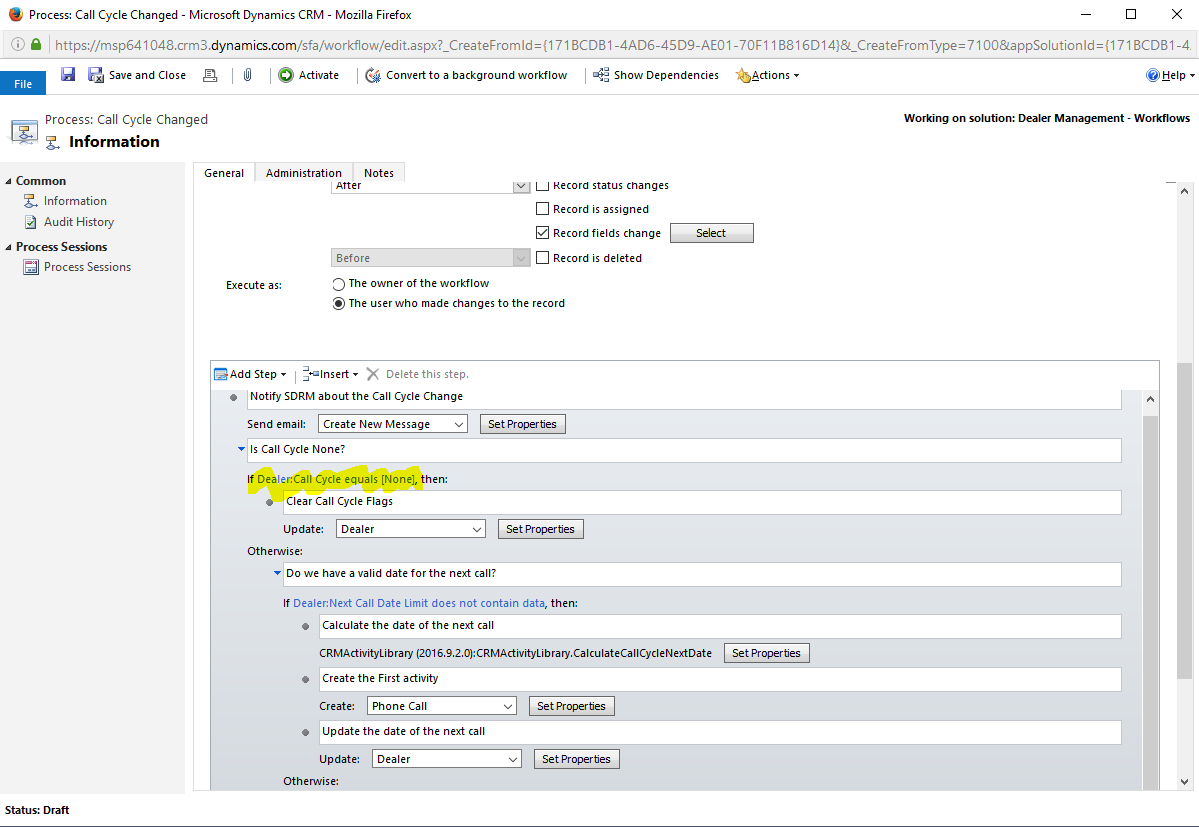
8750.4.png

As you can see here, something that was working/rendering well before, is not working anymore.
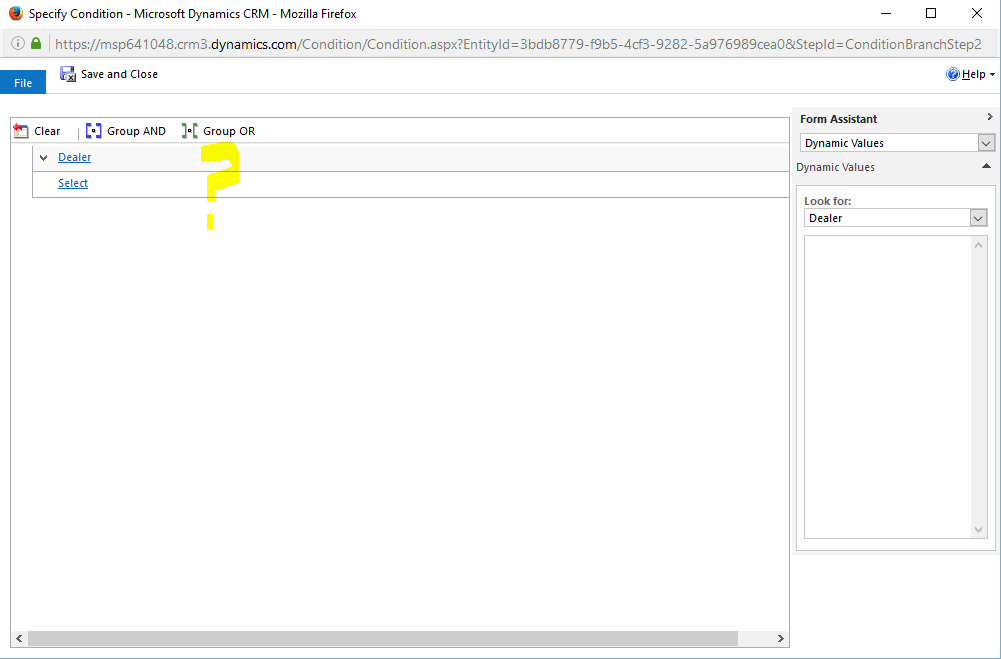
2474.5.png

Funny thing is that this is working perfectly well for other entities as you can see here:
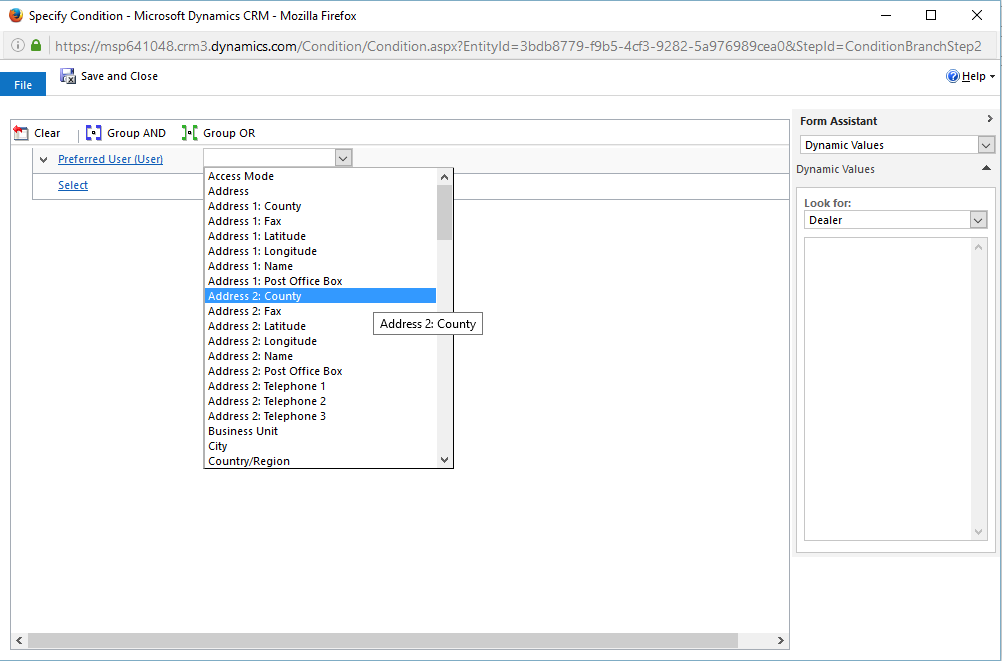
0825.6.png

*This post is locked for comments

I have the same question (0)
  • Yadnyesh Kuvalekar Profile Picture
    4,102 on at

    Did you try using Internet Explorer browser?

  • Pablo Abraham Profile Picture
    on at

    Yes, I tried with Explorer, Chrome, Firefox on several machines and I can see the same behavior.

  • Suggested answer
    Hemant Kumar Sahu Profile Picture
    1,829 on at

    Pablo Abraham,

    You try with explorer once, Please always use the updated version.

    Other browser doesn't support CRM properly.

    Thanks

    Hemant Sahu

  • Suggested answer
    PS Profile Picture
    23,577 on at

    When you changed the name of enity, by any chance did you also changed the 'Searchable' as 'Yes' to No; on all fields of Dealer/Account? It should be 'Yes'

  • Pablo Abraham Profile Picture
    on at

    Hi Prashant, thatk for your answer!

    I didn't make any uncommon modification on the field.  Some of them have the Searchable as yes and some others as no (Like in any typical CRM implementation). I changed the name of the entity some time ago and I was able to create workflows using this entity without any issue. But I seems that now when I open some workflows that were already working, the rendering for the fields on the Account entity are not properly displayed. And if I try to create a new workflow step that involves the account entity, the list of fields are not populated as you can see on the screen captures.

  • Ozarour Profile Picture
    630 on at

    Hi, Did you find a solution for this problem? I also have the same issue.

    Thanks

  • Suggested answer
    Pablo Abraham Profile Picture
    on at

    After working with Microsoft Support, they confirmed that this is an actual bug on the product. This will be solved in future versions. The workaround is just to remove the $ sign from the name of the fields and the workflow editor will work again.

    Regards.

    Pablo Abraham.

  • Ozarour Profile Picture
    630 on at

    Thank you. Do you mean I should check field names if it has $ ?

  • Suggested answer
    Pablo Abraham Profile Picture
    on at

    Yes, the combination of Currency field with a $ sign on the name was the reason of the workflow editor not loading the names of the fields in my case.

    This is the answer that I got from the support engineer:

    "I reviewed the case logs and found that the reason for the issue wherein “Workflow Editor not loading fields for Account entity” was identified and an action plan was provided to you. As per the documentation, Engineer suggested to remove the special characters from the filed name (Total non prime funded $'s) and (Total non prime funded $'s  Base),  that was causing the conflict as it was replicated in our test environment. When the special character was removed, the issue was fixed, therefore please let me know if the action plan was followed and if that resolved the issue."

    I hope this helps you to solve this issue.

    Regards.

    Pablo Abraham

  • Ozarour Profile Picture
    630 on at

    Thank you. In my case, the reason was due to a hidden field that CRM creates when an optionset field is created, it has the name of optionsetFieldName+{name}. I used Xrmtoolbox to update some fields to be not searchable, and this field was one of them. After I changed it to searchable, the workflow editor backs again to work correctly.

Under review

Thank you for your reply! To ensure a great experience for everyone, your content is awaiting approval by our Community Managers. Please check back later.

Helpful resources

Quick Links

Responsible AI policies

As AI tools become more common, we’re introducing a Responsible AI Use…

Neeraj Kumar – Community Spotlight

We are honored to recognize Neeraj Kumar as our Community Spotlight honoree for…

Leaderboard > 🔒一 Microsoft Dynamics CRM (Archived)

#1
SA-08121319-0 Profile Picture

SA-08121319-0 4

#1
Calum MacFarlane Profile Picture

Calum MacFarlane 4

#3
Alex Fun Wei Jie Profile Picture

Alex Fun Wei Jie 2

Last 30 days Overall leaderboard

Featured topics

Product updates

Dynamics 365 release plans
