web
You’re offline. This is a read only version of the page.
close
Skip to main content

Notifications

Announcements

No record found.

Community site session details

Community site session details

Session Id :
Microsoft Dynamics CRM (Archived)

BPF error in Resource booking

(0) ShareShare
ReportReport
Posted on by 6,211

Hi All,

When i am trying to create new resource, in that when i add Start Location to Resource Address and End Location to Organizational Unit Address it show below error. I get below error when i add end location to Organizational Unit Address.

Error Message : 

The latitude or longitude for the organizational unit record associated with this resource is invalid.
Please provide a valid latitude and longitude and then set the start and end location for this resource again.
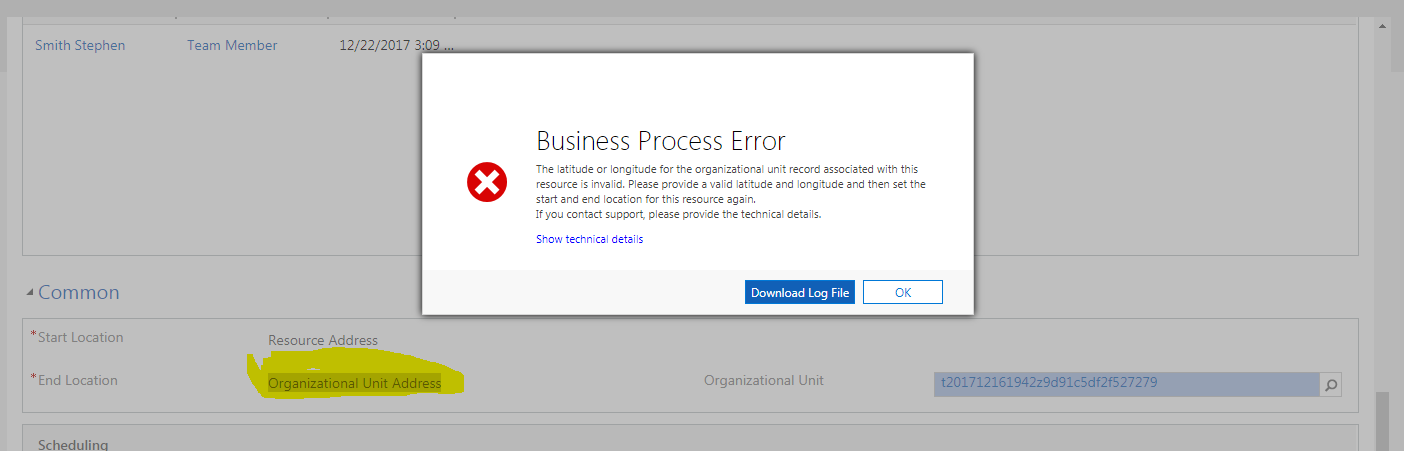
6470.BPF-error.PNG

Thanks,

Shahbaaz

*This post is locked for comments

I have the same question (0)
  • Suggested answer
    a33ik Profile Picture
    84,331 Most Valuable Professional on at

    Hello,

    I believe you should fix latitude and longitude of Organizational Unit Record and that should fix your issue.

  • Shahbaaz Ansari Profile Picture
    6,211 on at

    thanks for the reply, there is no option of adding latitude and longitude in organization unit entity...

  • Verified answer
    Thomas David Dayman Profile Picture
    11,323 on at

    Are you loading the right form for Organisational Unit? The fields are there but maybe you are loading the wrong form which means you cant see the fields.

  • Shahbaaz Ansari Profile Picture
    6,211 on at

    hi thomas,

    thanks for the reply, there is only one form for Organisational unit, but there were field of latitude and longitude after placing them on form and publishing, after entering proper latitude and longitude, solved my issue.

    Thanks,

    Shahbaaz

  • Suggested answer
    Nishant Rana Profile Picture
    11,325 Microsoft Employee on at
    Hi,
    I think the only option for other Resource Type where we do not have the Geo Code command is to manually specify latitude and longitude value.
    This is what we did in case of User type Bookable resource while specifying Start / End location as Resource Address.
     
    Hope this helps..
     
    Regards,
    Nishant Rana

Under review

Thank you for your reply! To ensure a great experience for everyone, your content is awaiting approval by our Community Managers. Please check back later.

Helpful resources

Quick Links

Responsible AI policies

As AI tools become more common, we’re introducing a Responsible AI Use…

Neeraj Kumar – Community Spotlight

We are honored to recognize Neeraj Kumar as our Community Spotlight honoree for…

Leaderboard > 🔒一 Microsoft Dynamics CRM (Archived)

#1
SA-08121319-0 Profile Picture

SA-08121319-0 4

#1
Calum MacFarlane Profile Picture

Calum MacFarlane 4

#3
Alex Fun Wei Jie Profile Picture

Alex Fun Wei Jie 2

Last 30 days Overall leaderboard

Featured topics

Product updates

Dynamics 365 release plans
