web
You’re offline. This is a read only version of the page.
close
Skip to main content

Notifications

Announcements

No record found.

Community site session details

Community site session details

Session Id :
Microsoft Dynamics 365 | Integration, Dataverse...
Suggested Answer

Missing +New, Edit & Delete buttons on Quote Ribbon

(0) ShareShare
ReportReport
Posted on by 5

Hi Everyone,

We're randomly missing +New, Edit & Delete buttons on Quote Ribbon.
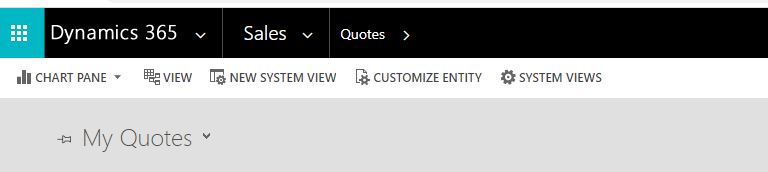
without.JPG

The buttons were showing last week. No customization's have been made in the meantime.

"Read-only in mobile" option is unchecked for the Quote entity.

+New, Edit & Delete buttons are still showing for other entities:

with.JPG

Would anyone know how that could happen, and what to do to make the buttons visible again?

Thank you.

Kind regards,

Ian

I have the same question (0)
  • Suggested answer
    RakeshJ Profile Picture
    on at

    Hi Ian, 

    1. Please confirm if you are able to Create/Edit/Delete Order or Quotes record from Advanced Find ? (If you are not able to then its something with the privileges) 

    2. Is this for all users in your organization or only you ?

    3. Do you see the same behavior in Classic Web Client ? 

    4. Its worth to validate if there was any recent customization made in terms of Quote/Order entity specifically in terms of Ribbon after which you started facing this issue ?

    If the issue is for all users, then it could be due to Ribbon Customization. DisplayRule is responsible for the buttons to show up. 

    You can download and install the Ribbon Workbench solution to check if there is any customization made on the DisplayRule of the button. Detailed information on using Ribbon Workbench is available 

    https://ribbonworkbench.uservoice.com/knowledgebase/articles/71374-1-getting-started-with-the-ribbon-workbench

  • Ian_css Profile Picture
    5 on at

    Hi Rakesh,

    Thank you for the quick reply.

    1. I can create, edit & delete quotes from advanced find.

    2. The behavior appears to only be affecting me.

    3. I appear to be already logged in via Classic Web Client. If I switch to Sales Hub, +new, delete and edit buttons are visible.

    4. I am the only person with privileges to make customization's, and haven't made any recently.

    I'll d/l the Ribbon Customization tool and see what that throws up.

    Thanks & regards,

    Ian

  • Suggested answer
    RakeshJ Profile Picture
    on at

    Hi Ian,

    I did little testing in my vanilla organization and I was able to reproduce the issue by checking the option "Read-Only in Unified Client

    After which even I don't see an option to Create/Edit/Delete Quote :

    pastedimage1589395580291v2.png

    In order to fix the issue, please navigate to Settings > Customization > Customize the System > Entities > Quotes > uncheck the option "Read-only in Unified Client" > Save and Publish

    pastedimage1589395621217v3.png

Under review

Thank you for your reply! To ensure a great experience for everyone, your content is awaiting approval by our Community Managers. Please check back later.

Helpful resources

Quick Links

Responsible AI policies

As AI tools become more common, we’re introducing a Responsible AI Use…

Neeraj Kumar – Community Spotlight

We are honored to recognize Neeraj Kumar as our Community Spotlight honoree for…

Leaderboard > Microsoft Dynamics 365 | Integration, Dataverse, and general topics

#1
Martin Dráb Profile Picture

Martin Dráb 58 Most Valuable Professional

#2
#ManoVerse Profile Picture

#ManoVerse 42

#3
André Arnaud de Calavon Profile Picture

André Arnaud de Cal... 38 Super User 2025 Season 2

Last 30 days Overall leaderboard

Product updates

Dynamics 365 release plans
