web
You’re offline. This is a read only version of the page.
close
Skip to main content

Announcements

No record found.

News and Announcements icon
Community site session details

Community site session details

Session Id :
Supply chain | Supply Chain Management, Commerce
Suggested Answer

How to cancel Intercompany Purchase Order when related Sales order is invoiced

(0) ShareShare
ReportReport
Posted on by

Hello,

How to cancel Intercompany Purchase Order which is in Open status when related Sales order is invoiced.

When I cancel the PO, I get the following error - 

Company: xxx Sales order: IC000000293 The intercompany sales order is being updated, and therefore you cannot add/change/delete lines.
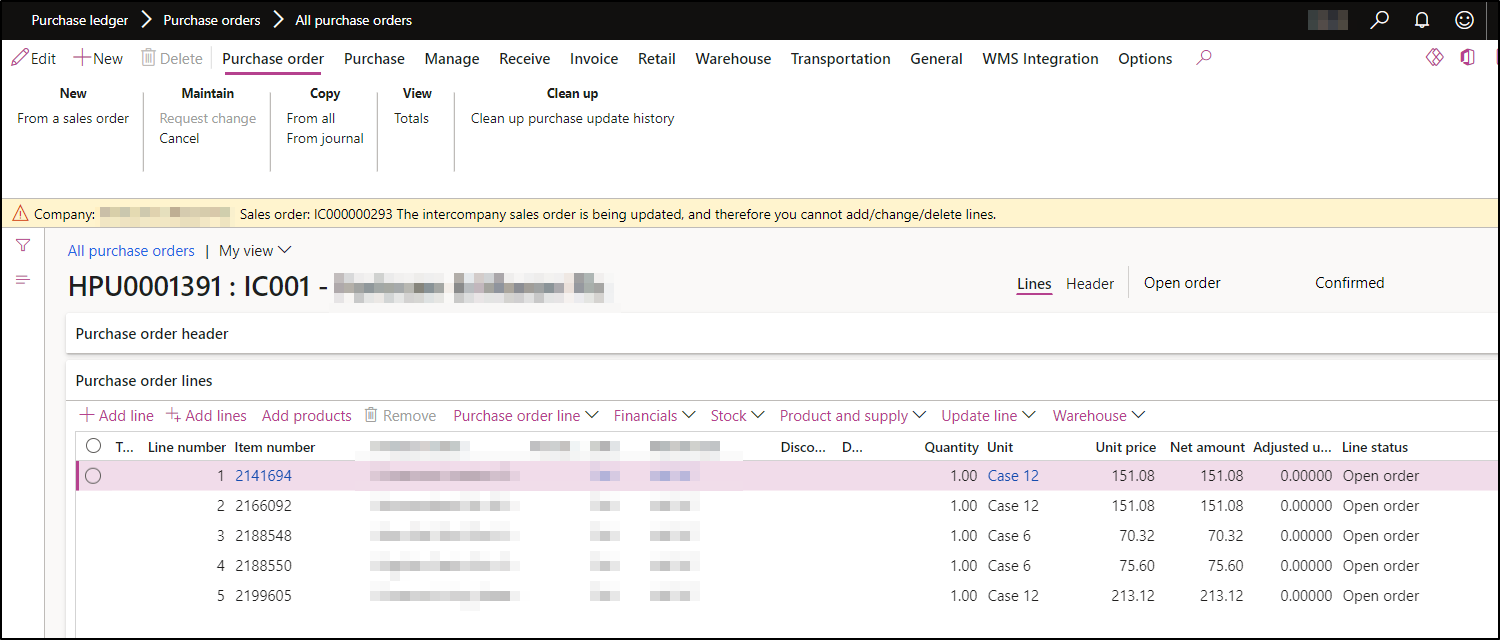
pastedimage1682610664607v2.png

I have the same question (0)
  • André Arnaud de Calavon Profile Picture
    305,196 Super User 2026 Season 1 on at

    Hi Sneha,

    Can you tell the scenario here? How did you get in a scenario where the PO is open, and the sales order invoiced?

  • SnehaS Profile Picture
    on at

    Hi André,

    So  my scenario is

    1. The User wants to cancel this PO

    pastedimage1682605994932v1.png

    2. Which has a related intercompany Sales order which was by mistake manually invoiced by an user

    pastedimage1682606111939v3.png

    3. They have manually adjusted the stock and created credit note to balance the account.

    and now, they want to cancel the PO.

  • André Arnaud de Calavon Profile Picture
    305,196 Super User 2026 Season 1 on at

    Hi Sneha,

    Thanks for the reply. Have you tried using the option 'Deliver remainder' on the PO lines to cancel the quantities? I don't have an environment myself with a working intercompany setup to check if that would be allowed for intercompany orders or not.

  • SnehaS Profile Picture
    on at

    Thanks André, I've tried to Deliver remainder lines but it doesn't work either.

    Error message - Company: xxx
    Sales order: IC000000293
    The intercompany sales order is being updated, and therefore you cannot add/change/delete lines.
    Product 'xxx' is restricted for sale to the delivery address on the sales line. Change the address or the product.
    Update has been cancelled.

    pastedimage1682610847642v1.png

  • Aparisi82 Profile Picture
    2,190 on at

    This cannot be done using STD functionality.

    A developer can break the link between the 2 intercompany orders .

  • Suggested answer
    NataliiaS Profile Picture
    on at

    Hi Sneha,

    Did you try to use Remove link button from the sales order line? Select sales line linked to the PO, click Inventory > Remove link (under Intercompany). It used to help me to remove intercompany link for such kind of scenarios.

    Interco-remove-link.png

  • JL-27040950-0 Profile Picture
    4 on at
    Hi, how do solve the problem?
    I have the same issue. I try to involve a develop to cancel the deliver remainder and the transaction of the PO.
    We can't cancel the transaction and we couldn't either cancel the connection with the sales order.
    Do you have some suggestion?
    Thanks in advance
    Jessica
  • CU27040933-4 Profile Picture
    13 on at
    You can disconnect intercompany order and cancel the PO.
    Go to Procurement and Sourcing >> Periodic tasks >> Clean up >> Disconnect intercompany orders
    Select a PO number as shown in below snapshot and click on disconnect to break the link.
     
    Then you can cancel the PO.

Under review

Thank you for your reply! To ensure a great experience for everyone, your content is awaiting approval by our Community Managers. Please check back later.

Helpful resources

Quick Links

Introducing the 2026 Season 1 community Super Users

Congratulations to our 2026 Super Stars!

Meet the Microsoft Dynamics 365 Contact Center Champions

We are thrilled to have these Champions in our Community!

Congratulations to the April Top 10 Community Leaders

These are the community rock stars!

Leaderboard > Supply chain | Supply Chain Management, Commerce

#1
André Arnaud de Calavon Profile Picture

André Arnaud de Cal... 139 Super User 2026 Season 1

#2
Laurens vd Tang Profile Picture

Laurens vd Tang 110 Super User 2026 Season 1

#3
Abhilash Warrier Profile Picture

Abhilash Warrier 92 Super User 2026 Season 1

Last 30 days Overall leaderboard

Product updates

Dynamics 365 release plans
