web
You’re offline. This is a read only version of the page.
close
Skip to main content

Announcements

No record found.

News and Announcements icon
Community site session details

Community site session details

Session Id :
Supply chain | Supply Chain Management, Commerce
Answered

document routing layouts - add fields

(4) ShareShare
ReportReport
Posted on by 31

Hello everyone,

I'm currently preparing labels for serial numbers. These labels are printed once the job "finished goods put away" is completed. I understand that these labels come from the 'document routing layouts', as you can see here:
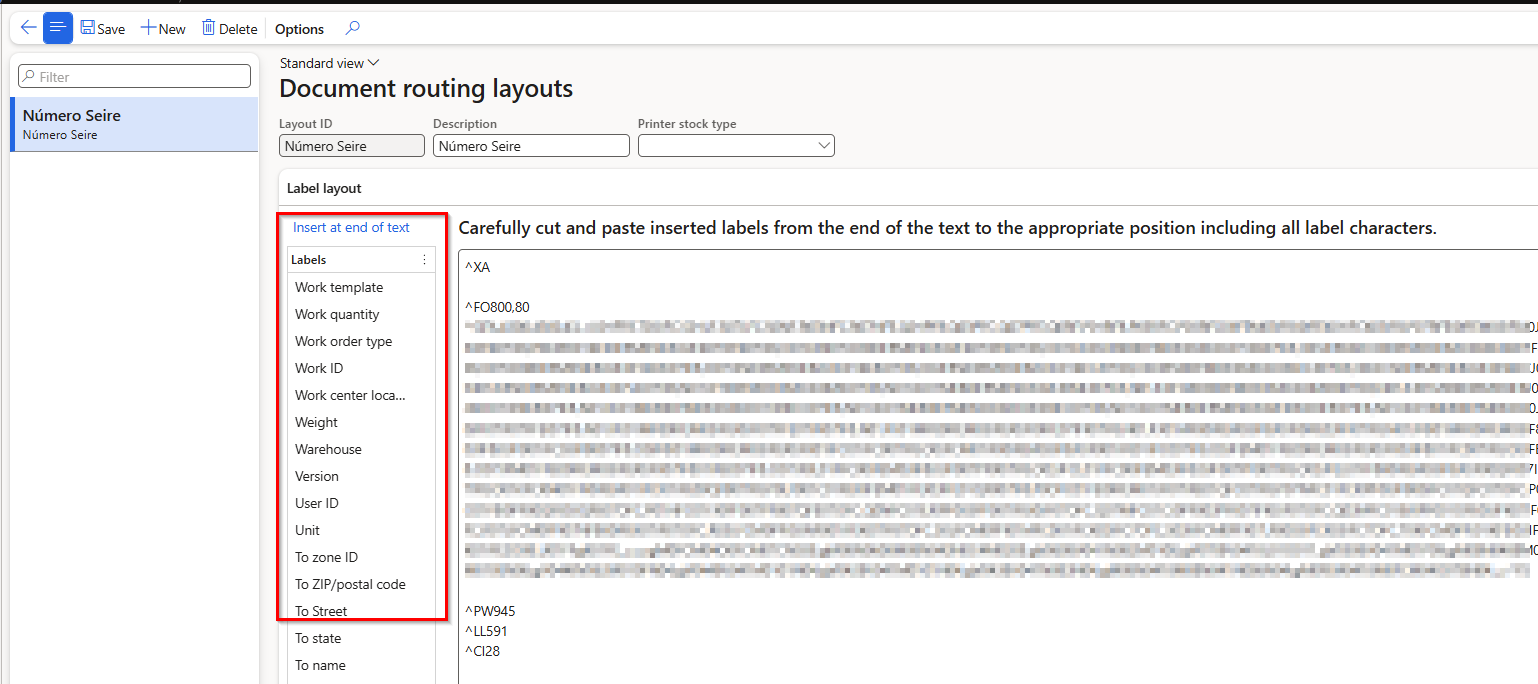
The issue is that I need to display fields on the label that are not included in this list. For labels created using the "label layout" option, there's no problem because I can combine the fields as needed. However, with this "document routing layouts" option, I can't manage to link to the tables I need—specifically the ProdTable.

Would it be possible to achieve this using standard functionality, or is a customization required?


Than you very much!!


I have the same question (0)
  • Laurens vd Tang Profile Picture
    4,758 Super User 2026 Season 1 on at
    Good day,
     
    Do you mean that the serial number is stored in a different table and therefor you cannot use the document routing layout function?
     
    Best regards,
    Laurens van der Tang
  • Ukasan_sp Profile Picture
    31 on at
    Hi,
    the situation is as follows: the Serial Number label requires some data that is located in the ProdTable, but from this form I can't—or don't know how to—access the fields in the ProdTable. I can only add fields that are already in this column.
     
    Thanks!
  • Verified answer
    Danny Bilodeau Profile Picture
    4,934 Super User 2026 Season 1 on at
    If you already know about Customs Labels  (Label Layout Data Source and Layout Labels), you probably already know how to add tables to the Label Layout using joins on Label Layout Data Source.   
     
    You can use the Label Layout configured as License Plate label to replace the Document Routing Layout.  Here is the reference for this: https://learn.microsoft.com/en-us/dynamics365/supply-chain/warehousing/print-license-plate-labels-using-label-layouts
     
    You have your solution, but you need to chose Label Layout or Doc Routing Layout for Licence Plate labels.
     

Under review

Thank you for your reply! To ensure a great experience for everyone, your content is awaiting approval by our Community Managers. Please check back later.

Helpful resources

Quick Links

Introducing the 2026 Season 1 community Super Users

Congratulations to our 2026 Super Stars!

Meet the Microsoft Dynamics 365 Contact Center Champions

We are thrilled to have these Champions in our Community!

Congratulations to the April Top 10 Community Leaders

These are the community rock stars!

Leaderboard > Supply chain | Supply Chain Management, Commerce

#1
André Arnaud de Calavon Profile Picture

André Arnaud de Cal... 130 Super User 2026 Season 1

#2
Laurens vd Tang Profile Picture

Laurens vd Tang 92 Super User 2026 Season 1

#3
Zain Mehmood Profile Picture

Zain Mehmood 89 Most Valuable Professional

Last 30 days Overall leaderboard

Product updates

Dynamics 365 release plans
