web
You’re offline. This is a read only version of the page.
close
Skip to main content

Announcements

No record found.

News and Announcements icon
Community site session details

Community site session details

Session Id :
Small and medium business | Business Central, N...
Suggested Answer

Direct Debit Payment Export File UK

(0) ShareShare
ReportReport
Posted on by 65

Good afternoon,

I have created a DD collection file with all the entries that should be there (customer invoices).

The bank card set-up is using SEPADD as the export format and will only allow EUR currency.

I need to be able to use GBP as the currency and it looks as though the SEPA export format will not allow this.

Does anyone have any pointers as to how to set-up a UK payment export file? I believe I may have to set-up a data exchange definition as per below?

I am not sure of what code units I should be using here to set this up.

If anyone has previous experience of setting this up or any article's, would be very appreciated.
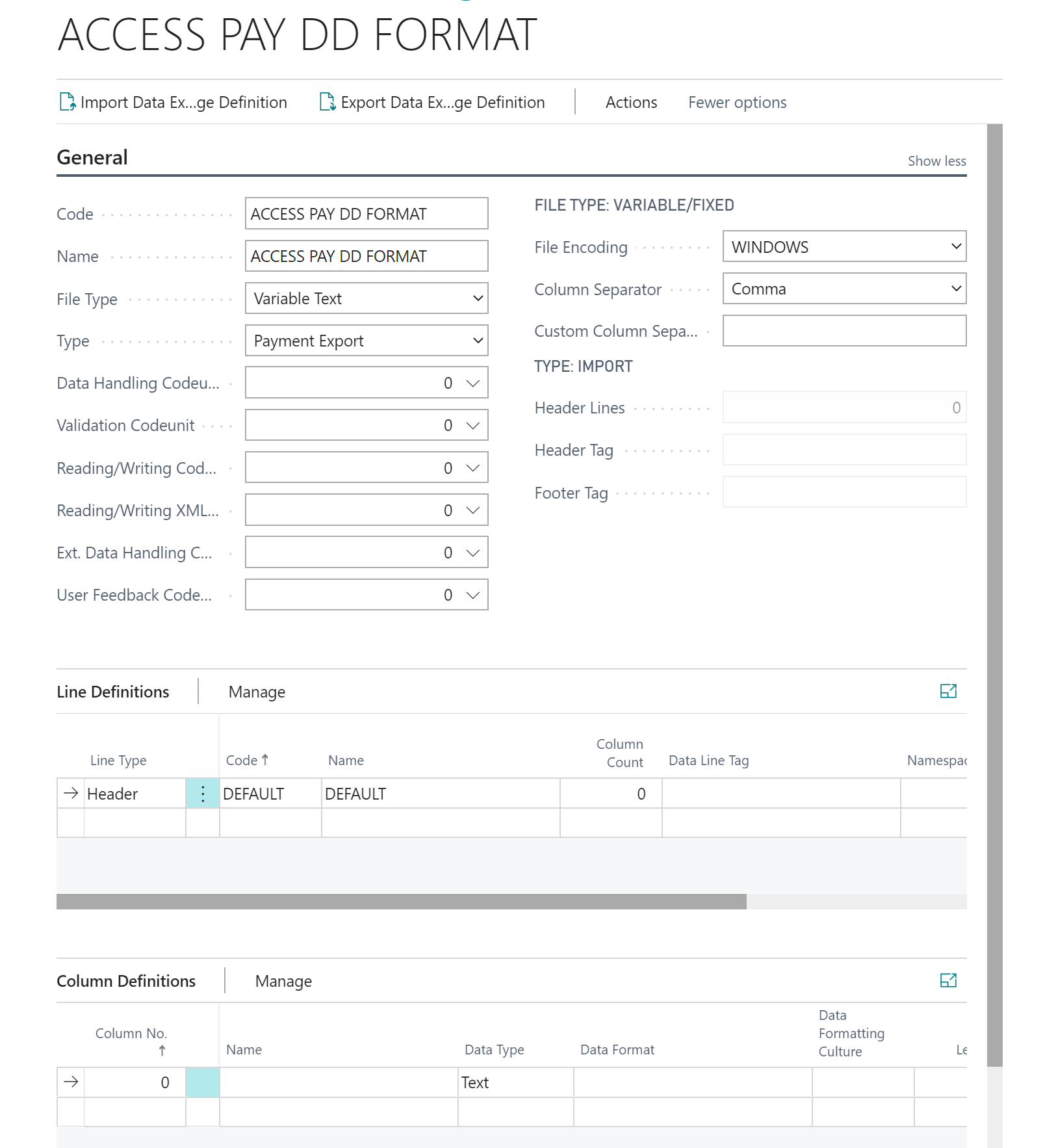
pastedimage1591705434644v1.png

Regards,

Matt

I have the same question (0)
  • Suggested answer
    ArturV Profile Picture
    225 on at

    Hi Matt,

    What version do you have? In one of the recent updates a new fields has been added to the General Ledger Setup. It's called the "SEPA Non-Euro Export". This should solve your case.

  • Matt Smith - Cha Ltd Profile Picture
    65 on at

    Hi ArturV,

    Thanks for the reply.

    Below is the version we have:

    pastedimage1591710811949v1.png

    Looks like no update is pending. I dont seem to have the option to select SEPA non euro export. Should this be listed in the available payment export file drop down?:

    pastedimage1591710961332v2.png

    Regards,

    Matt

  • Matt Smith - Cha Ltd Profile Picture
    65 on at

    OK solved - Like you said Arthur the following option needs to be set to 'on' within the gerenal ledger setup screen as per below, the export format should be kept to SEPA DD as this now allows non EU currency:

    pastedimage1591714207587v1.png

    You may have to select 'show more' within the general fast tab to show these options.

    One last question - Is there anyway to change the export format form XML to CSV? 

    Regards,

    Matt 

  • Matt Smith - Cha Ltd Profile Picture
    65 on at

    Another problem that I can see with the export file is that only the account number is pulling through in the <iban> element. Is there a way to pull through the sort code also?

  • Suggested answer
    t3o Profile Picture
    5 on at

    There is a second field on the General Ledger Setup - "SEPA Export w/o Bank Acc. Data".  If you turn this on, this gets the output to pull through the Sort Code and Account No. in place of the SWIFT and IBAN Nos.

Under review

Thank you for your reply! To ensure a great experience for everyone, your content is awaiting approval by our Community Managers. Please check back later.

Helpful resources

Quick Links

Introducing the 2026 Season 1 community Super Users

Congratulations to our 2026 Super Stars!

Congratulations to our 2025 Community Spotlights

Thanks to all of our 2025 Community Spotlight stars!

Leaderboard > Small and medium business | Business Central, NAV, RMS

#1
OussamaSabbouh Profile Picture

OussamaSabbouh 2,055 Super User 2026 Season 1

#2
YUN ZHU Profile Picture

YUN ZHU 1,063 Super User 2026 Season 1

#3
Dhiren Nagar Profile Picture

Dhiren Nagar 1,014 Super User 2026 Season 1

Last 30 days Overall leaderboard

Featured topics

Product updates

Dynamics 365 release plans
