web
You’re offline. This is a read only version of the page.
close
Skip to main content

Announcements

No record found.

News and Announcements icon
Community site session details

Community site session details

Session Id :
Microsoft Dynamics 365 | Integration, Dataverse...
Suggested Answer

Temporary Marketing Lists and Quick Campaigns

(0) ShareShare
ReportReport
Posted on by 25

   Hello everyone, I just discovered that we have been using Dynamics (on-prem) incorrectly for the last year with respect to MK lists and Quick Campaigns - and I would like to get some advice on how to properly work with this scenario:

   Often times, we create temporary MK lists - Lists that will only ever be used one time. Once the list is created, we run an email Quick Campaign. Once the emails are sent, we have always deleted the MK list since we're never going to use it again. We only just realized that deleting the MK List also deletes the quick campaign, which in turn deletes all the email activities. We have unwittingly deleted tens of thousands of email activities...

   What I would like to know is what is the proper way to do this? Obviously, we could disable the MK List, but then over time we would wind up with hundreds of inactive Lists. That doesn't seem to be the right solution. I also tried to change the cascade delete behaviour of the MK List --> QC relationship, but this is not possible (greyed out). Can anyone suggest a simple way to deal with this? I'm at a loss.

Thanks,

Alex

I have the same question (0)
  • Suggested answer
    Nya Profile Picture
    29,060 on at

    Hi,

    Unfortunately, it cannot be achieved by my testing.

    My idea is to unlink the Quick Campaign from the Marketing List after the Quick Campaign status has been changed to Completed.

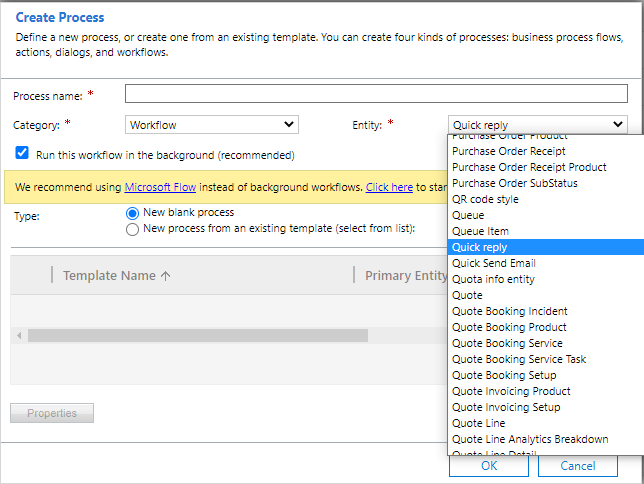
    By now, I have tried to achieve it with Workflow, which cannot target at Quick Campaign at all,
     pastedimage1620812923523v1.png

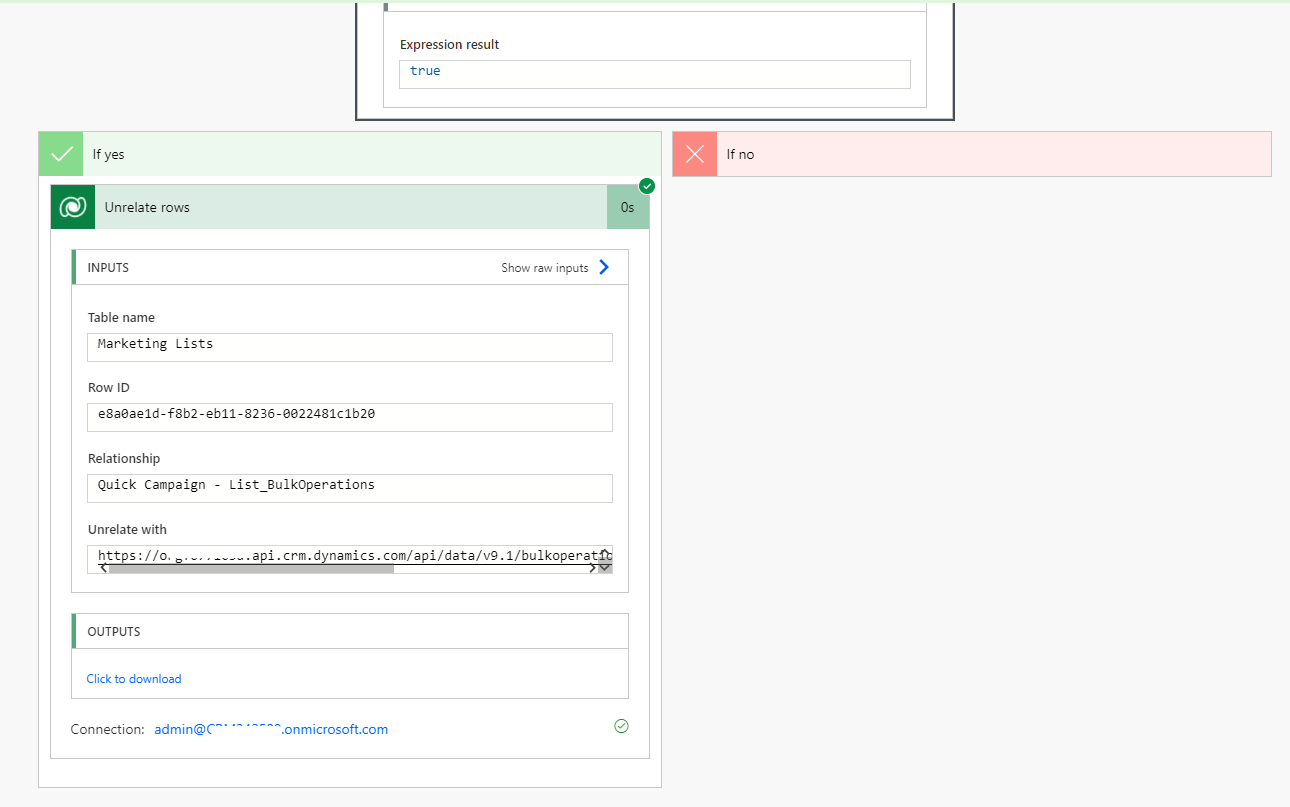
    Flow, which shows have unrelated the two records already but haven’t done in fact,
     pastedimage1620812928813v2.png

    And JavaScript, but the field of the Marketing List cannot be unlocked or edit.

     pastedimage1620812935477v3.png

    Also, the status of the quick campaign cannot be edit in the above ways. So the record cannot be reserved separately.


    If this helped you, I'd appreciate it if you'd mark this as a Verified Answer, which may in turn help others as well.

    Best Regards,

    Nya

  • Suggested answer
    Sectoral Profile Picture
    25 on at

    Thanks for the suggestion Nya...

    As it turns out, I found a way to do it:

    1. Create an advanced find to lookup members of the desired marketing List

     d1.png

    1. Select a all records
    2. Select Quick Campaign
    3. Select For All records on all pages

    d2.png

    The rest of the Quick Campaign process is the same as always, only now it's not linked to the MK List; and so the list is safe to delete.

  • Nya Profile Picture
    29,060 on at

    Hi,

    It's great to hear that the issue has been resolved. Thank you for your sharing.


    Best Regards,

    Nya

Under review

Thank you for your reply! To ensure a great experience for everyone, your content is awaiting approval by our Community Managers. Please check back later.

Helpful resources

Quick Links

Introducing the 2026 Season 1 community Super Users

Congratulations to our 2026 Super Stars!

Congratulations to our 2025 Community Spotlights

Thanks to all of our 2025 Community Spotlight stars!

Leaderboard > Microsoft Dynamics 365 | Integration, Dataverse, and general topics

#1
Pallavi Phade Profile Picture

Pallavi Phade 102 Super User 2026 Season 1

#2
Abhilash Warrier Profile Picture

Abhilash Warrier 55 Super User 2026 Season 1

#3
ManoVerse Profile Picture

ManoVerse 47 Super User 2026 Season 1

Last 30 days Overall leaderboard

Product updates

Dynamics 365 release plans
