web
You’re offline. This is a read only version of the page.
close
Skip to main content

Announcements

No record found.

News and Announcements icon
Community site session details

Community site session details

Session Id :
Microsoft Dynamics CRM (Archived)

Dynamics 365: Security Role Privilege Issue AccessRights: 262175. Computed rightsToCheck=262175, grantedRights=31

(0) ShareShare
ReportReport
Posted on by 680

Hi Experts,

In the Account entity form, we have a sub-grid of a custom entity name STM. In this STM entity, we have two lookups. 1 lookup to Account and 1 to User. When a new STM record is created, the USER of STM record is also added to account sales team template via plugin.

Previously, only the account owner can create STM record from account form. Now, we have an additional requirement. The User associated to STM record should also be able to create a STM record for account record.

When the User associated to STM record created a new STM record for the account, the security role privilege issue occurs. 

Would like to seek for some help with regards to the security role privilege issue we are encountering. Below is the complete error message details.

<Message>Error: SecLib::AccessCheckEx2 failed. Entity Name:account,OwnershipTypeMask:UserOwned, ObjectId: cfc81044-9ee0-e811-8179-e0071b673bc1, OwnerId:e3916633-3407-e811-816d-e0071b693711, OwnerIdType:8, OwnerData: roleCount=5, privilegeCount=1932, accessMode=0 and CallingUser:db4af359-171e-e911-a991-000d3a81e604, CallerBusinessId:f2502b25-b762-e711-816c-e0071b6927c1 PrincipalData: roleCount=1, privilegeCount=827, accessMode=0. ObjectTypeCode:1, ObjectBusinessUnitId:f2502b25-b762-e711-816c-e0071b6927c1, AccessRights: 262175. Computed rightsToCheck=262175, grantedRights=31, hsmGrantedRights=None, grantedRightsWithHsm=31, </Message>
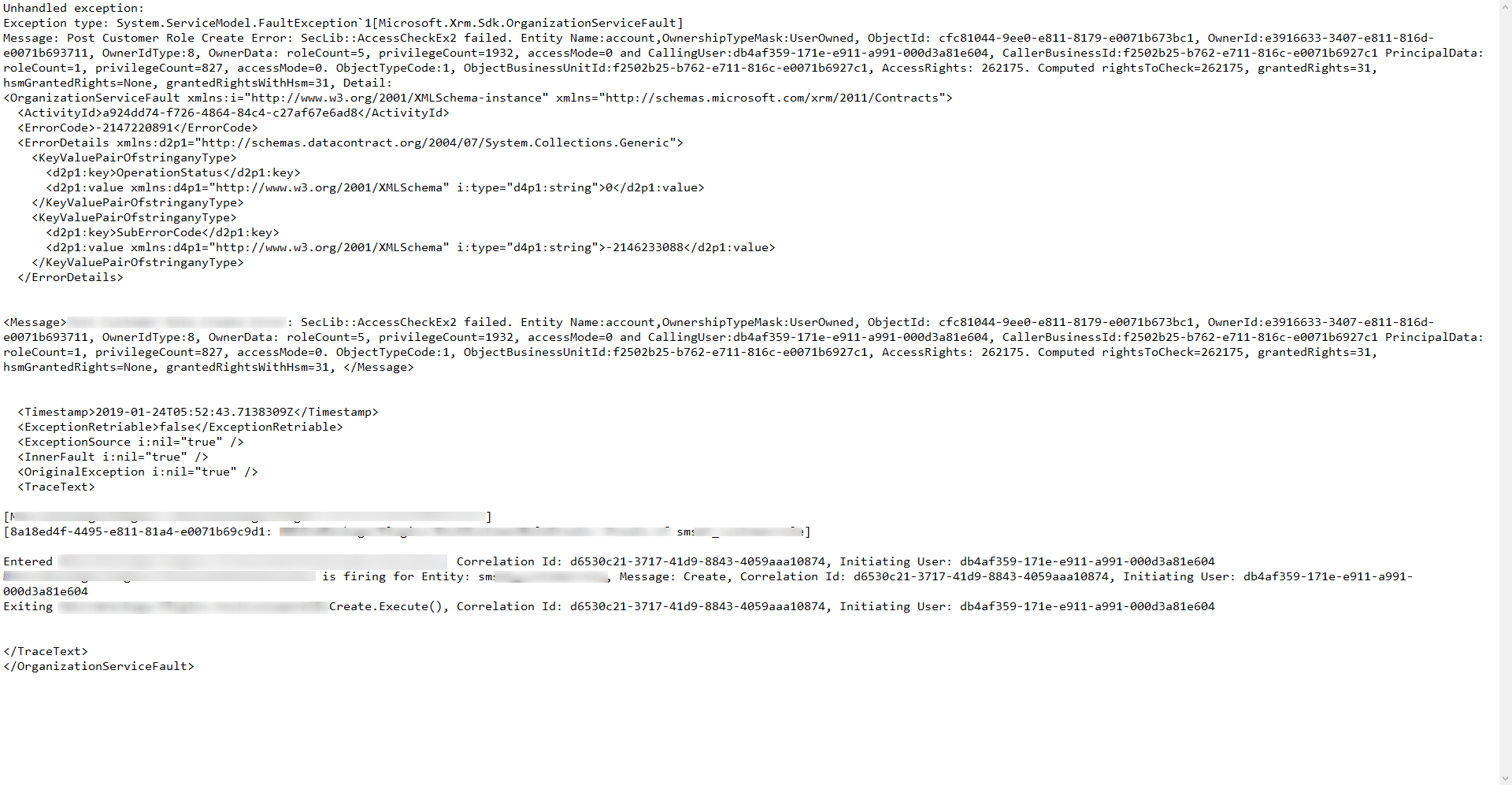

2019_2D00_01_2D00_24_5F00_14h07_5F00_42.png

*This post is locked for comments

I have the same question (0)
  • Suggested answer
    Seren S Profile Picture
    402 on at

    Hi LMP,

    You need to work on multi-dimensional entity relations to solve your case :)

    Firstly start from the beginning. 

    1- Account and STM Permission Checks

    This is the easy one to check. You want to enable the users who are STM users for creating their STM records over the account. To achieve this, your user has to have permission for;

    STM: Create, Append (let's keep the level as Organization for the first)

    Account: Append To (it should be on the same level with the owner of the account if they are in the same BU. Let's keep the level as Organization for the first as well)

    2- Access Team Template & Sharing Checks

    This is the tricky one and I think your problem occurs at this point. Firstly, I kindly advise you to disable the plugin which works for creating Access Team member automatically. Then you can at least have the accurate idea about the root cause of the problem. If it goes after disabling the plugin, you should be work in the second subject. Otherwise, you should be careful in the first subject.

    To achieve this, your user has to have permission for;

    - Account, User Entity UI, Connection Role, Relationship Role, User Settings, Customization, System Form, View, Web Resource

    Especially "Share" permission of Account is important for using access teams. As you can see there are bunch of entities and it is though to deal with them. My offer is to clone one of out of box security permission and modify it. You can learn more details from https://docs.microsoft.com/en-us/previous-versions/dynamicscrm-2016/administering-dynamics-365/dn531130(v=crm.8)

    You have some hints in your exception but they are not enough to solve. If you are on the on-premise version, you can get more details from trace logs.

    Useful links:

    https://docs.microsoft.com/en-us/previous-versions/dynamicscrm-2016/developers-guide/gg327406(v%3Dcrm.8)

    https://community.dynamics.com/crm/f/117/t/89617

    https://community.dynamics.com/crm/f/117/t/211958

    Hope this helps.

    Cheers, Seren.

  • Suggested answer
    Sreevalli Profile Picture
    3,264 on at

    Hi,

    1. Make sure the all the security roles who are able to Create must have Append in STM and Account should have Append To.

    2. Make sure of the plugin Context is Administrator (not Calling user)

Under review

Thank you for your reply! To ensure a great experience for everyone, your content is awaiting approval by our Community Managers. Please check back later.

Helpful resources

Quick Links

Introducing the 2026 Season 1 community Super Users

Congratulations to our 2026 Super Stars!

Meet the Microsoft Dynamics 365 Contact Center Champions

We are thrilled to have these Champions in our Community!

Congratulations to the April Top 10 Community Leaders

These are the community rock stars!

Leaderboard > 🔒一 Microsoft Dynamics CRM (Archived)

Last 30 days Overall leaderboard

Featured topics

Product updates

Dynamics 365 release plans
