web
You’re offline. This is a read only version of the page.
close
Skip to main content

Notifications

Announcements

No record found.

Community site session details

Community site session details

Session Id :
Microsoft Dynamics CRM (Archived)

Notes/Attachment Not showing up on an Entity

(0) ShareShare
ReportReport
Posted on by 51

Hello,

Notes/attachments are not showing up on form despite selecting setting on the entity.

I have put a check mark next to the Notes setting on an entity's main settings page as pictured below. But, the Notes/Attachments are not showing up on any of the forms. I am not sure what I am missing. Any ideas on what else to check?
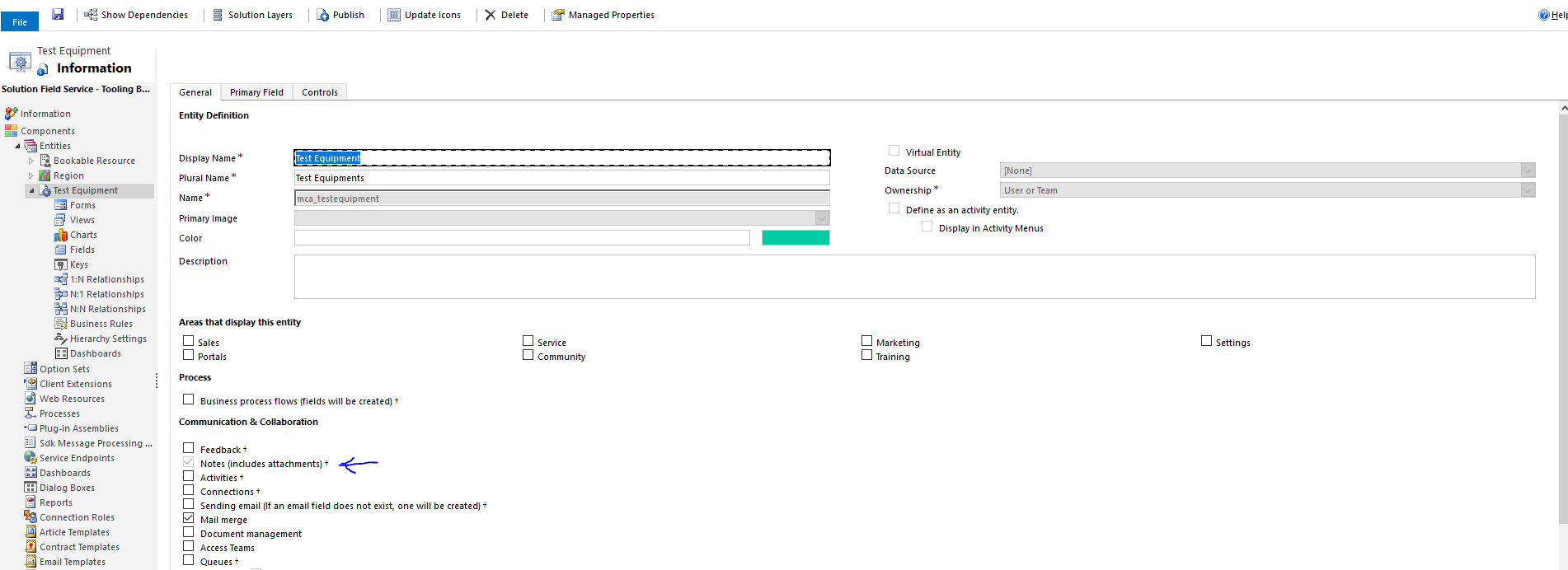
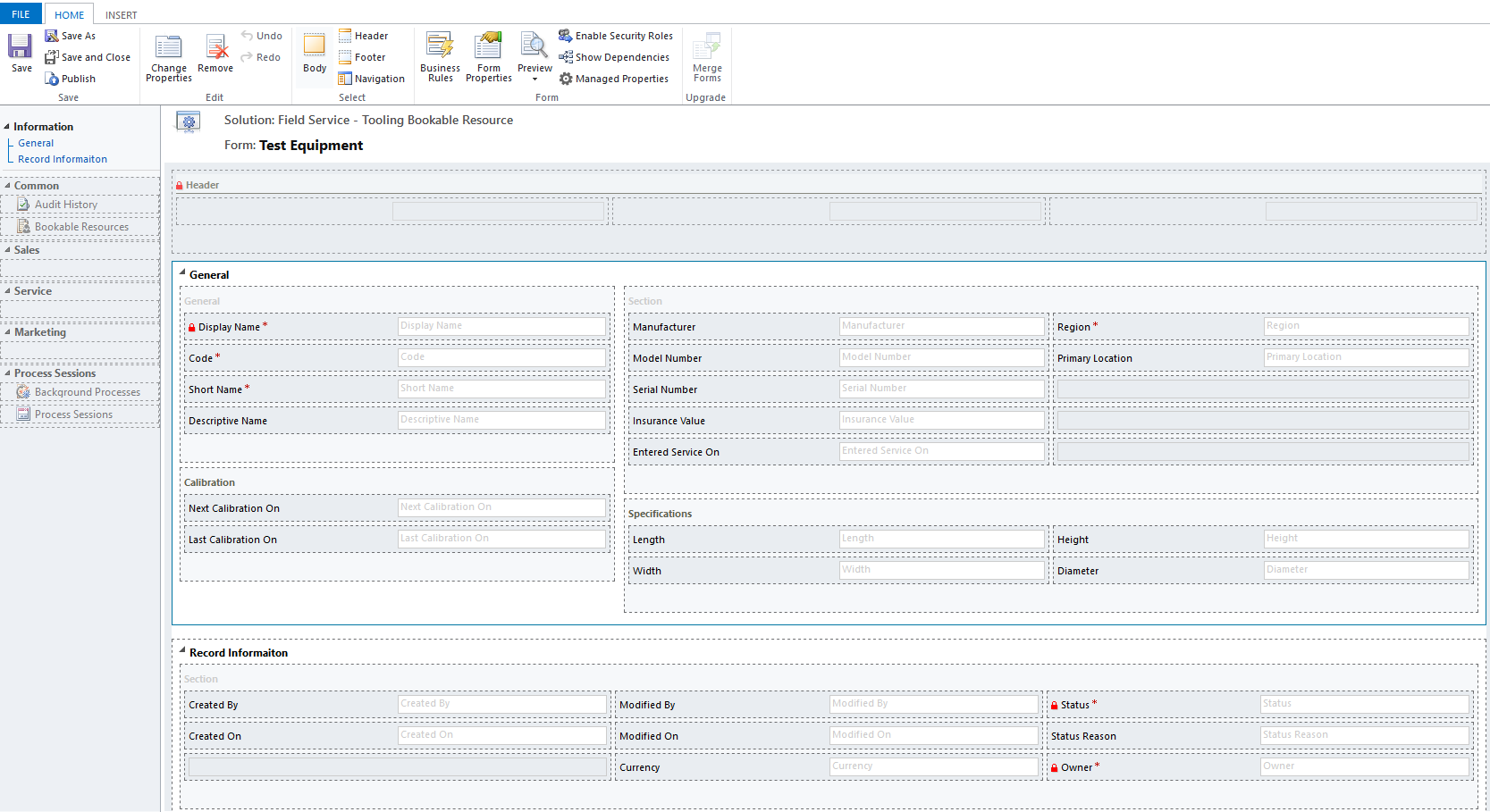
pastedimage1566564136963v2.png

pastedimage1566564153360v3.png

*This post is locked for comments

I have the same question (0)
  • Gillcelt Profile Picture
    97 on at

    I am not 100% but you may have to check the Activities on the entity, I think the Notes are displayed with Activities in a sharing Tab on the form.

  • BrookTadesse Profile Picture
    51 on at

    I have another entity where the notes/attachments are showing up and the Activities setting is not checked.

    Any other ideas?

  • Suggested answer
    LuHao Profile Picture
    40,892 on at

    Hi partner,

    You need to add the Timeline component to the form.

    Go to the form editor and find the Timeline under the INSERT tab in the command bar. Click on it to add it to the form.

    3438.PNG

  • Verified answer
    Inogic Profile Picture
    703 on at

    You need to add Timeline to the form from insert tab as shown in below screenshot. Save and publish the changes.

    6675.Entity.jpg

    Hope this helps.


    Thanks!

  • Suggested answer
    BrookTadesse Profile Picture
    51 on at

    THAT WORKED! 

    Thank you. 

  • Suggested answer
    Kalpavruksh D365 CoE Profile Picture
    2,545 on at

    Hi,

    Mostly when we check the option “Notes (includes attachment)” in the entity main page Note automatically added to the form. But if its not showing then you need to add it.

    Go to the Form editor -> INSERT tab ->Timeline click on it to add in the form.

    1067.MicrosoftTeams_2D00_image-_2800_10_2900_.png

    On entity form Note option will display under Timeline after saving the record.
    4682.MicrosoftTeams_2D00_image-_2800_11_2900_.png

Under review

Thank you for your reply! To ensure a great experience for everyone, your content is awaiting approval by our Community Managers. Please check back later.

Helpful resources

Quick Links

Responsible AI policies

As AI tools become more common, we’re introducing a Responsible AI Use…

Neeraj Kumar – Community Spotlight

We are honored to recognize Neeraj Kumar as our Community Spotlight honoree for…

Leaderboard > 🔒一 Microsoft Dynamics CRM (Archived)

#1
SA-08121319-0 Profile Picture

SA-08121319-0 4

#1
Calum MacFarlane Profile Picture

Calum MacFarlane 4

#3
Alex Fun Wei Jie Profile Picture

Alex Fun Wei Jie 2

Last 30 days Overall leaderboard

Featured topics

Product updates

Dynamics 365 release plans
