web
You’re offline. This is a read only version of the page.
close
Skip to main content

Announcements

No record found.

News and Announcements icon
Community site session details

Community site session details

Session Id :
Small and medium business | Business Central, N...
Answered

Export Page Views to multiple users

(0) ShareShare
ReportReport
Posted on by 70

Can I save a page view for a user, and share to multiple ones?
Maybe export and import for multiple users

pastedimage1594749618152v1.png

I have the same question (0)
  • Suggested answer
    Binesh Profile Picture
    7,887 on at

    Hello,

    You can not export as per my knowledge.

    I recommended you to create an action below the Item as per your screenshot in the Role center page as shown below.
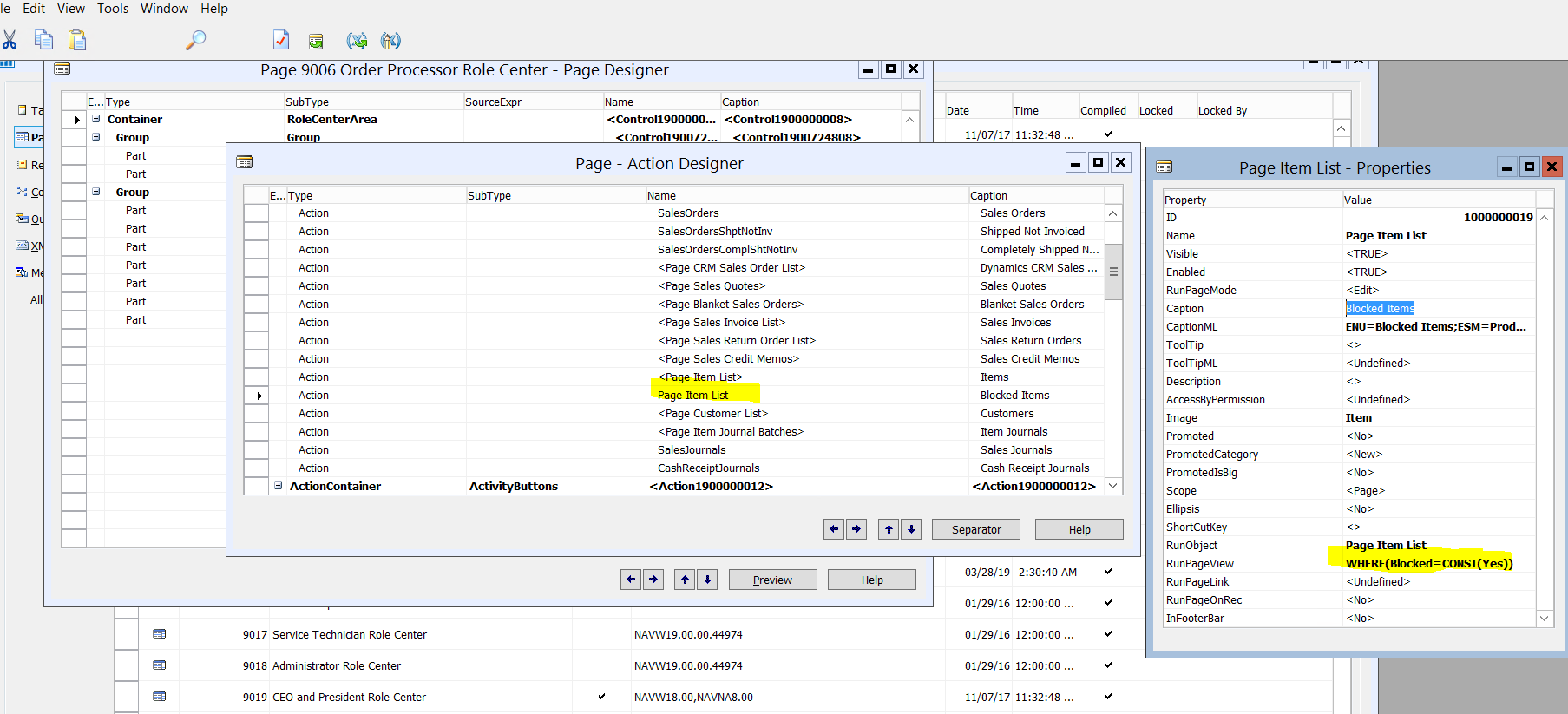
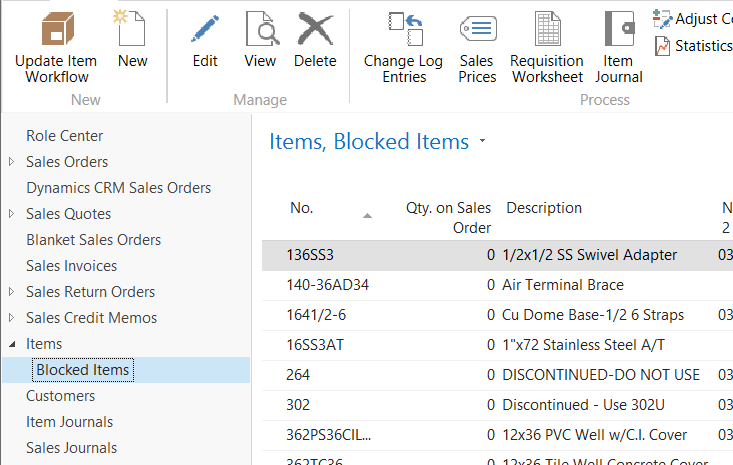
    pastedimage1594751396500v1.png

    pastedimage1594751470972v2.png

  • Belarmino Vicenzo Profile Picture
    70 on at
    [quote user="Binesh kumar Singh"]

    Hello,

    You can not export as per my knowledge.

    I recommended you to create an action below the Item as per your screenshot in the Role center page as shown below.

    pastedimage1594751396500v1.png

    pastedimage1594751470972v2.png

    [/quote]

    I didn't want that separation.

    What happens here is:  we have some users that are admin and can see everything, and other that aren't that cannot see everything.
    But the "non-admin" users here only do basic tasks, so we don't need to remove their permissions, we just need to remove some fields in their list pages
    and AFAIK in Dynamics when you take the permissions  from some users, they will receive an error saying that they don't have a certain permission

    And we don't want that (users don't want to see that error all the time). And also is very costly to create different pages for those users (we would have to have two different for admin and non-admins), so we think that if somehow we could just personalize they views, and share to

    all of them with the less effort possible, it could be the best possible choice ever.

    There's no such thing also (without having to deal with development), right?

  • Suggested answer
    Marco Mels Profile Picture
    Microsoft Employee on at

    Hello,

    If this is not on SaaS you can set the option UI Elements Removal to LicenseFileAndUserPermissions.

    Thanks

  • Belarmino Vicenzo Profile Picture
    70 on at
    [quote user="Marco Mels"]LicenseFileAndUserPermissions[/quote]

    Can you please give an example?

  • Verified answer
    Marco Mels Profile Picture
    Microsoft Employee on at

    Hello,

    Sure, here you go:

    docs.microsoft.com/.../hide-ui-elements

    The option is straight forward. Everything will be hidden that the user do not have access to.

    Thanks.

Under review

Thank you for your reply! To ensure a great experience for everyone, your content is awaiting approval by our Community Managers. Please check back later.

Helpful resources

Quick Links

Introducing the 2026 Season 1 community Super Users

Congratulations to our 2026 Super Stars!

Congratulations to our 2025 Community Spotlights

Thanks to all of our 2025 Community Spotlight stars!

Leaderboard > Small and medium business | Business Central, NAV, RMS

#1
OussamaSabbouh Profile Picture

OussamaSabbouh 1,840 Super User 2026 Season 1

#2
YUN ZHU Profile Picture

YUN ZHU 1,080 Super User 2026 Season 1

#3
Dhiren Nagar Profile Picture

Dhiren Nagar 846 Super User 2026 Season 1

Last 30 days Overall leaderboard

Featured topics

Product updates

Dynamics 365 release plans
