web
You’re offline. This is a read only version of the page.
close
Skip to main content

Announcements

No record found.

News and Announcements icon
Community site session details

Community site session details

Session Id :
Microsoft Dynamics CRM (Archived)

Data type : Customer when creating new record , showing contact dialog by default not look up field

(0) ShareShare
ReportReport
Posted on by

Hi

When new field in case form as Customer and data type : Customer. So when I'm trying to create new record in this field- I should get look up field but getting only contact dialog default ! I wonder why ?

you can see images below , can anyone explain me why its taking contact dialog by default ? isn't a bug in CRM ?
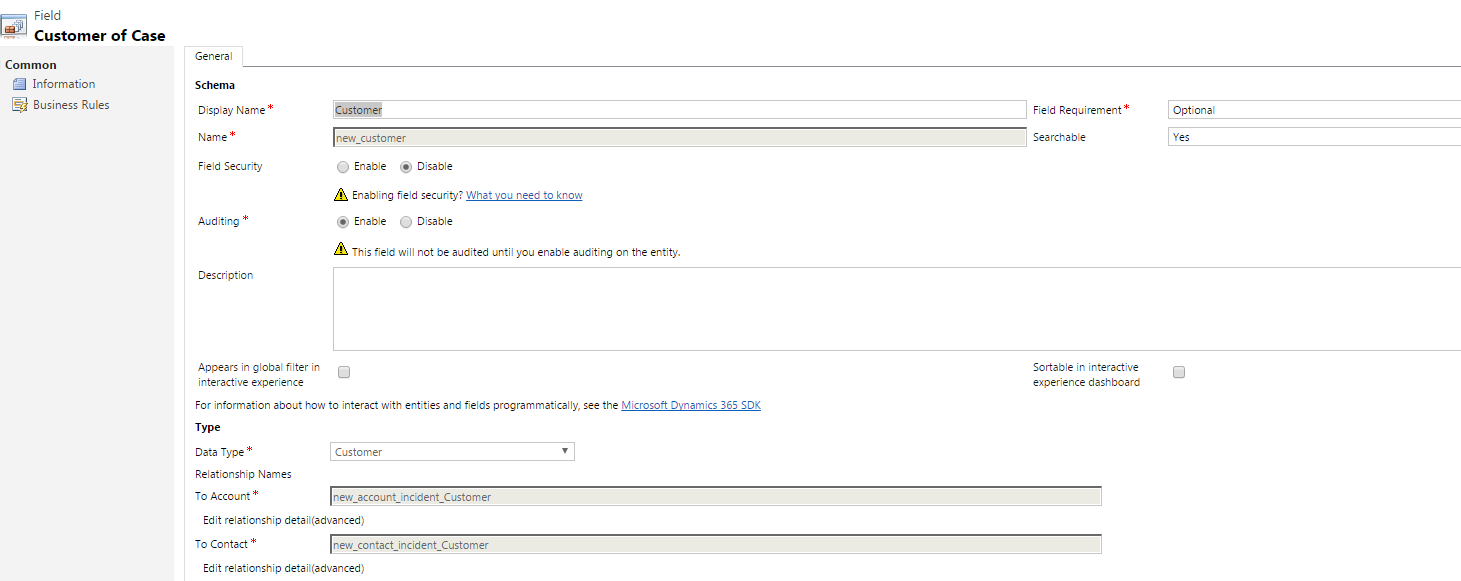
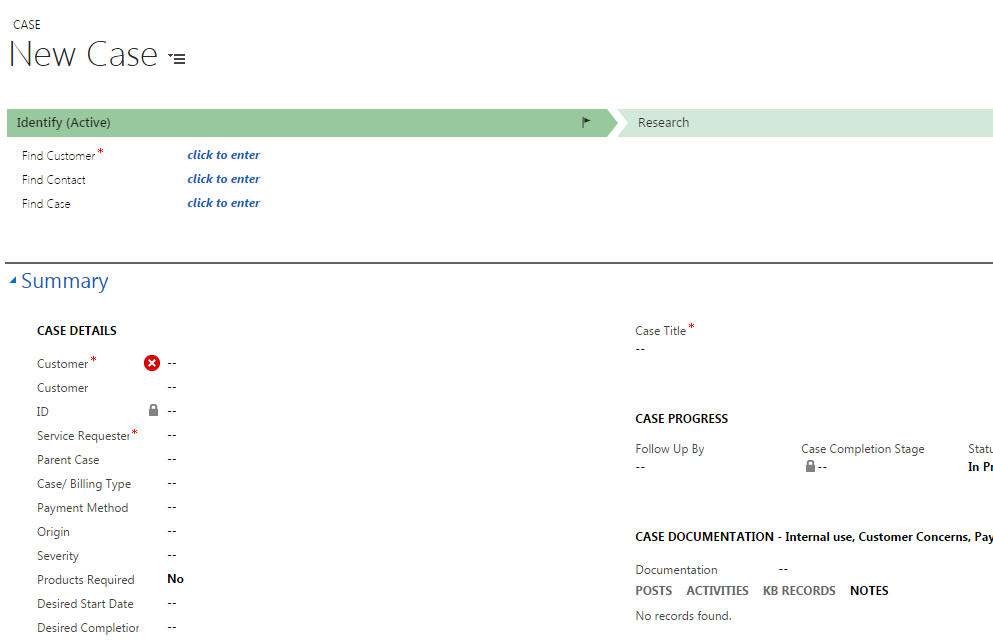
6052.c1.PNG0675.c2.PNG7127.c3.PNG

Regards,

Deepthi

*This post is locked for comments

I have the same question (0)
  • SCV Profile Picture
    1,004 on at

    Are you telling that your new field behaves differently to the out of the box Customer field??

  • Community Member Profile Picture
    on at

    Yes Sachith. Can you try by yourself as example by creating new field and take data type : Customer  in any entity?. When you try to create record for that new field : there is not look up field  by default : there is contact dialog is shown !

  • SCV Profile Picture
    1,004 on at

    Actually I did. That's why I asked. I created a field of Customer type in the Case entity and added to the form. When I tried to create a new record both the out of the box and my custom Customer fields behaves same; showing the customer dialog to select either an account or a contact...

  • Suggested answer
    Nithya Gopinath Profile Picture
    17,078 on at

    Hi Deepthi,

    Can you try removing the existing customer field from the form and see if it works?

  • Inogic Profile Picture
    764 on at

    Why don`t you try following the steps mentioned in the below blog and see if it still causes the same behavior that you are currently facing.

    http://www.inogic.com/blog/2016/06/commencement-of-customer-type-field-in-dynamics-crm-2016-update-1/

    Thanks!

  • Community Member Profile Picture
    on at

    I followed your steps. Still, I'm getting like that.

    You can see the properties of the field and example for creating record in that field.  

    I don't know why its very strange and I tried to execute JS code to filter the field to account by default -> but not change at all!

    c4.PNGc4.PNG

  • Inogic Profile Picture
    764 on at

    I can see your JavaScript worked properly.

    In the screenshot, though you have marked it as a Contact, but, those records are not Contacts rather those records are Accounts.

    What else do you need on this??

    Thanks!

Under review

Thank you for your reply! To ensure a great experience for everyone, your content is awaiting approval by our Community Managers. Please check back later.

Helpful resources

Quick Links

Introducing the 2026 Season 1 community Super Users

Congratulations to our 2026 Super Stars!

Meet the Microsoft Dynamics 365 Contact Center Champions

We are thrilled to have these Champions in our Community!

Congratulations to the April Top 10 Community Leaders

These are the community rock stars!

Leaderboard > 🔒一 Microsoft Dynamics CRM (Archived)

Last 30 days Overall leaderboard

Featured topics

Product updates

Dynamics 365 release plans

