web
You’re offline. This is a read only version of the page.
close
Skip to main content

Notifications

Announcements

No record found.

Community site session details

Community site session details

Session Id :
Small and medium business | Business Central, N...
Suggested Answer

Posted Purchase Invoice not showing on Vendor Ledger Entries

(0) ShareShare
ReportReport
Posted on by 241

Hello everyone,

So far I have found this problem in a couple of invoices. I have a Posted Purchase Invoice FC+007325 for vendor PROV00057 and in the Posted Purchase Invoice table appears conneceted to this vendor; the correct one. 
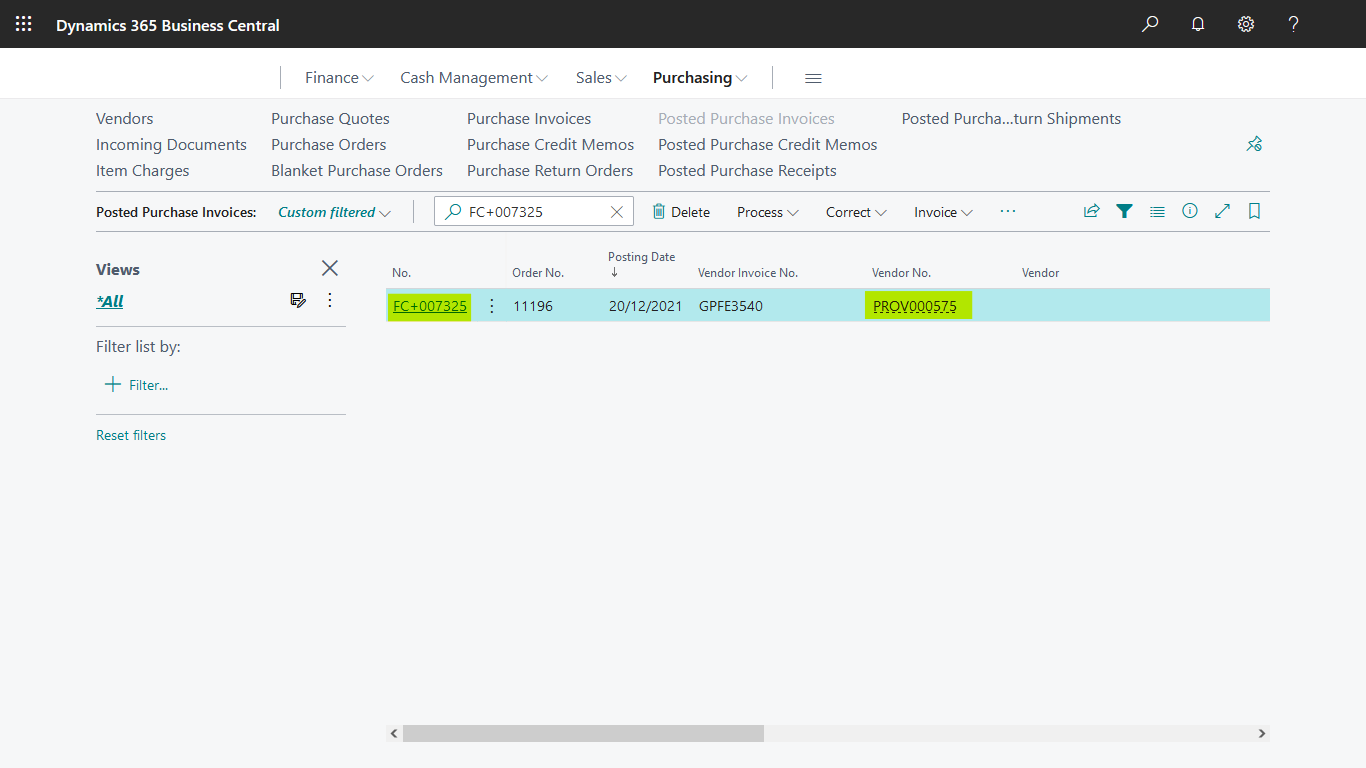
pastedimage1643381189941v1.png

But if I go to the Vendor Ledger Entries on the header appear conneceted to another vendor PROV000005 
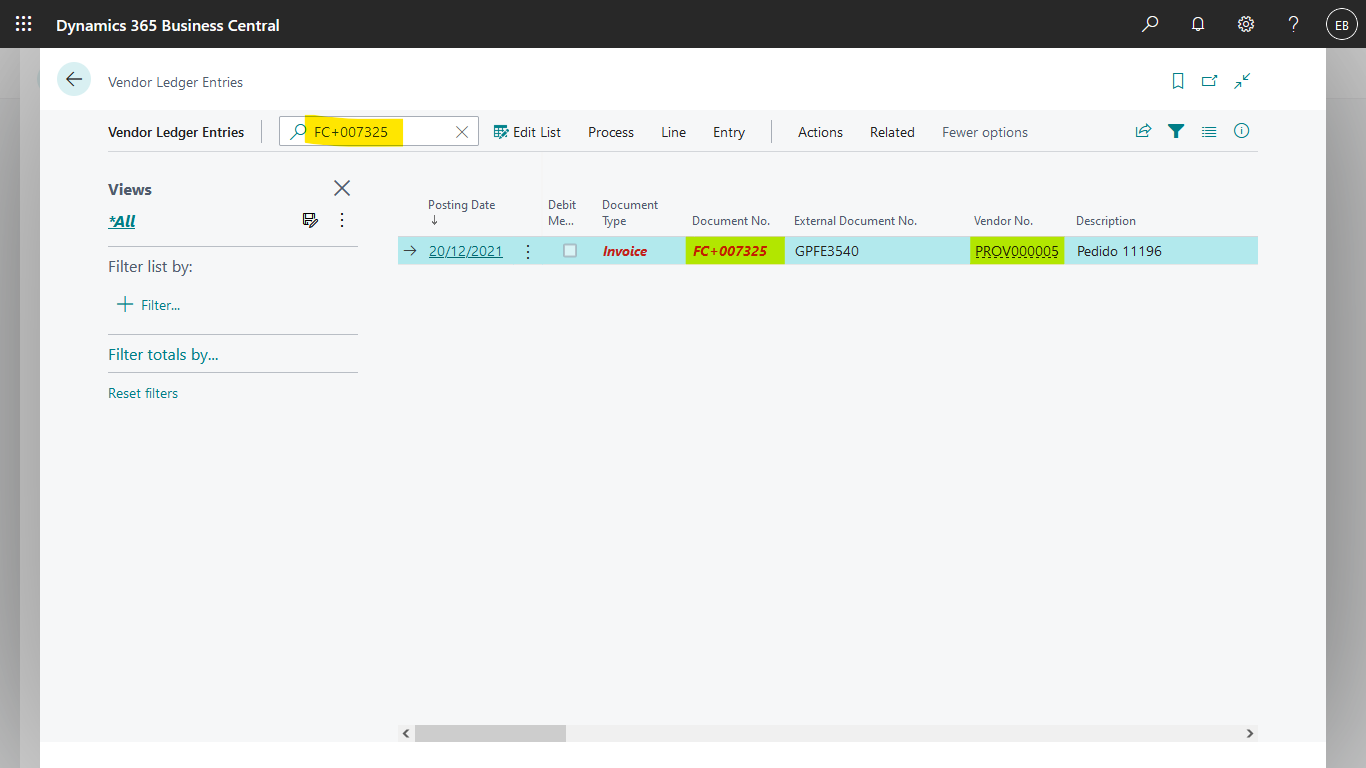
pastedimage1643381684183v2.png

If I open this invoice shows the correct one, PROV00057. 

Any help or advice is greatly apprpeciated. 

Thanks. 

I have the same question (0)
  • Suggested answer
    JAngle Profile Picture
    133 on at

    What about in the general ledger? I’d be inclined to trust the vendor ledger entries more so.

  • Suggested answer
    MahGah Profile Picture
    15,529 on at

    Hi

    Can you check the Vendor Card then under Invoicing look for Vendor No. Do you have the other vendor (in Vendor Ledger Entry) selected here?

    pastedimage1643396741120v1.png

  • Suggested answer
    Dallefeld Profile Picture
    211 User Group Leader on at

    MahGah is leading you to the correct place. Invoices are generally paid to the vendor on the invoice but it is possible to setup vendor A invoices to be paid to vendor B. This can be done on the vendor card or on a particular vendor invoice.

    On the posted purchase invoice that you show, open it and look at the invoicing or payment tab and look for the vendor no and you will see the pay-to vendor. that matches your vendor ledger entry.

  • Suggested answer
    Community Member Profile Picture
    on at

    Esteban,

    Adding to other replies... MahGah has outlined where to see if the Vendor points to a Master Vendor No. who receives all the payments. You can see this on your Posted Purchase Invoice if this is in effect.

    Hope this helps.

    Thanks,

    Steve

Under review

Thank you for your reply! To ensure a great experience for everyone, your content is awaiting approval by our Community Managers. Please check back later.

Helpful resources

Quick Links

Responsible AI policies

As AI tools become more common, we’re introducing a Responsible AI Use…

Neeraj Kumar – Community Spotlight

We are honored to recognize Neeraj Kumar as our Community Spotlight honoree for…

Leaderboard > Small and medium business | Business Central, NAV, RMS

#1
OussamaSabbouh Profile Picture

OussamaSabbouh 3,151

#2
Jainam M. Kothari Profile Picture

Jainam M. Kothari 1,443 Super User 2025 Season 2

#3
YUN ZHU Profile Picture

YUN ZHU 1,092 Super User 2025 Season 2

Last 30 days Overall leaderboard

Featured topics

Product updates

Dynamics 365 release plans
