web
You’re offline. This is a read only version of the page.
close
Skip to main content

Notifications

Announcements

Community site session details

Community site session details

Session Id :
Small and medium business | Business Central, N...
Suggested Answer

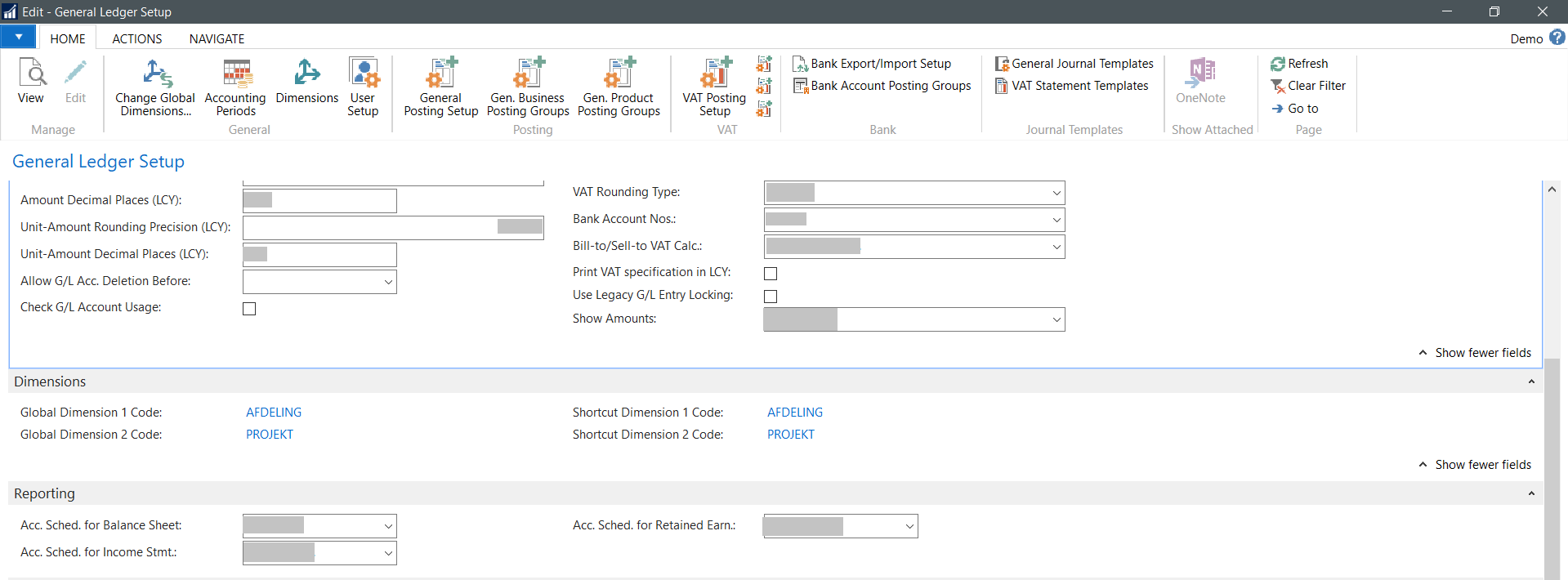
Dimension setup. Only Shortcut Dimension 1 Code and Shortcut Dimension 2 Code are visible

(0) ShareShare
ReportReport
Posted on by 5

I'm trying to configure dimension shortcut codes in General Ledger Setup window but there are only Shortcut Dimension 1 Code and Shortcut Dimensions 2 Code are displayed. Why I can't see other shortcut dimensions in this window? If I'm trying to change global dimension 1 code and assign to it a dimension which is not Afdeling or Project then app says "The dimension <...> is used in General Ledger Setup window as a shortcut dimension"

Thank you

t pastedimage1586415436829v1.png
I have the same question (0)
  • Suggested answer
    Marco Mels Profile Picture
    on at

    Hello,

    It may be that this property is set to False for these dimensions. 

    pastedimage1587010626002v1.png

  • Sergey Anisimov Profile Picture
    5 on at

    After your reply I started searching and opened General Ledger Setup -> Help -> About this page and found shortcut dimension codes there (see screenshot: drive.google.com/.../view but they are not editable. Any ideas why? Thanks for your help

  • Sergey Anisimov Profile Picture
    5 on at

    Hi Alessandro, version is 14.0.37587.0 Version DK Business Central 14.7

    I don't think they are hidden because I'm using account less than 1 month and didn't change anything there. Could you please advise me how to check in the design mode? Don't you know if it's possible that I can't view them because I'm using Demo account?

  • Alessandro Vannini 1 Profile Picture
    on at

    Hello Sergey

    which version are you using?

    I checked  2018 and BC version and I can see all the dimensions in the general ledger setup page

    Could be that in the desing of the page those fields are hidden , so you can check the page in the design mode

  • Sergey Anisimov Profile Picture
    5 on at

    Nope, this page even doesn't have an option to show shortcut dimension codes 3-8 in setup. Sharing link to screenshot because can't attach it drive.google.com/.../view Also if I reset to default it still doesn't display shortcut codes 3-8

  • Suggested answer
    MartinNL Profile Picture
    480 on at

    Hi Sergey,

    Has the General Ledger Setup page maybe been modified to hide the shortcut dimension fields?

    Regards,

    Martin

Under review

Thank you for your reply! To ensure a great experience for everyone, your content is awaiting approval by our Community Managers. Please check back later.

Helpful resources

News and Announcements

Season of Giving Solutions is Here!

Quick Links

Responsible AI policies

As AI tools become more common, we’re introducing a Responsible AI Use…

Neeraj Kumar – Community Spotlight

We are honored to recognize Neeraj Kumar as our Community Spotlight honoree for…

Leaderboard > Small and medium business | Business Central, NAV, RMS

#1
OussamaSabbouh Profile Picture

OussamaSabbouh 1,457

#2
Khushbu Rajvi. Profile Picture

Khushbu Rajvi. 742 Super User 2025 Season 2

#3
YUN ZHU Profile Picture

YUN ZHU 669 Super User 2025 Season 2

Last 30 days Overall leaderboard

Featured topics

Product updates

Dynamics 365 release plans
