web
You’re offline. This is a read only version of the page.
close
Skip to main content

Announcements

No record found.

News and Announcements icon
Community site session details

Community site session details

Session Id :
Supply chain | Supply Chain Management, Commerce
Suggested Answer

Error in changing orderer name in purchase order tab

(0) ShareShare
ReportReport
Posted on by 10

Hello 

I have a list of purchase orders where I need to change the orderer name , when I try to use copy paste  names  from excel , the system game me the error shown bellow .

It is pasting  only one name after that he brings back the old data .

Can you tell me how to fix it ?

pastedimage1646898009470v2.png_2D00_878x244.png

Regards

Negrean Alin

I have the same question (0)
  • Suggested answer
    Danny Bilodeau Profile Picture
    4,934 Super User 2026 Season 1 on at

    hello negreamn Alin,

    I just tested an did not face this issue.

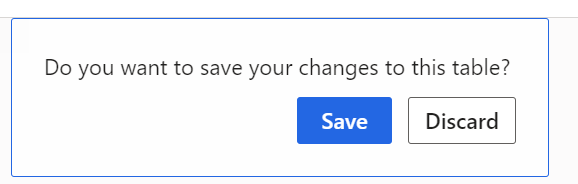
    From the All Purchase Order list page what I did was: copy a list of ordered from an excel tab;le (one under each other), click in the ordered for the first line (with or without existing values), copied the excel values and hit the Tab key.  The system asked me if I wanted to save or discard the changes to the table. I saved and values were updated.  Only difference I see is that you started from a filtered list of purchase orders.  

    Did you get this message:
    pastedimage1646937411891v1.png

    - Since you copied from Excel, is the copied value for orderer an actual value for the employee that is ordering?

    - If you select the drop down, can you change the orderer without issue?

    - Do you have another session open (different screen open to same list page and in edit mode)?

    - Are you trying to copy many orderers at the same time.  If so that will not work from that page

  • Negrean Alin Profile Picture
    10 on at

    Hello Danny

    I read with interest your reply .

    I use a filter to select the PO's where I need to update the orderer name .

    I open only one tab for making this operation  with copy paste , but when I press save gave me the error message and brings back the old values .

    From drop down list I can change the orderer .

    Before the updates of Dynamics I didn't had this issue . Could be some settings what I have to to ?

    pastedimage1647251040863v2.pngpastedimage1647251312405v3.png

    Regards

    Negrean Alin

  • Danny Bilodeau Profile Picture
    4,934 Super User 2026 Season 1 on at

    Hello Negrean Alin,

    I tested using Chrome and Edge browsers using a filtered list of Purchase Orders with no issues.  I tested in Contoso environment with version 10.0.22, so may be it has something to do with version you are using.  I tested with copying 20 orderers so saving updated records is relatively fast.  

    This is an extract from the reference documentation on this feature.  So your environment version does have an impact. You can make sure that the feature <New Grid Control> is activated (it should be activated by default).  There is no setup to allow saving or not.  Do you know if there was any modification to the Purchase Order table?

    Here is the Microsoft Docs on the topic with some relevant extracts: 

    pastedimage1647271972064v1.png 

    Also 

    pastedimage1647272484097v2.png

    Kind regards,

    Danny

  • nunomaia Profile Picture
    27 Moderator on at

    There is a documented limitation of the new grid in intercompany scenarios ( I think only affects lines ). These PO's are intercompany ?

  • Negrean Alin Profile Picture
    10 on at

    Hello Danny

    I have version 10.0.24 . I check the above mentioned steps but I don't see D365 Feature Management to activate the New Grid Control.  There was no modification to the Purchase Order table .

  • Negrean Alin Profile Picture
    10 on at

    Hi Maia

    These Po's are not intercompany , all are external suppliers .

    Regards

  • Danny Bilodeau Profile Picture
    4,934 Super User 2026 Season 1 on at

    Hello Negrean Alin,

    Unfortunately I only have acess to a 10.0.22 environment. You said that you did not have this issue with previous version.  I should have a 10.0.25 version ready in the next day so will be able to test in that newer version.

    The Feature was already enabled by default in 10.0.22 so it not being visible in Feature Management is probably because it is now standard and no longer optional.

    Regards,

    Danny      

Under review

Thank you for your reply! To ensure a great experience for everyone, your content is awaiting approval by our Community Managers. Please check back later.

Helpful resources

Quick Links

Introducing the 2026 Season 1 community Super Users

Congratulations to our 2026 Super Stars!

Meet the Microsoft Dynamics 365 Contact Center Champions

We are thrilled to have these Champions in our Community!

Congratulations to the April Top 10 Community Leaders

These are the community rock stars!

Leaderboard > Supply chain | Supply Chain Management, Commerce

#1
André Arnaud de Calavon Profile Picture

André Arnaud de Cal... 155 Super User 2026 Season 1

#2
Laurens vd Tang Profile Picture

Laurens vd Tang 101 Super User 2026 Season 1

#3
Zain Mehmood Profile Picture

Zain Mehmood 89 Most Valuable Professional

Last 30 days Overall leaderboard

Product updates

Dynamics 365 release plans
