web
You’re offline. This is a read only version of the page.
close
Skip to main content

Notifications

Announcements

No record found.

Community site session details

Community site session details

Session Id :
Supply chain | Supply Chain Management, Commerce
Answered

Inventory and reservation

(3) ShareShare
ReportReport
Posted on by 342

Hi all

Is there a possibility to remove reservation on on-hand inventory when creating or posting counting journal?

Thanks in advance

Erik

I have the same question (0)
  • Suggested answer
    Sagar Suman Profile Picture
    6,548 Super User 2025 Season 2 on at

    Hi,

    Please try keeping 'Reservation' field value to manual at the time of creating counting Journal. (Image 1)

    Alternatively, you can remove the reservation from the reservation form manually before posting. (Image 2) 

    Image 1 below 

    Image 2 below 

  • EGrotberg Profile Picture
    342 on at

    Hi Sagar. Thank you very much for your answer. I understand my question was unclear. I wonder more about if there is a way to remove reservation from sales order, transfer order... on on-hand inventory when you create or post a counting journal.

    BR Erik

  • Verified answer
    Sagar Suman Profile Picture
    6,548 Super User 2025 Season 2 on at

    Hi,

    Yes, it is possible by a trick. :) 

    You can use inventory status change job to remove all reservations on sales orders and transfer orders.

    So trick is run the job and make all the stock with inventory status 'Counting' for example. (This way old reservations are removed automatically as the status changes) 

    Now proceed with counting and once you are done with counting use the same job to set the status back to "available.'. :) 

    Follow below steps. 

    • Make sure your warehouse master has setup done like below 
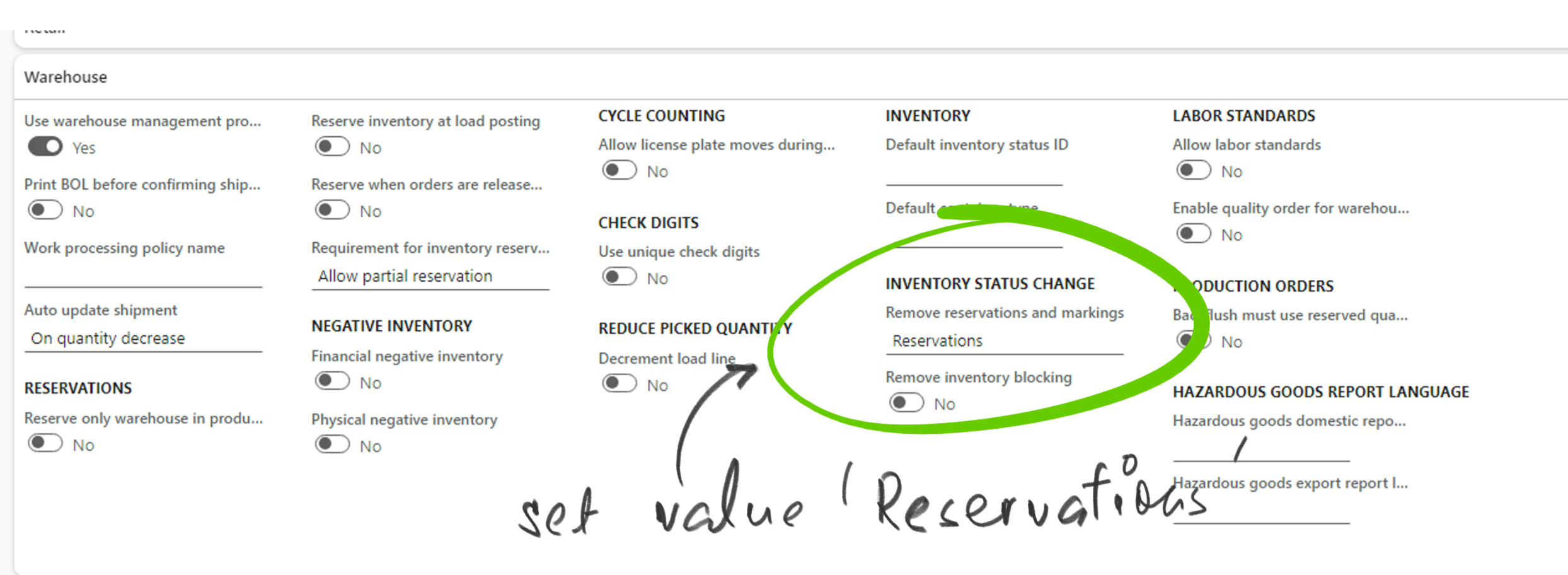
    pastedimage1686031090064v2.png

    • Now see a sales order in my system which is reserved. 
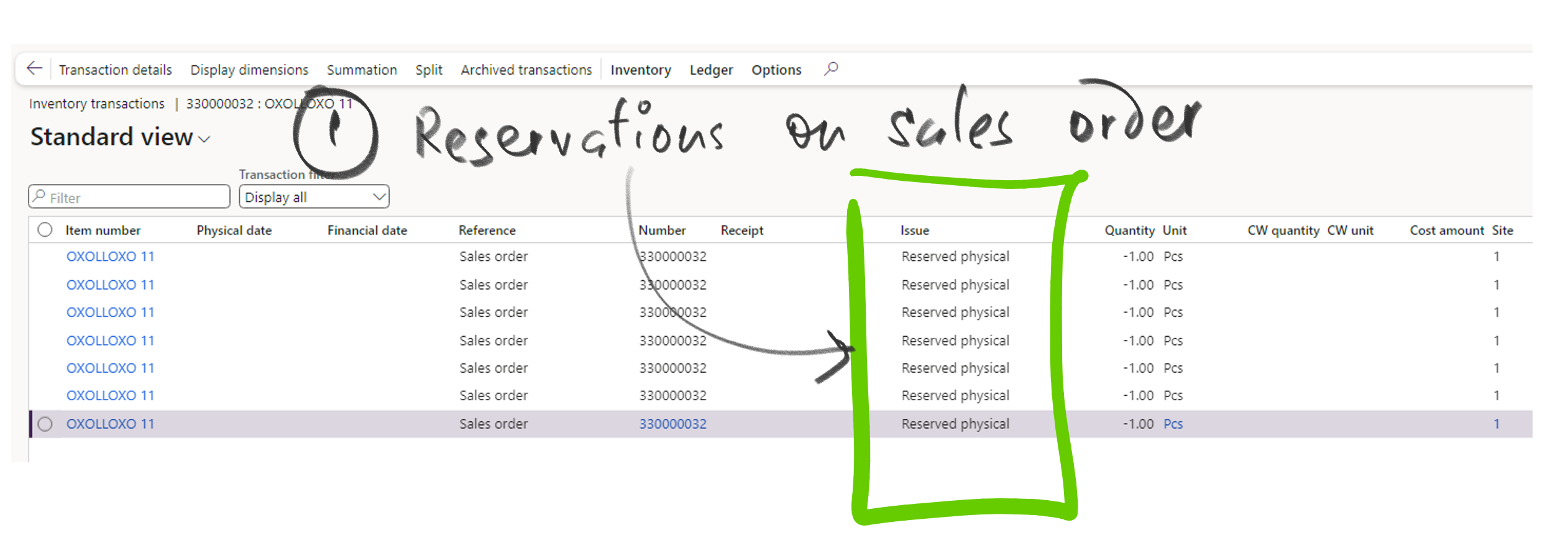
    pastedimage1686031145235v3.png

    • Now run the inventory status job for this item (OR you can run using query and filter items of your choice) 
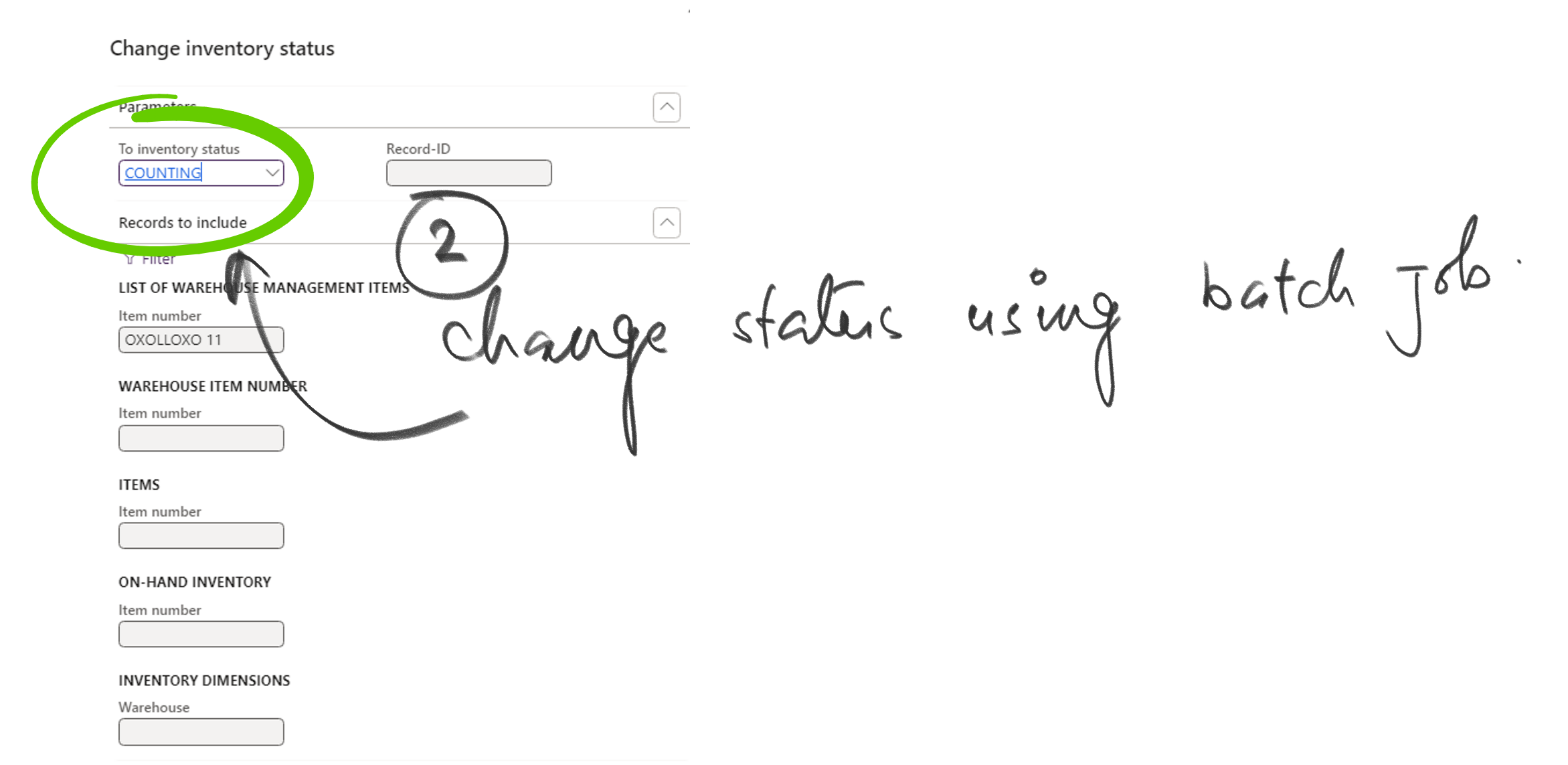
    pastedimage1686031190206v4.png

    • Come back to sales order after the job is completed and you will find reservations are removed. :) 
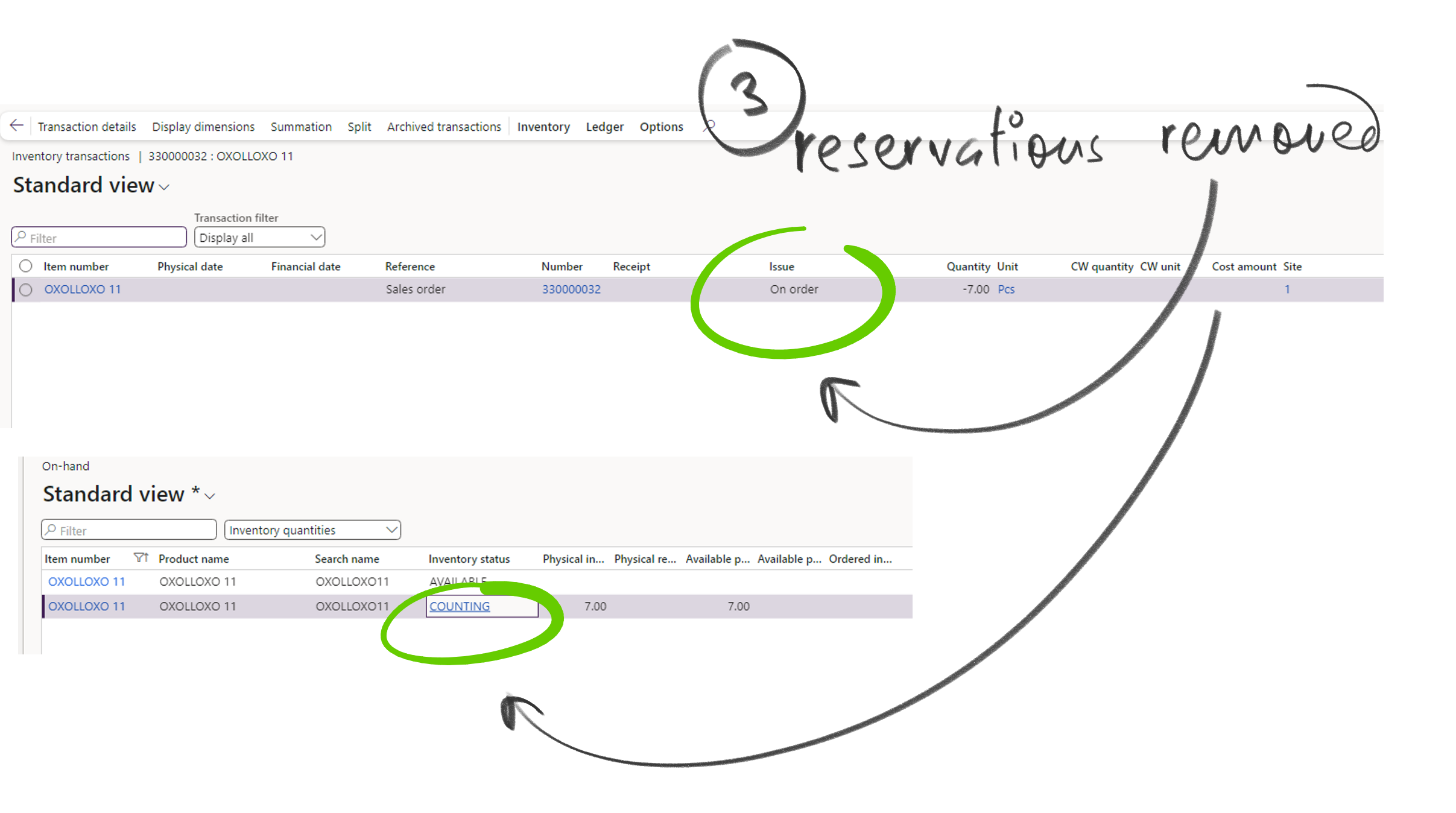
    This way you can save so much time and do it smartly. I use this always, 

  • Jake M Profile Picture
    78 on at
    Thank you for the great information! Is there a way to filter this a bit more? Bring in the ship date on the sales order line is in the past or has been stopped? 

    Looking to remove reservations for orders that haven't shipped. The customer hasn't decided if they want/confirmed.

Under review

Thank you for your reply! To ensure a great experience for everyone, your content is awaiting approval by our Community Managers. Please check back later.

Helpful resources

Quick Links

Responsible AI policies

As AI tools become more common, we’re introducing a Responsible AI Use…

Neeraj Kumar – Community Spotlight

We are honored to recognize Neeraj Kumar as our Community Spotlight honoree for…

Leaderboard > Supply chain | Supply Chain Management, Commerce

#1
Siv Sagar Profile Picture

Siv Sagar 303 Super User 2025 Season 2

#2
André Arnaud de Calavon Profile Picture

André Arnaud de Cal... 144 Super User 2025 Season 2

#3
Laurens vd Tang Profile Picture

Laurens vd Tang 91 Super User 2025 Season 2

Last 30 days Overall leaderboard

Featured topics

Product updates

Dynamics 365 release plans
