web
You’re offline. This is a read only version of the page.
close
Skip to main content

Announcements

No record found.

News and Announcements icon
Community site session details

Community site session details

Session Id :
Small and medium business | Business Central, N...
Suggested Answer

Power Automate - BC On-Prem - Azure app registration

(0) ShareShare
ReportReport
Posted on by 471

Hi, 

I am trying to connect BC On-Prem 16 with Power Automate by following this Microsoft documentation: https://docs.microsoft.com/en-us/dynamics365/business-central/dev-itpro/administration/register-app-azure

I have created the App Registration in Azure Portal and got the required details such as application ID, Secret/Key etc... 

From BC, I have run the setup to Setup Azure Active Directory in the Assisted Setup list. This asks me to authenticate using Microsoft account and authenticates successfully i.e. no error message shows. 

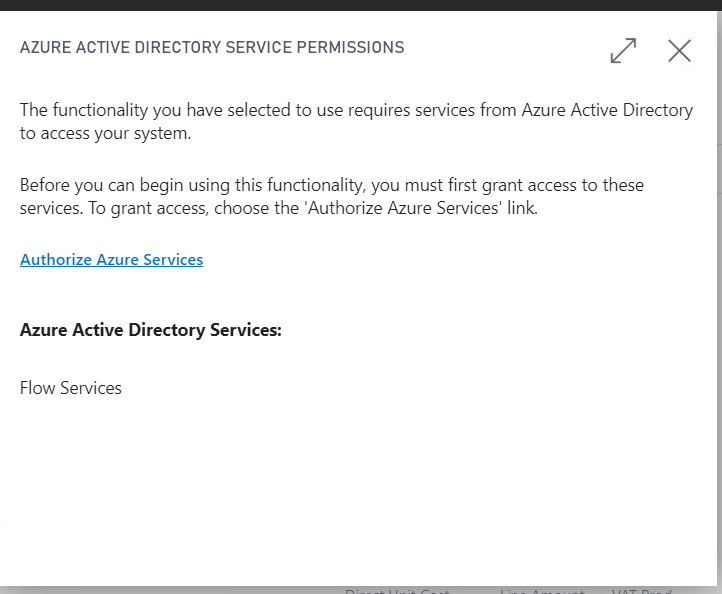
Then, when I go to BC On-Prem, I try to click 'See my flows' action button in the purchase invoice page, asks me to authenticate and grant permission which I do but then nothing happens.. BC just returns to the purchase invoice screen. The same thing happens when I try t access Manage Flows from BC. 

Screenshot_5F00_9.png

pastedimage1632398646035v1.png

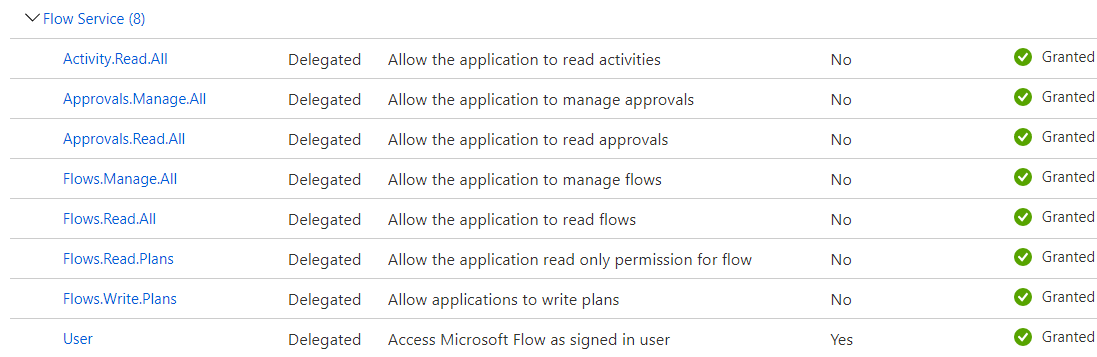
The app Registration does have the permission for Flows Services granted; 
Screenshot_5F00_8.png

Users in BC Authenticate via NAV User Password which according to the documentation should not cause any issues.

Any ideas what could be wrong here? Are we missing something? 

Thanks in advance! 

I have the same question (0)
  • Suggested answer
    Marco Mels Profile Picture
    Microsoft Employee on at

    Hello,

    Please have a look here:

    docs.microsoft.com/.../features-not-implemented-on-premises

    Thanks.

  • Suggested answer
    Greg Enns Profile Picture
    1,122 on at

    I asked about connectiong PowerAutomate to BC on-prem at the recent DynamicsCon conference. I was given the following link. (It looks good, but I haven't tried it yet.) Good luck!

    ruudvg.com/.../

Under review

Thank you for your reply! To ensure a great experience for everyone, your content is awaiting approval by our Community Managers. Please check back later.

Helpful resources

Quick Links

Introducing the 2026 Season 1 community Super Users

Congratulations to our 2026 Super Stars!

Meet the Microsoft Dynamics 365 Contact Center Champions

We are thrilled to have these Champions in our Community!

Congratulations to the April Top 10 Community Leaders

These are the community rock stars!

Leaderboard > Small and medium business | Business Central, NAV, RMS

#1
OussamaSabbouh Profile Picture

OussamaSabbouh 2,002 Super User 2026 Season 1

#2
YUN ZHU Profile Picture

YUN ZHU 1,255 Super User 2026 Season 1

#3
AndrewThomas81 Profile Picture

AndrewThomas81 1,217

Last 30 days Overall leaderboard

Featured topics

Product updates

Dynamics 365 release plans