web
You’re offline. This is a read only version of the page.
close
Skip to main content

Announcements

No record found.

News and Announcements icon
Community site session details

Community site session details

Session Id :
Microsoft Dynamics CRM (Archived)

Receiving timeouts

(0) ShareShare
ReportReport
Posted on by 225

Hi,

We have installed the CRM Outlook Client. But when trying to add the organization in the Outlook configuration wizard, after long time of waiting we receive back response code 500 probably due to a timeout. In the response we see the message "An error occurred when verifying security for the message". We have looked it up on the internet and found that the time on the client and the server must be the same (not more than 5 mins of difference). But we checked on the client and server the time is the same.
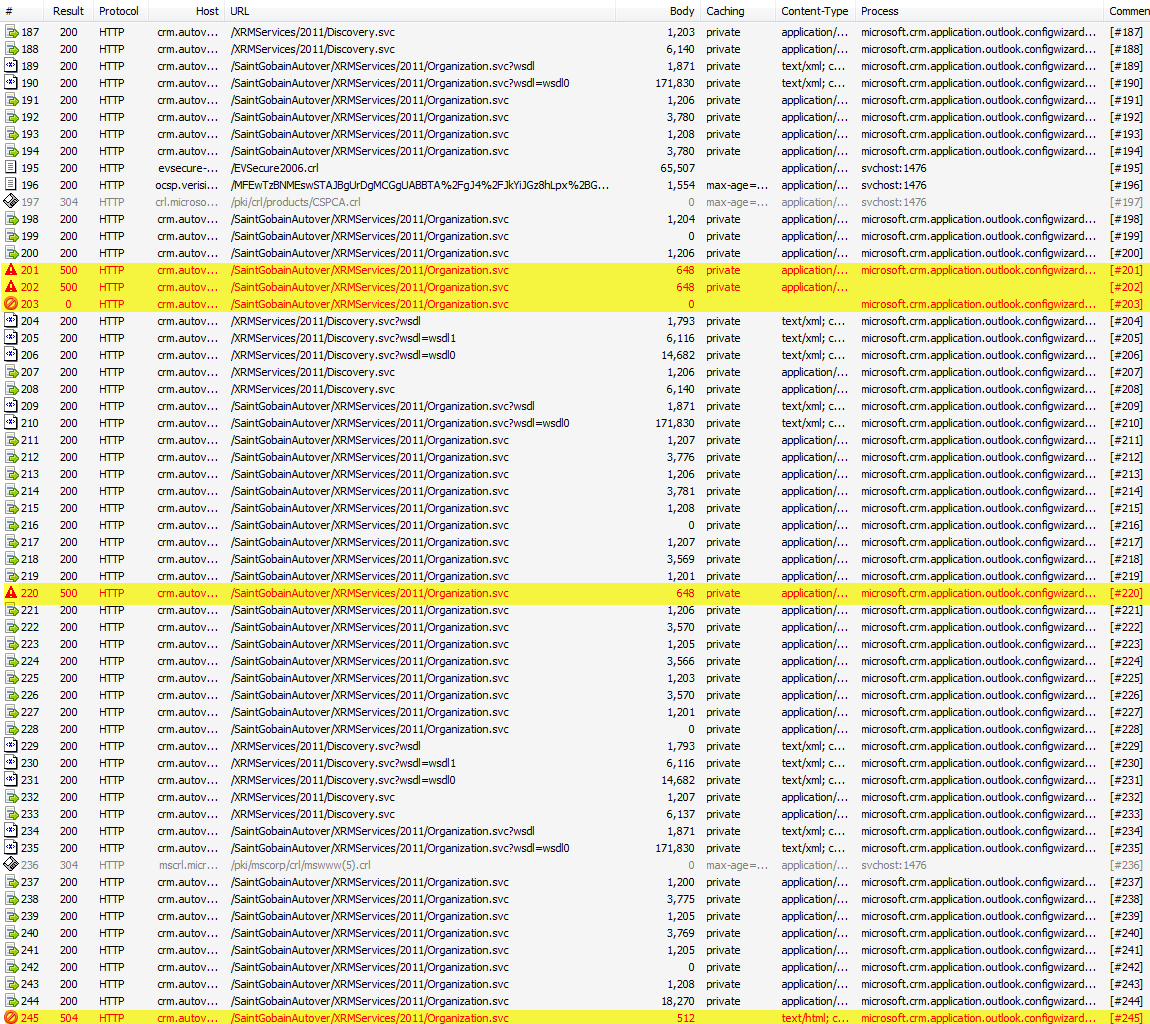
Does anybody have an idea what the problem could be? We retried to add the organization several times without success. We are running Microsoft Dynamics CRM 2011 Rollup 5.

Any help would be mostly appreciated.

Best Regards,

Björn

*This post is locked for comments

I have the same question (0)
  • RuneDaub Profile Picture
    3,795 on at

    Two things I would like you to try.

    1. Do you have access to CRM from the client through Internet Explorer? If no, then find out why not.

    2. Give the user that you try to connect in the Outlook client, system administrator access rights and then connect again. If it works, its a security role issue. First time connection through Outlook requires a set of special settings. Amongst others, they need to be able to edit their own user etc. I will post link if this is the issue.

  • Verified answer
    Björn van den Broek Profile Picture
    225 on at

    Hi Rune,

    Thank you for replying.

    1. Yes, we have access to CRM via Internet Explorer

    2. This cannot be the problem the Outlook Client is already installed under administrator rights and adding the organization to your Outlook does not require administrator rights.

    After retrying several times we finally succeeded to add the organization in Outlook. I think it is just a network problem.

    Best Regards,

    Björn

Under review

Thank you for your reply! To ensure a great experience for everyone, your content is awaiting approval by our Community Managers. Please check back later.

Helpful resources

Quick Links

Introducing the 2026 Season 1 community Super Users

Congratulations to our 2026 Super Stars!

Congratulations to our 2025 Community Spotlights

Thanks to all of our 2025 Community Spotlight stars!

Leaderboard > 🔒一 Microsoft Dynamics CRM (Archived)

#1
Varsha deshpande Profile Picture

Varsha deshpande 5

#2
JS-09031509-0 Profile Picture

JS-09031509-0 3

#3
Ciprian  P Profile Picture

Ciprian P 2

Last 30 days Overall leaderboard

Featured topics

Product updates

Dynamics 365 release plans
