web
You’re offline. This is a read only version of the page.
close
Skip to main content

Notifications

Announcements

No record found.

Community site session details

Community site session details

Session Id :
Microsoft Dynamics CRM (Archived)

Help with Email Configuration

(0) ShareShare
ReportReport
Posted on by 212

Hello,

So I have been dealing with this problem for almost a month now and have done a lot of research. I am having issues sending workflow emails or sending emails from CRM. They are getting stuck in Pending Send status. All the users in my organization are having this issue.

Through my research, I have checked the CRM Diagnostics settings, which seem to be correct:
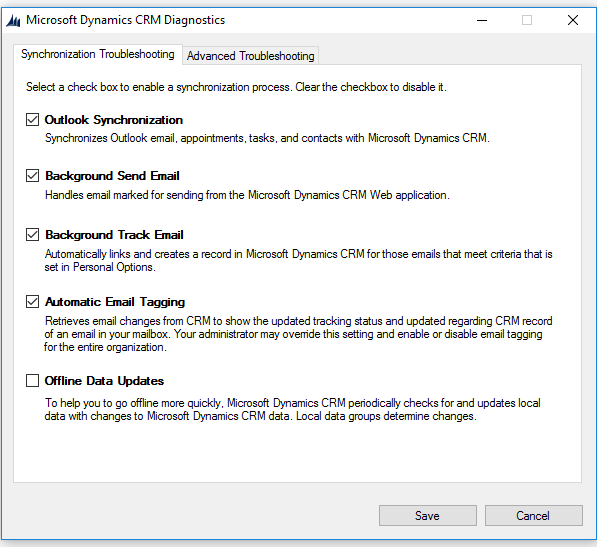
CRM-diagnostics-settings.png

The Email Server Profile has been set up for server side synchronization :
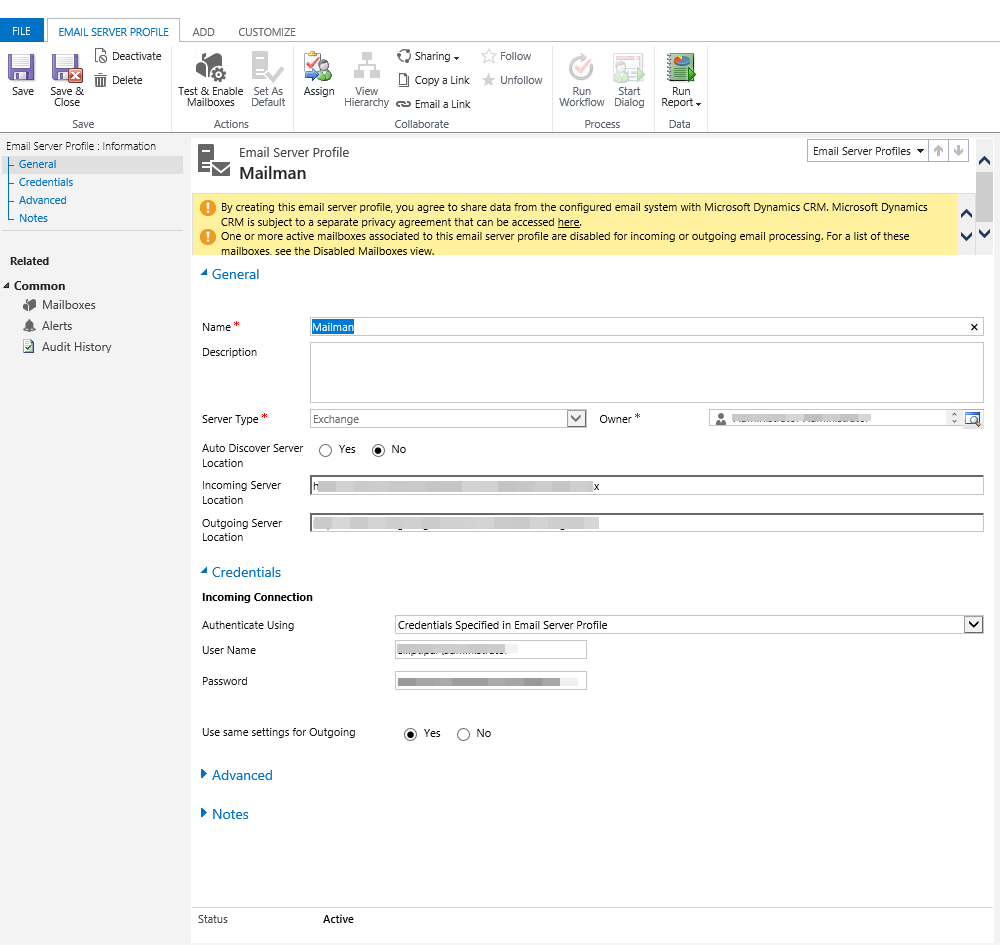
email-server-profile.png

I have made sure that everyone in the organization in their Outlook Client for CRM has checked off the option to allow CRM  users to send email on your behalf:
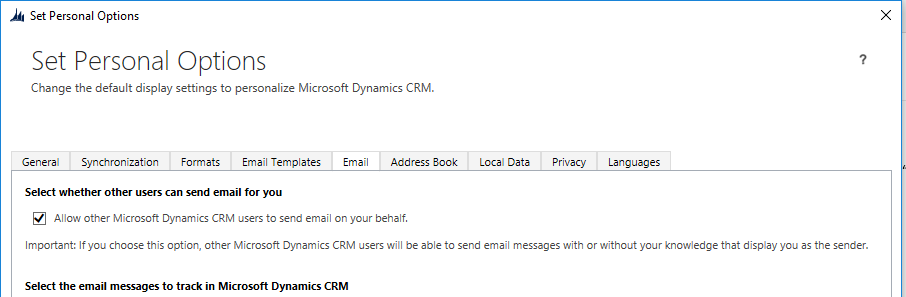
CRM-for-Outlook-settings.png

Now, in the CRM Email Configuration Settings, this is where it gets complicated. Even though we are using Server Side Synchronization, we have set that up for incoming and outgoing Email. However, the Process Email Using is set to MS Dynamics CRM 2015 Email Router.
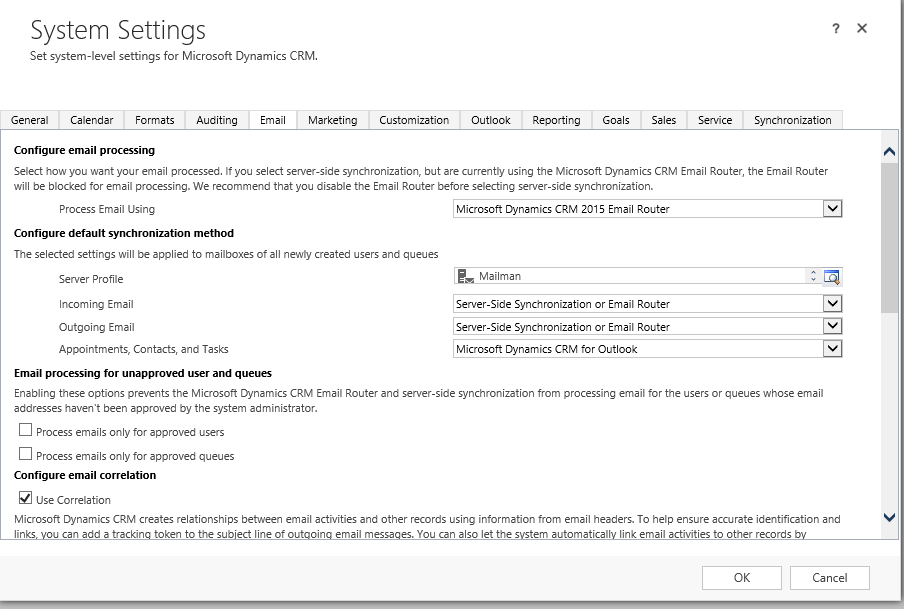
Email-Configuration-Settings.png

Now when we switch this to Server-Side Synchronization, all of the pending emails go through, and emails are able to be sent through CRM. However, from the Outlook Client, we are no longer able to track emails or set the regarding from Outlook. We need to do both, not one or the other.

I really need help trying to figure this out, because we are tracking emails from Outlook, converting them to cases, and/or setting the regarding to link them to opportunities, but we have several workflows that send out emails that need to be working as well.

Any thoughts?

Thanks!

*This post is locked for comments

I have the same question (0)
  • uMar Khan Profile Picture
    on at

    I am not sure if I understand your question correctly, even if you set server-side sync, track email feature is still suppose to be available in outlook. Have you tested it and it is not available for you?

  • TractionCRM.com Profile Picture
    50 on at

    Sounds like to need to reinstall the Dynamics 365 for Outlook (full app, not lightweight).  If your issue is that you do not "see" the CRM tab in Outlook (or all your CRM options in Outlook are greeted out), try that.

    www.microsoft.com/.../dynamics-365-for-outlook-user-s-guide.aspx

    Joe Wichowski - http://www.JustBots.ai

  • KJP838 Profile Picture
    212 on at

    First, it is CRM 2015, not sure if that makes a difference.

    Also, in Outlook, nothing gets greyed out, and it is still available, but when you select track, the tracking comes in at the bottom of the email message like normal, but if you go to where it is tracked in CRM (for example, that contact's record), it is not actually connected and the email is not there.

    Same goes for setting the regarding in Outlook for an email message, it will bring up the screen to let you select the CRM record you want to set the regarding to, and you can select a record then press ok and it goes back to the email message, however it is not actually setting the regarding. When you go back into CRM, you cannot find the email message anywhere.

  • KJP838 Profile Picture
    212 on at

    up

Under review

Thank you for your reply! To ensure a great experience for everyone, your content is awaiting approval by our Community Managers. Please check back later.

Helpful resources

Quick Links

Responsible AI policies

As AI tools become more common, we’re introducing a Responsible AI Use…

Neeraj Kumar – Community Spotlight

We are honored to recognize Neeraj Kumar as our Community Spotlight honoree for…

Leaderboard > 🔒一 Microsoft Dynamics CRM (Archived)

#1
SA-08121319-0 Profile Picture

SA-08121319-0 4

#1
Calum MacFarlane Profile Picture

Calum MacFarlane 4

#3
Alex Fun Wei Jie Profile Picture

Alex Fun Wei Jie 2

Last 30 days Overall leaderboard

Featured topics

Product updates

Dynamics 365 release plans
