web
You’re offline. This is a read only version of the page.
close
Skip to main content

Announcements

No record found.

News and Announcements icon
Community site session details

Community site session details

Session Id :
Microsoft Dynamics CRM (Archived)

CRM not working in Android, Working in iOS

(0) ShareShare
ReportReport
Posted on by

Hi,


When we try to connect CRM in official Dynamics APP from Google play, we receive this error:
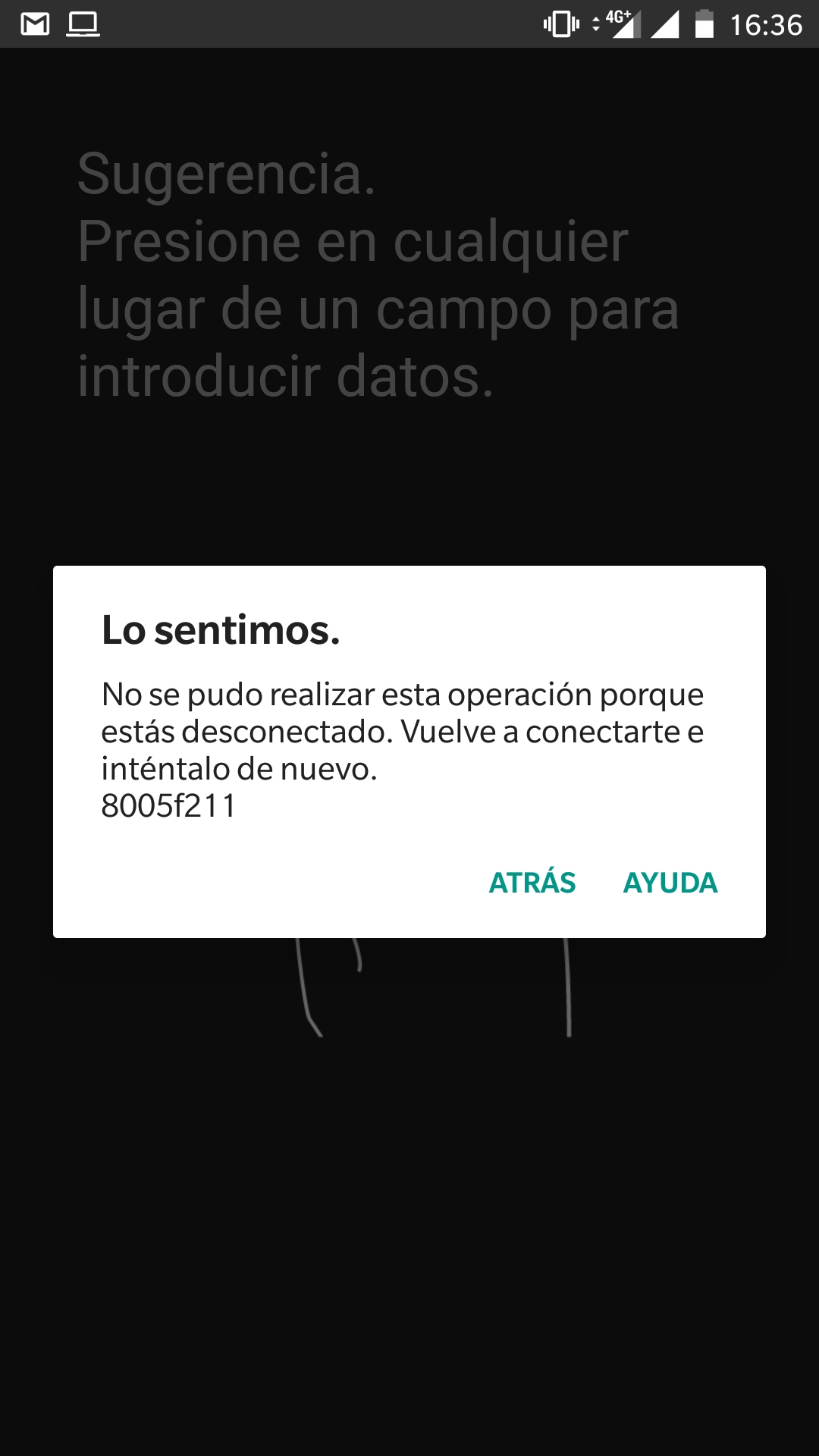
Screenshot_5F00_20180412_2D00_163655.jpg

It says:

The action wasnt completed because you're disconnected. Please connect again and try again.

8005f211

If we do the same with iPhone or iPad, it works perfectly

We are using Federation Services and Single Sign On


Regards

*This post is locked for comments

I have the same question (0)
  • Suggested answer
    Emre GULCAN Profile Picture
    2,379 on at

    Hi,

    You can check supported devices / operating systems from technet.microsoft.com/.../dn531131.aspx

  • Community Member Profile Picture
    on at

    Hi,

    I tested in 7.0 and 8.1 and not working in either of them.

    Same error, such a strange thing

  • Community Member Profile Picture
    on at

    Hi,

    Any information?

  • AGera111 Profile Picture
    on at

    We experiencing same issue, no luck to contact MS Support ?

  • Community Member Profile Picture
    on at

    Hi,

    No luck,case still oppened. After being escalated many times, it's in dev team.

  • Echelon Profile Picture
    10 on at

    After using the mobile app with no problems for a period of time, when the user tries to launch it again, the mobile app gets stuck on the blue Welcome Screen. Enabling the tracing log in the mobile app does not produce any file. The only way to enable the app again is remove it from the device and install it again.

    Question:

    * Have you face the same problem in the past? How do you troubleshoot it?

    Thanks for your help and valuable advise

  • Michael Seg Profile Picture
    on at

    There's still no solution for this issue. I am not able to connect to the app and the same problem...

  • Suggested answer
    Kokulan Profile Picture
    18,054 on at

    Hi

    Few other users have reported having issue with Android app, For users uninstalling and installing the app allowed them to connect. I know its not a good workaround but its worth a try

  • Michael Seg Profile Picture
    on at

    Thanks for the reply Kokulan, but I've tried it several times with no success...

  • Community Member Profile Picture
    on at

    For my case, I use iPhone 8 and the iOS crashed, when I wanted to restore iOS, I got an error called iPhone Error 4013 , I have an android emulator on my pc and the android version works just fine.

Under review

Thank you for your reply! To ensure a great experience for everyone, your content is awaiting approval by our Community Managers. Please check back later.

Helpful resources

Quick Links

Introducing the 2026 Season 1 community Super Users

Congratulations to our 2026 Super Stars!

Meet the Microsoft Dynamics 365 Contact Center Champions

We are thrilled to have these Champions in our Community!

Congratulations to the March Top 10 Community Leaders

These are the community rock stars!

Leaderboard > 🔒一 Microsoft Dynamics CRM (Archived)

#1
JS-09031509-0 Profile Picture

JS-09031509-0 3

#2
AS-17030037-0 Profile Picture

AS-17030037-0 2

#2
Mark Eckert Profile Picture

Mark Eckert 2

Last 30 days Overall leaderboard

Featured topics

Product updates

Dynamics 365 release plans
