web
You’re offline. This is a read only version of the page.
close
Skip to main content

Announcements

No record found.

News and Announcements icon
Community site session details

Community site session details

Session Id :
Microsoft Dynamics CRM (Archived)

Chart - how we can identify by using color

(0) ShareShare
ReportReport
Posted on by 1,821

Hi,

Please find below the chart created on CRM 2016 on premises.  Sales person name marked in different colors. Since we have more than 20 sales persons, how we can identify by using color.  Is there any when user move cursor on color of chart, system should display name of sales person.  Now it displays Number of accounts and industry only.
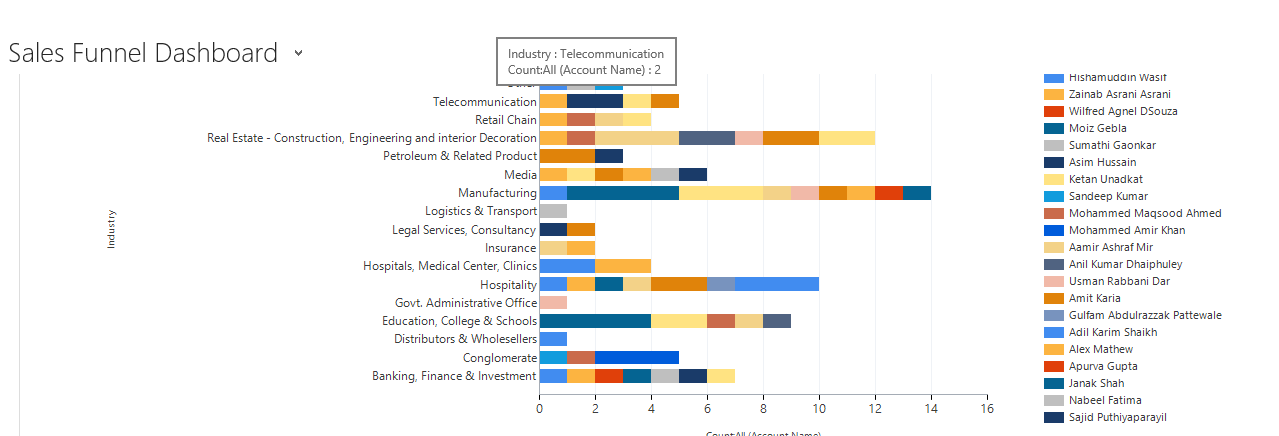
chart3.png

0312.chart2.png

*This post is locked for comments

I have the same question (0)
  • Community Member Profile Picture
    on at

    Hi,

    Have to taken a look at CrmChartGuy he has a great blog about working with charts in CRM. 

    https://crmchartguy.com/2012/08/23/palette-custom-colors-in-charts/

    Hope this can help you!

  • P NOUSHAD Profile Picture
    1,821 on at

    Hi,

    Thanks for your reply.   My query is how to label color, since I have more than 15 colors and it is not easy to identify by color of sales person. so at least when user move the cursor over the color, the corresponding sales person name should display.  In the blog you specified above contains 3 colors so it is easy  to identify, each color for what. I hope you understand my requirement.

    Kindly find a solution for this issue.

    Regards,

    Noushad

  • Suggested answer
    Arun Vinoth Profile Picture
    11,615 Moderator on at

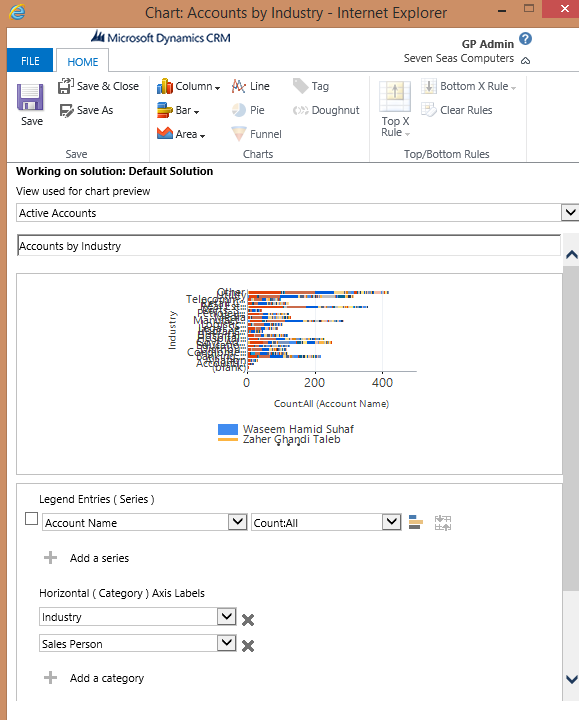
    If you switch the “Horizontal (Category) Axis Labels” - Sales person first & Industry second, you can achieve that. May be the legends will also change to Industry & tooltip will give you what you want.

  • P NOUSHAD Profile Picture
    1,821 on at

    Hi,

    Actually the objective of this chart is to get number of accounts created in this year based on industry.  If we switch the “Horizontal (Category) Axis Labels” - Sales person first & Industry second, number of account created by sales person will calculate.    Is there any option when move mouse to a particular color of sales person on chart, system should display sales person's name.

    Thanks

    Noushad

Under review

Thank you for your reply! To ensure a great experience for everyone, your content is awaiting approval by our Community Managers. Please check back later.

Helpful resources

Quick Links

Introducing the 2026 Season 1 community Super Users

Congratulations to our 2026 Super Stars!

Meet the Microsoft Dynamics 365 Contact Center Champions

We are thrilled to have these Champions in our Community!

Congratulations to the April Top 10 Community Leaders

These are the community rock stars!

Leaderboard > 🔒一 Microsoft Dynamics CRM (Archived)

Last 30 days Overall leaderboard

Featured topics

Product updates

Dynamics 365 release plans