web
You’re offline. This is a read only version of the page.
close
Skip to main content

Announcements

No record found.

News and Announcements icon
Community site session details

Community site session details

Session Id :
Supply chain | Supply Chain Management, Commerce
Suggested Answer

Return order processing on WHS app

(0) ShareShare
ReportReport
Posted on by 5

When trying to receipt goods on the mobile device from a return order, the system asks me for a batch number
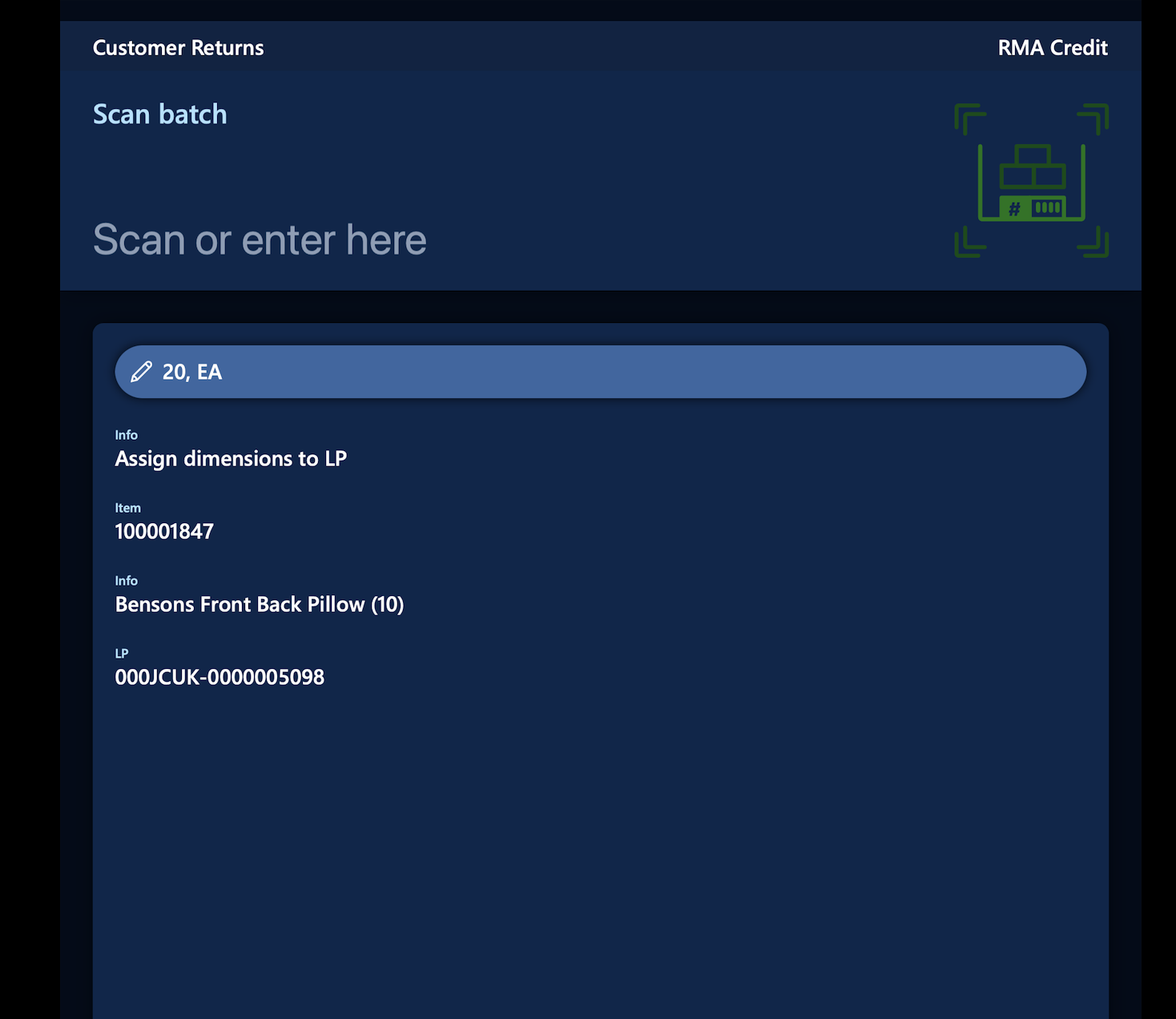
Screenshot-2023_2D00_05_2D00_18-at-09.13.57.png

On the return order, i used the 'find sale order' functionality to add the return line, so i would have assumed that the system picks up the batch from the original sale order

(in my case the sale line only had one batch).

But this was not the case. the warehouse operative will not know the batch number.

So does this mean we have to manually specify the batch on the return order line for batch-controlled item? 

Is there a way to have the batch number from the original sale line default in? (either on the return line or on the WHS app)

Screenshot-2023_2D00_05_2D00_18-at-09.05.04.png

I have the same question (0)
  • Suggested answer
    sagar_patil Profile Picture
    920 Moderator on at

    while creating the return order using 'find sales order' functionality system default batch number from original sales order. This can be traced using return lot id mentioned on Return order lines.

    While receiving the same user needs to enter the batch number on the app.

  • WH570 Profile Picture
    5 on at

    I dont think it will default the batch number from the original sales order, if the original sale order was processed using advanced warehousing (so there is no batch specified on the sale line). Here is the original sale order -

    Screenshot-2023_2D00_05_2D00_18-at-12.34.52.png

    I suppose that means we cant get the batch to default on the return order if wms processes are being used on the sale and return order.

Under review

Thank you for your reply! To ensure a great experience for everyone, your content is awaiting approval by our Community Managers. Please check back later.

Helpful resources

Quick Links

Introducing the 2026 Season 1 community Super Users

Congratulations to our 2026 Super Stars!

Congratulations to our 2025 Community Spotlights

Thanks to all of our 2025 Community Spotlight stars!

Leaderboard > Supply chain | Supply Chain Management, Commerce

#1
Mallesh Deshapaga Profile Picture

Mallesh Deshapaga 254

#2
Laurens vd Tang Profile Picture

Laurens vd Tang 188 Super User 2026 Season 1

#3
André Arnaud de Calavon Profile Picture

André Arnaud de Cal... 131 Super User 2026 Season 1

Last 30 days Overall leaderboard

Product updates

Dynamics 365 release plans
