web
You’re offline. This is a read only version of the page.
close
Skip to main content

Notifications

Announcements

No record found.

Community site session details

Community site session details

Session Id :
Microsoft Dynamics 365 | Integration, Dataverse...
Answered

How to find who create a solution

(0) ShareShare
ReportReport
Posted on by

Hello,

I'd like to trace who create a solution in our Dynamics 365 CE environment. The solution history does not provide the information, and I cannot catch up the Blog (https://blog.magnetismsolutions.com/blog/roshanmehta/2019/05/09/dynamics-365---who-created-that-solution-#:~:text=Thankfully%2C%20the%20Solution%20screen%20has,in%20CRM%20using%20a%20bookmarklet.).

Please provide the steps how to check solutions "Created By". Thanks.

I have the same question (0)
  • Verified answer
    Guido Preite Profile Picture
    54,086 Moderator on at

    you can use a tool to query the solution entity and the createdby field.

    You can use a tool like FetchXML Builder or Dataverse REST Builder, you can find both inside XrmToolBox

  • Verified answer
    Bipin D365 Profile Picture
    28,983 Moderator on at

    Hi,

    Please run below query in your browser

    org50b8451e.crm8.dynamics.com/.../solutions

    Replace Organization URL with your instance URL

    Replace Solution Name 'Ribbon' with your solution Name

    'Ribbon' is my solution name

  • Verified answer
    Haig Liu Profile Picture
    Microsoft Employee on at

    Hi ALL365,

    Please refer to the following steps:

    Open solution and Switch to classic.

    pastedimage1673230136688v3.png

    pastedimage1673230100088v2.png

    pastedimage1673230066893v1.png

  • Verified answer
    Arulmozhi N Profile Picture
    40 on at

    Hi ALL365 

    I have seen your question regarding  

    -->You need to find who create a solution in Dynamics CRM  
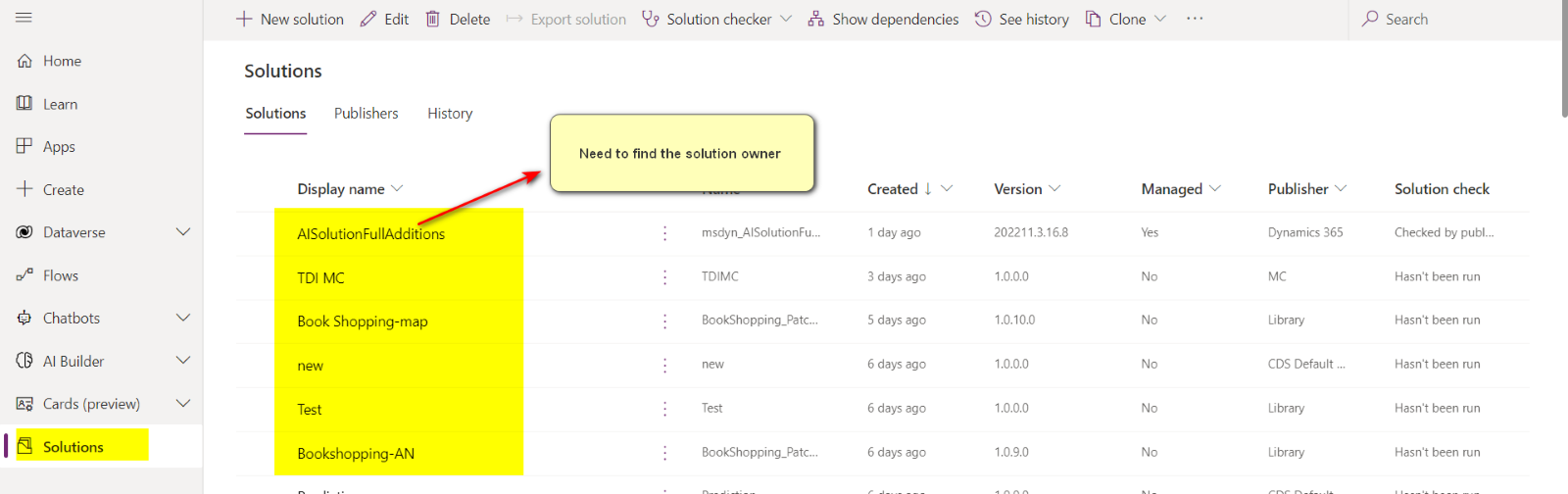
    pastedimage1673234559476v1.png


    Yes, You can achieve this by using XRM tool-CRM Solution Explorer 

    -->Install the mentioned tool in XRM toolbox  

    -->Connect to environment where solution is created or you need to check the solution history 
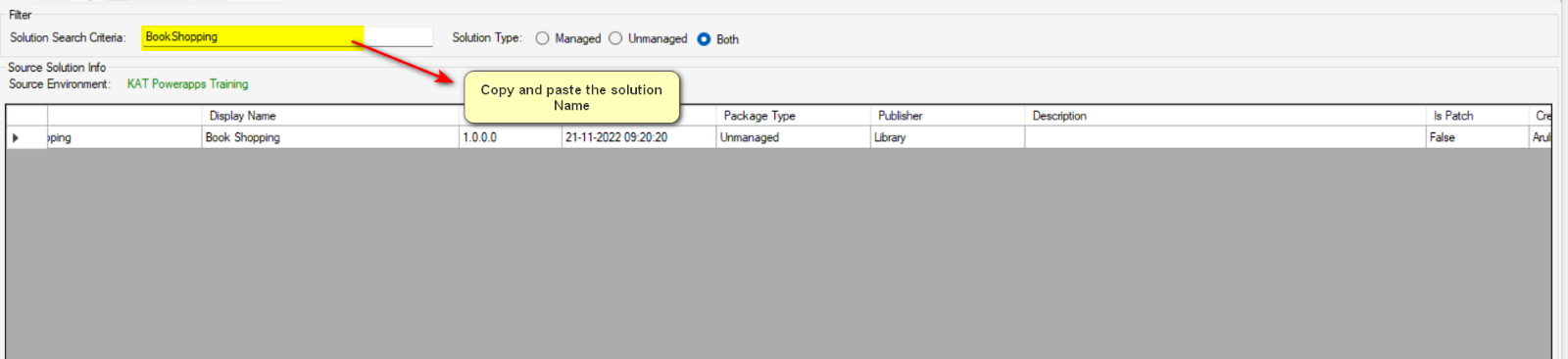
    pastedimage1673234691707v2.png

    -->Use Solution Name

    pastedimage1673234759993v3.png

    pastedimage1673234788999v4.png

Under review

Thank you for your reply! To ensure a great experience for everyone, your content is awaiting approval by our Community Managers. Please check back later.

Helpful resources

Quick Links

Responsible AI policies

As AI tools become more common, we’re introducing a Responsible AI Use…

Neeraj Kumar – Community Spotlight

We are honored to recognize Neeraj Kumar as our Community Spotlight honoree for…

Leaderboard > Microsoft Dynamics 365 | Integration, Dataverse, and general topics

#1
#ManoVerse Profile Picture

#ManoVerse 93

#1
Siv Sagar Profile Picture

Siv Sagar 93 Super User 2025 Season 2

#3
Martin Dráb Profile Picture

Martin Dráb 62 Most Valuable Professional

Last 30 days Overall leaderboard

Product updates

Dynamics 365 release plans


