web
You’re offline. This is a read only version of the page.
close
Skip to main content

Announcements

No record found.

News and Announcements icon
Community site session details

Community site session details

Session Id :
Small and medium business | Business Central, N...
Suggested Answer

Prepayment Invoice for a purchase order

(0) ShareShare
ReportReport
Posted on by 130

Hi all,

I have a purchase order that was created for a vendor with no prepayment fields set up. I have received a purchase invoice from the vendor for prepayment of 50% value of the order.

I have adjusted the vendor card for a prepayment rate of 50%.

However, I cannot see how to create the prepayment invoice in the Purchase Order. I have navigated to Actions - Posting - Prepayments - Post Prepayment Invoice (see below)
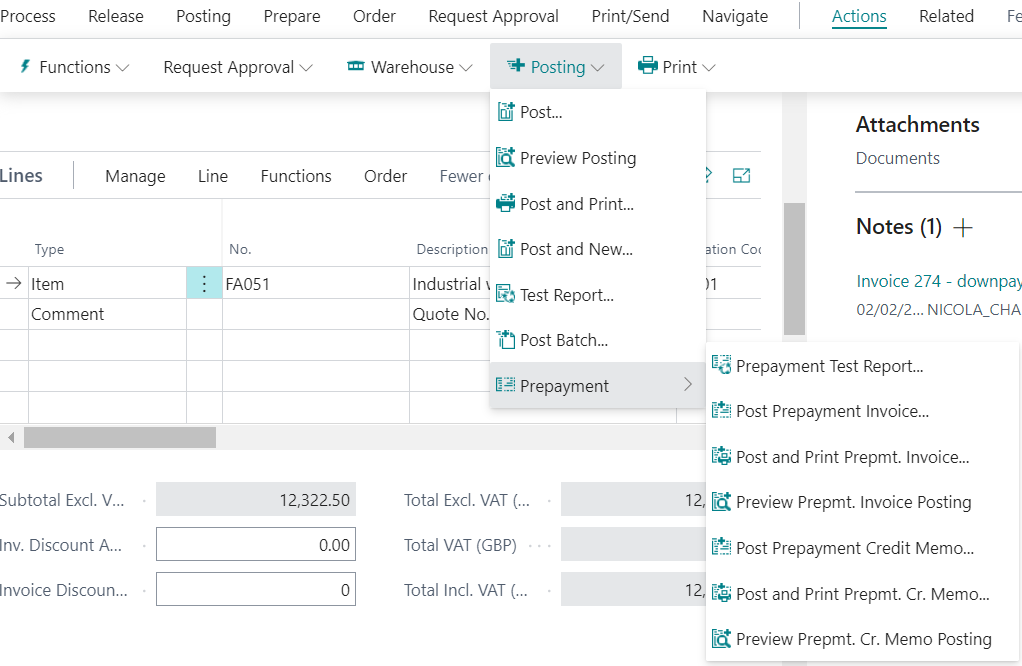
pastedimage1643819253495v1.png

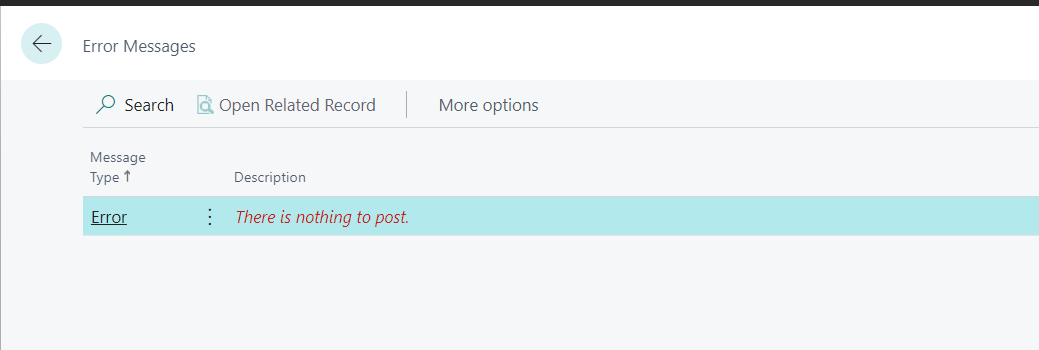
but when i do, nothing happens:

pastedimage1643819320606v2.png

How / where do I enter the details of the prepayment invoice?

I have the same question (0)
  • Suggested answer
    Inge M. Bruvik Profile Picture
    1,165 Moderator on at

    If the vendor prepayment setup was not completed before you created the purchase order you will have to add the prepayment percentage to the purchase order before you can create the prepayment invoice.

  • Suggested answer
    Inge M. Bruvik Profile Picture
    1,165 Moderator on at

    You find the prepayment fields in the bottom section of the purchase order:

    pastedimage1643820758424v1.png

  • Tessa Deenik Profile Picture
    30 on at

    Is there a way to display prepayment details on the Purchase Order Document Layout?  We need to be able to send the Purchase Order to the vendor showing that the prepayment has been done.

Under review

Thank you for your reply! To ensure a great experience for everyone, your content is awaiting approval by our Community Managers. Please check back later.

Helpful resources

Quick Links

Introducing the 2026 Season 1 community Super Users

Congratulations to our 2026 Super Stars!

Meet the Microsoft Dynamics 365 Contact Center Champions

We are thrilled to have these Champions in our Community!

Congratulations to the March Top 10 Community Leaders

These are the community rock stars!

Leaderboard > Small and medium business | Business Central, NAV, RMS

#1
OussamaSabbouh Profile Picture

OussamaSabbouh 1,993 Super User 2026 Season 1

#2
YUN ZHU Profile Picture

YUN ZHU 1,116 Super User 2026 Season 1

#3
Khushbu Rajvi. Profile Picture

Khushbu Rajvi. 557 Super User 2026 Season 1

Last 30 days Overall leaderboard

Featured topics

Product updates

Dynamics 365 release plans