web
You’re offline. This is a read only version of the page.
close
Skip to main content

Notifications

Announcements

No record found.

Community site session details

Community site session details

Session Id :
Microsoft Dynamics CRM (Archived)

Updating Fields automatically in CRM Online

(0) ShareShare
ReportReport
Posted on by 77

Hi,

I am a beginner in CRM and I am hoping someone can help me

I have a field Est.Close date in CRM under Opporutnity Entity which I fill up manually. I have another field in CRM which is Renewal date which I also fill up manually. Renewal Date is 14 days after Est.Close date.

so if my Est.Close date is 10/03/2017, my Renewal date will be 24/03/2017.  both fields are Data/time fields. 

I want to automate this process such that when I enter Est.Close date manually, my renewal date field is updated automatically.  
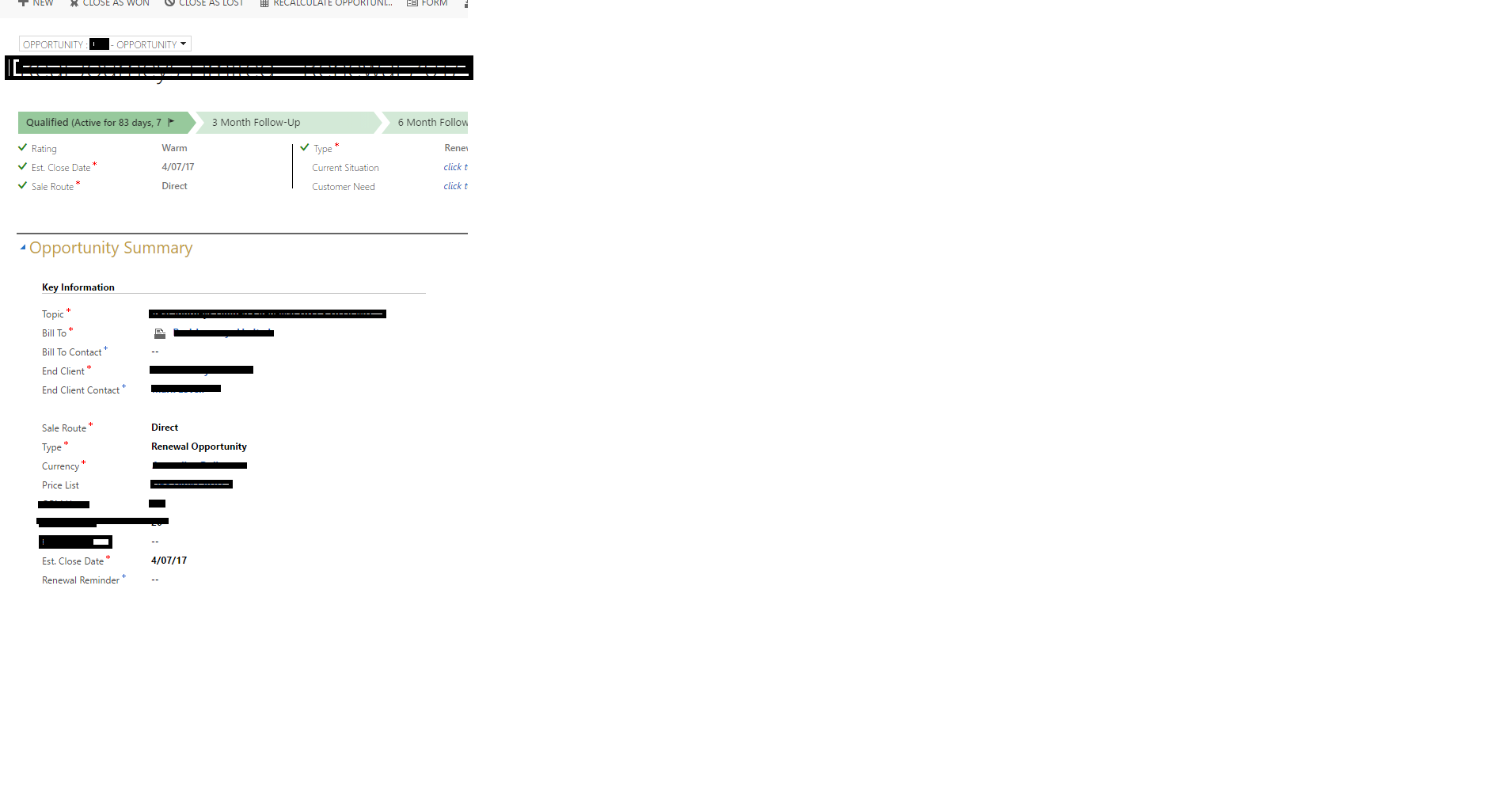
renewal-reminder.png

Do I have to create a workflow or setup some rule to update fields? how can this be done?

Any help will really be appreciated.

Regards,

Zeeshan

*This post is locked for comments

I have the same question (0)
  • Suggested answer
    JohnAnonymous Profile Picture
    5,241 on at

    I think the most common approach is to create a small piece of JavaScript and put that on the onchange event of the field.

    You can find a lot of documentation on all these subjects.

  • Zeera Profile Picture
    77 on at

    Hi Martijn,

    Thank you for your reply.

    I am not sure how to create a Java script? and how would I put that on the onchange event of the field?

    I am actually quite a beginner with all these things.

    Any help will be really appreciated.

    Regards,

    Zee

  • Verified answer
    Mihir Maruti Kadam Profile Picture
    702 on at

    This can achieve using simple business rule. I have created sample business rule for you. I have used actual close date instated of renewal date.

    business-process2.pngbusiness-process2.pngbusiness-process3.png

  • Verified answer
    Community Member Profile Picture
    on at

    You can use JavaScript to do this process by OnChange Event in Est.Close field

    Sample JS code :-

    //do your process first then add the value in the field
    Xrm.Page.getAttribute(FieldName).setValue(Value);

    How to add event to the Field :-

    You need first to implement JavaScript file to the form via Form Properties button (find this button in Form Editor) then add you library, then you can assign a function to any field.

    This following steps that you can assign specific function to field :-

    1. Open Form Editor.
    2. Double Click on the Field.
    3. From the tabs, you can find tab called (Events).
    4. Click Add button.
    5. Add you library name and function name that you have created in JS file.

    Recourses :-

    https://www.youtube.com/watch?v=nUsuxnpjzbA

    http://dynamicscrmpros.com/getting-started-with-javascript-form-scripting-for-microsoft-dynamics-crm-2011/

    Good luck .

  • Suggested answer
    Nithya Gopinath Profile Picture
    17,078 on at

    Hi Zeera,

    You could also create a calculated field for Renewal Date as in the examples in the link below.

    technet.microsoft.com/.../dn832103.aspx

  • Zeera Profile Picture
    77 on at

    Hi guys

    Business flow helped me  acheive my goal.

    Thank you for everyone to take time out and help me

    Regards,

    Zee

Under review

Thank you for your reply! To ensure a great experience for everyone, your content is awaiting approval by our Community Managers. Please check back later.

Helpful resources

Quick Links

Responsible AI policies

As AI tools become more common, we’re introducing a Responsible AI Use…

Neeraj Kumar – Community Spotlight

We are honored to recognize Neeraj Kumar as our Community Spotlight honoree for…

Leaderboard > 🔒一 Microsoft Dynamics CRM (Archived)

#1
SA-08121319-0 Profile Picture

SA-08121319-0 4

#1
Calum MacFarlane Profile Picture

Calum MacFarlane 4

#3
Alex Fun Wei Jie Profile Picture

Alex Fun Wei Jie 2

Last 30 days Overall leaderboard

Featured topics

Product updates

Dynamics 365 release plans
