web
You’re offline. This is a read only version of the page.
close
Skip to main content

Announcements

No record found.

News and Announcements icon
Community site session details

Community site session details

Session Id :
Microsoft Dynamics GP (Archived)

Sales - Distribution Type is Missing Or Invalid

(0) ShareShare
ReportReport
Posted on by

I’m having an issue where the edit list returns an error about ‘Distribution Type’.

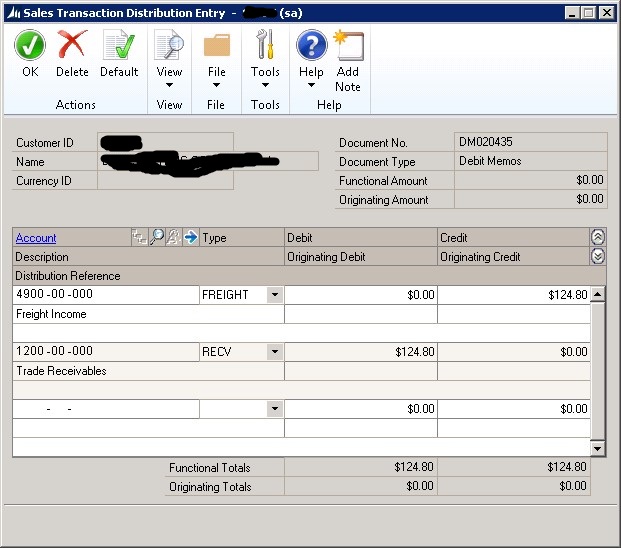
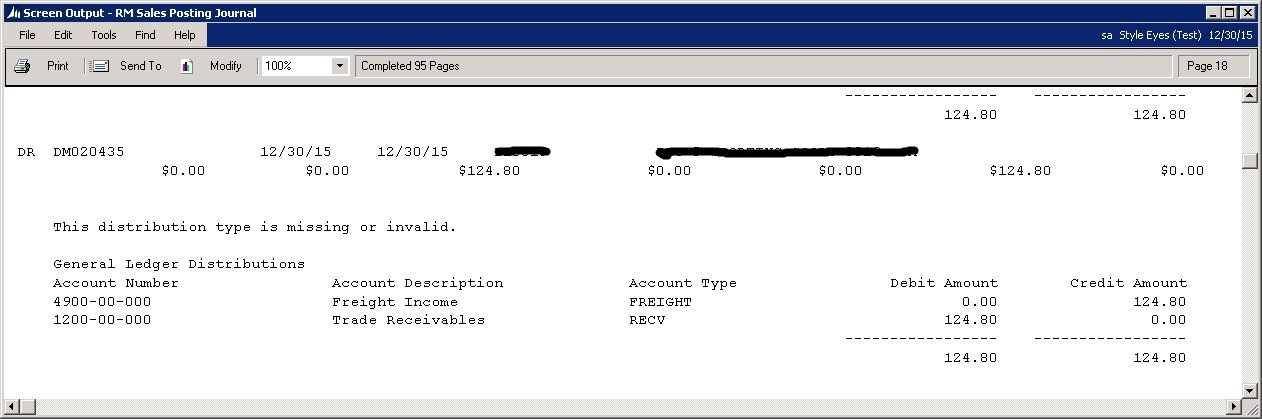
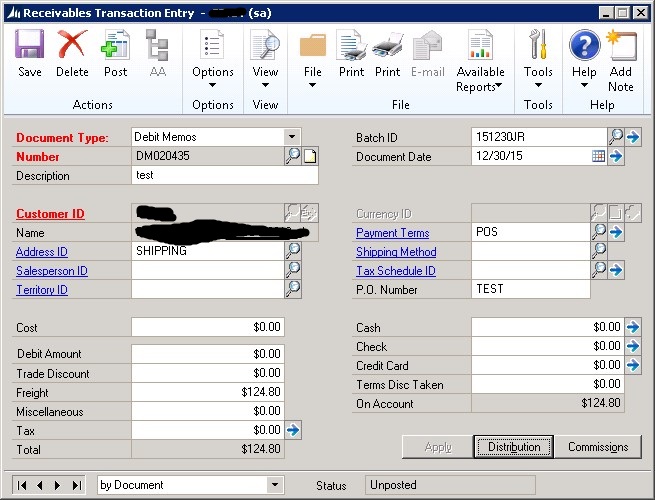
I create a transaction and when I run the edit list it returns an error ‘This Distribution Type is missing or invalid’.  The error occurs whether the amount is a Cost, Debit Amount, Trade Discount, freight, Misc., or Tax.  I don’t get the error when the amount is Cash or Check.
 

2248.pic1.jpg

pic2.jpg


Pic3.jpg

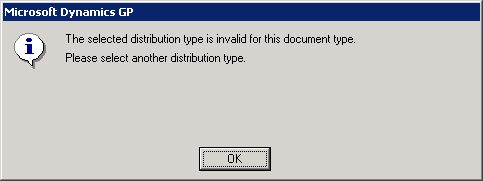
If I change the type on the distribution from Fright to say Cash and then try to change it back to fright I get the message which makes no sense.
0184.pic4.png

If I hit default on then it recreates with freight but still fails in the edit list.
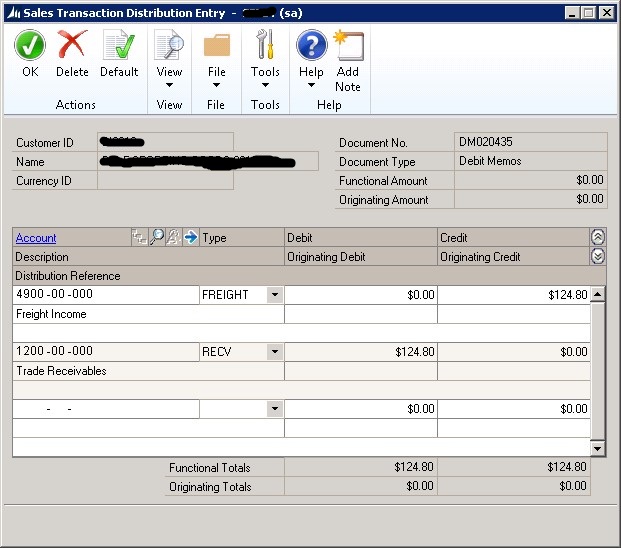
pic5.jpg

Any suggestions?

*This post is locked for comments

I have the same question (0)
  • Suggested answer
    babubaskaran@outlook.com Profile Picture
    12 on at

    Hi David,

    Please try to enter some amount on Debit amount and try the edit list.  I think debit memo GP might be looking for amount to be filled in this field.

  • David Cervelli Profile Picture
    on at

    You are correct, if I remove the fright amount and added an amount to Debit Amount it worked without an error but that is not the transaction I'm trying to do.

    To confirm this is a valid transaction, I run the transaction with only the amount on Freight in the test company (two) I get no error on the edit list so something is going on with this company and I don't see why.   

    Thanks in advance for any help.

    0486.p2.jpg

    0486.p2.jpg

    p3.jpg

  • Suggested answer
    babubaskaran@outlook.com Profile Picture
    12 on at

    Hi,

    Please try to add shipping method and try again.

  • David Cervelli Profile Picture
    on at

    No, throws the same error even with a shipping method.  I'm thinking its a something with a setup or data because I can do this in test (TWO) company.

  • Suggested answer
    babubaskaran@outlook.com Profile Picture
    12 on at

    Please run check link against receivable and try it again.

  • David Cervelli Profile Picture
    on at

    I have, a number of times.

  • babubaskaran@outlook.com Profile Picture
    12 on at

    Hi David,

    We will try this one more time.  On receivable setup - option window what did you selected for tax for freight.

  • David Cervelli Profile Picture
    on at

    Babu

    First thanks so much for your help.  When you say receivable setup are you talking about Sales >> Setup >> Receivables >> Options?  If so we have don't have tax's on our transactions so they are empty.

  • Suggested answer
    babubaskaran@outlook.com Profile Picture
    12 on at

    Can you create zero tax id and select them as default tax id.

  • David Cervelli Profile Picture
    on at

    OK, added a zero tax ID created a new transaction and still getting "This Distribution Type is missing or invalid"?  

Under review

Thank you for your reply! To ensure a great experience for everyone, your content is awaiting approval by our Community Managers. Please check back later.

Helpful resources

Quick Links

Introducing the 2026 Season 1 community Super Users

Congratulations to our 2026 Super Stars!

Meet the Microsoft Dynamics 365 Contact Center Champions

We are thrilled to have these Champions in our Community!

Congratulations to the April Top 10 Community Leaders

These are the community rock stars!

Leaderboard > 🔒一 Microsoft Dynamics GP (Archived)

#1
talty09 Profile Picture

talty09 2

#1
Anthony Beatty Profile Picture

Anthony Beatty 2

#3
CP04-islander Profile Picture

CP04-islander 1

Last 30 days Overall leaderboard

Featured topics

Product updates

Dynamics 365 release plans